Movie Resolution
Movie type
Playback Frame Rat
e
1
2
3
Filming High-Speed Movies
Film at high frame rates. Movies ar
e filmed at 120fps and play back at 60fps. Stretching playback to
double the recording time (as is the case when 60p is selected as the playback frame rate) lets you
view in slow motion movements that in real life took only the blink of an eye.
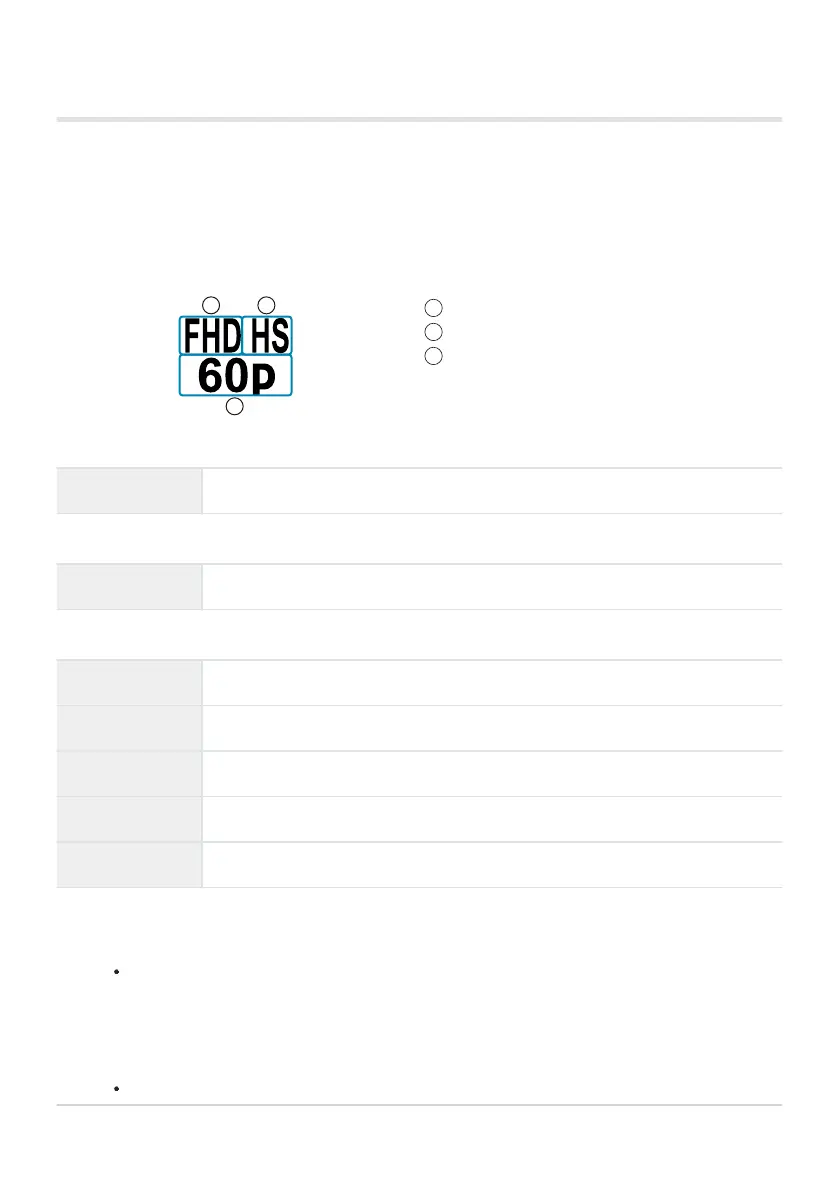
A high-speed movie option can be included in the movie image quality menu. Your choice of playback
frame rate determines the playback speed multiplier.
Changes to settings are reflected in the movie quality icon as shown below.
Movie Resolution
FHD Full HD (1920× 1080)
Movie type
HS High speed (120fps)
Playback Frame Rate
60p 60p: 59.94fps; plays back at 0.5× speed
50p 50p: 50.00fps; plays back at 0.42× speed
30p 30p: 29.97fps; plays back at 0.25× speed
25p 25p: 25.00fps; plays back at 0.21× speed
24p 24p: 23.98fps; plays back at 0.2× speed
Select 0 (high-speed movie r
ecor
ding).
To use current settings, press the OK button.
The camera will exit the menu with the current options selected.
To edit current settings, press the INFO button in Step 1.
This places the cursor in the list of high-speed movie options.
144
Frame Size, Rate, and Compression (nX)
1.
2.



 To Next Page