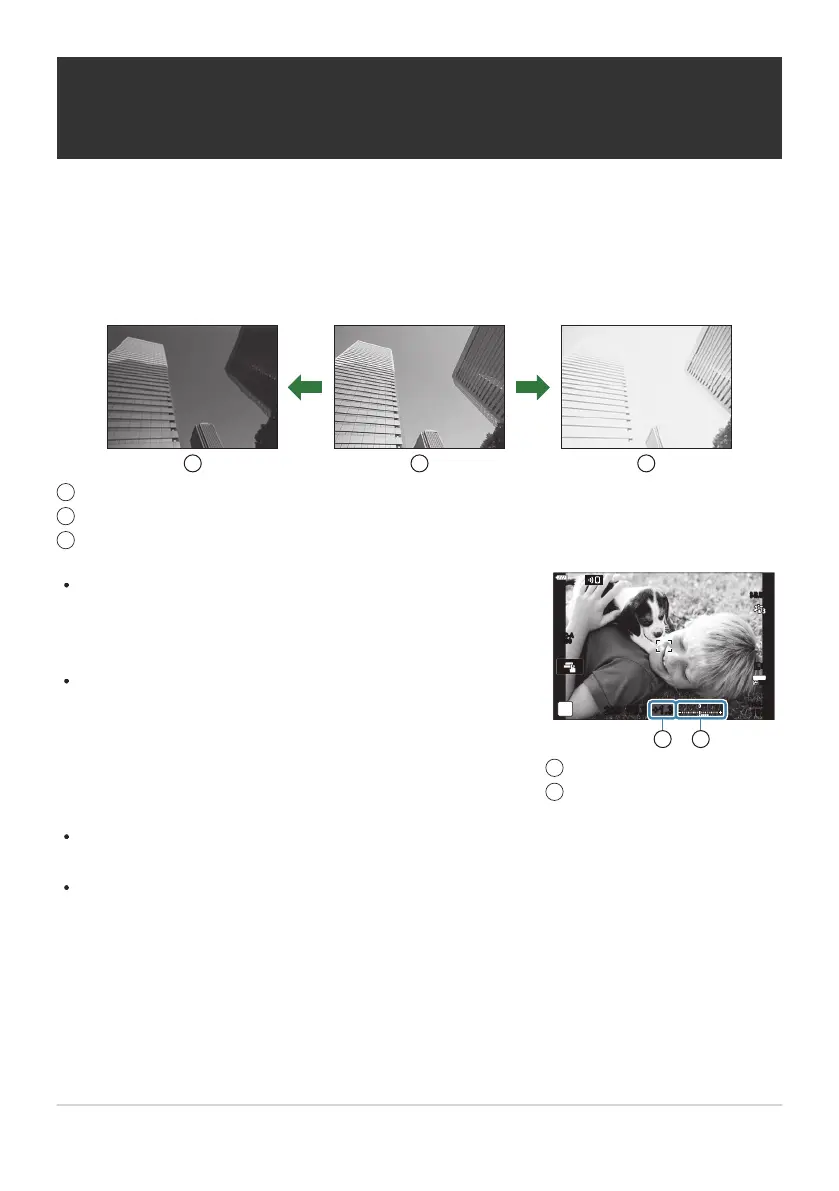
During photo shooting, exposure compensation can be adjusted
by up to ±5.0EV
. The viewfinder and live view show the effects
of values not exceeding ±3.0EV. The exposure bar flashes when
the value exceeds ±3.0EV.
During movie recording, exposure compensation can be
adjusted by ±3.0EV.
250 F5.6
30
p
30
p
4K
YFYF
1023
1:02:03
ISO-A
200
1 2
Exposure compensation
Exposure b
ar
1
2
Controlling exposure (Exposure
Compensation)
The exposure select
ed automatically by the camera can be altered to suit your artistic intent.
Choose positive values to make pictures brighter, negative values to make them darker. Exposure
compensation is available in modes P, A, S, ART, and n.
To enable exposure compensation in mode M, select [AUTO] for [KISO] (P. 98).
Negative (–)
No compensation (0)
Positiv
e (+)
To preview the effects of exposure compensation in live view, select [Off] for [Live View Boost] in
CCustom Menu j (P. 280).
The front and rear dials or touch controls can be used to adjust exposure during movie recording.
89
Controlling exposure (Exposure Compensation)
B
1
2
3



 To Next Page