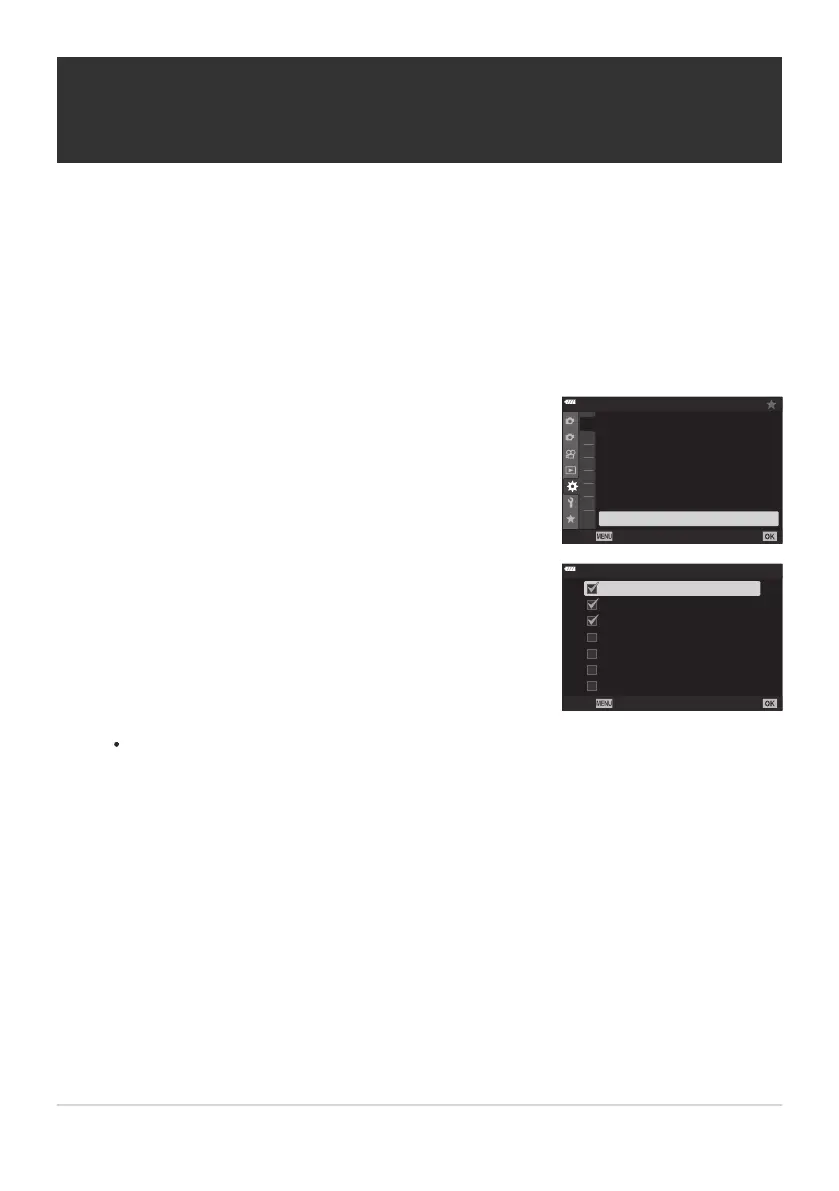
Highlight [K C-AF Center Pr
iority] in CCustom Menua
and press the OK button.
1
2
A2
A3
A4
A1
B
C
1
C2
D1
A1
A1. AF/MF
mode2
±0
S3/C4/M3/F3
Off
S-AF
AF Scanner
K
AEL/AFL
K
AF+MF
K
A
F Mode
K
C-AF Sensitivity
K
C-AF Center Start
K
C-AF Center
Priority
Back
Set
Using the FG buttons, highlight the AF target modes to
which [KC-AF Center Priority] will apply and then press the
OK button.
r
N
s
u
v
w
H
x
K
C-AF Cen
ter Priority
Back
C-AF Center Target Priority (KC-AF Center
Pr
iority)
MENU Q C Q a Q [K C-AF Center Priority]
When focusing using group- or -target AF in [C‑AF] and [C‑AF J] modes, the camera always
assigns priority to the center target in the selected group for a repeated series of focus operations.
Only if the camera is unable to focus using the center focus target will it focus using the surrounding
targets in the selected focus group. This helps you track subjects that are moving quickly but relatively
predictably. C‑AF center priority is recommended in most situations.
Selected modes are marked with a check (P). To deselect, press the OK button again.
Press the MENU button repeatedly to exit the menu.
304
C-AF Center Target Priority (KC-AF Cent
er
Priority)
1.
2.
3.



 To Next Page