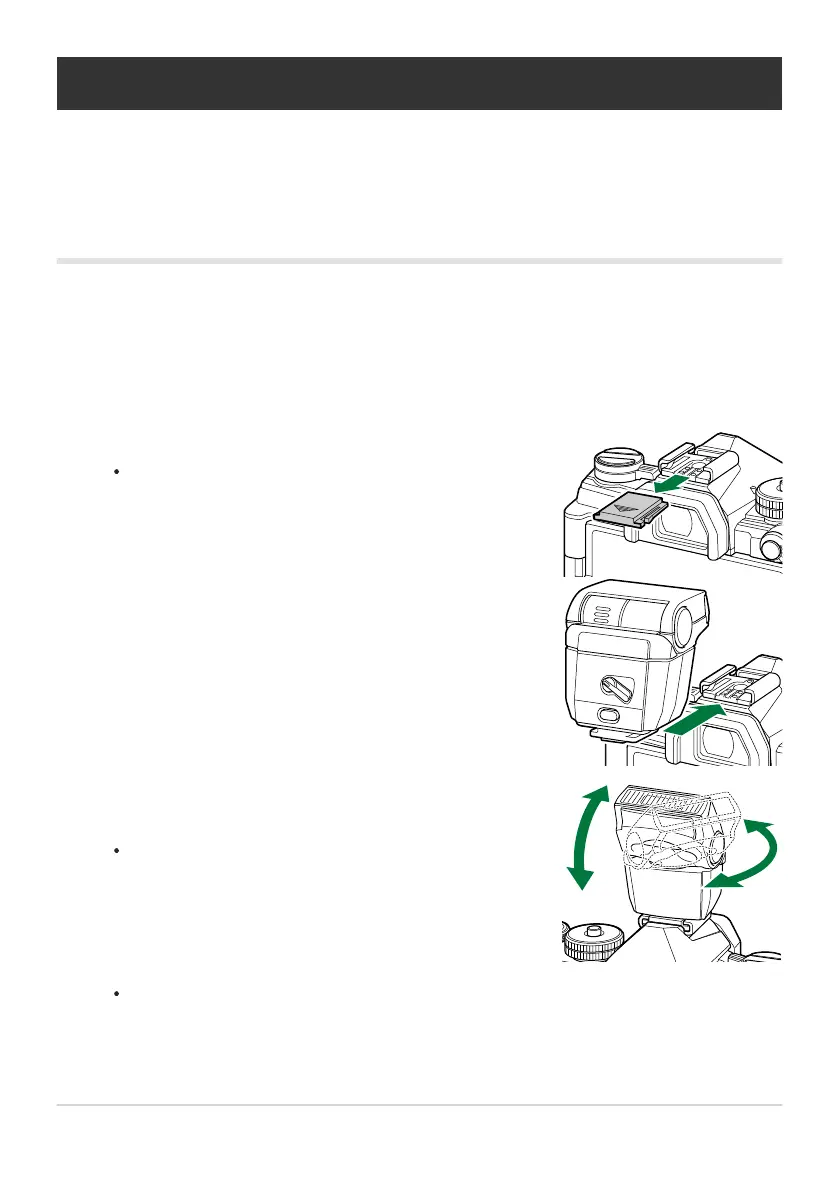
Remove the hot shoe cover and attach the flash.
Slide the flash in until the foot clicks into place at the b
ack
of the shoe.
Position the flash head for bounce-flash photography or direct
lighting.
The flash head can be rotat
ed up and left or right.
Using a flash (Flash photography)
When using a flash unit, you can choose the flash mode using camera contr
ols and take pictures with
the flash.
Attaching Compatible Flash Units
The methods used to attach and operate external flash units vary with the unit. See the documentation
provided with the unit for details. The instructions here apply to the FL-LM3.
Confirm that both the camera and flash unit are off. Attaching or removing a flash unit while either
the camera or flash unit is on could damage the equipment.
Note that flash output may be insufficient for correct exposure when bounce flash lighting is
used.
147
Using a flash (Flash photography)
C
1.
2.



 To Next Page