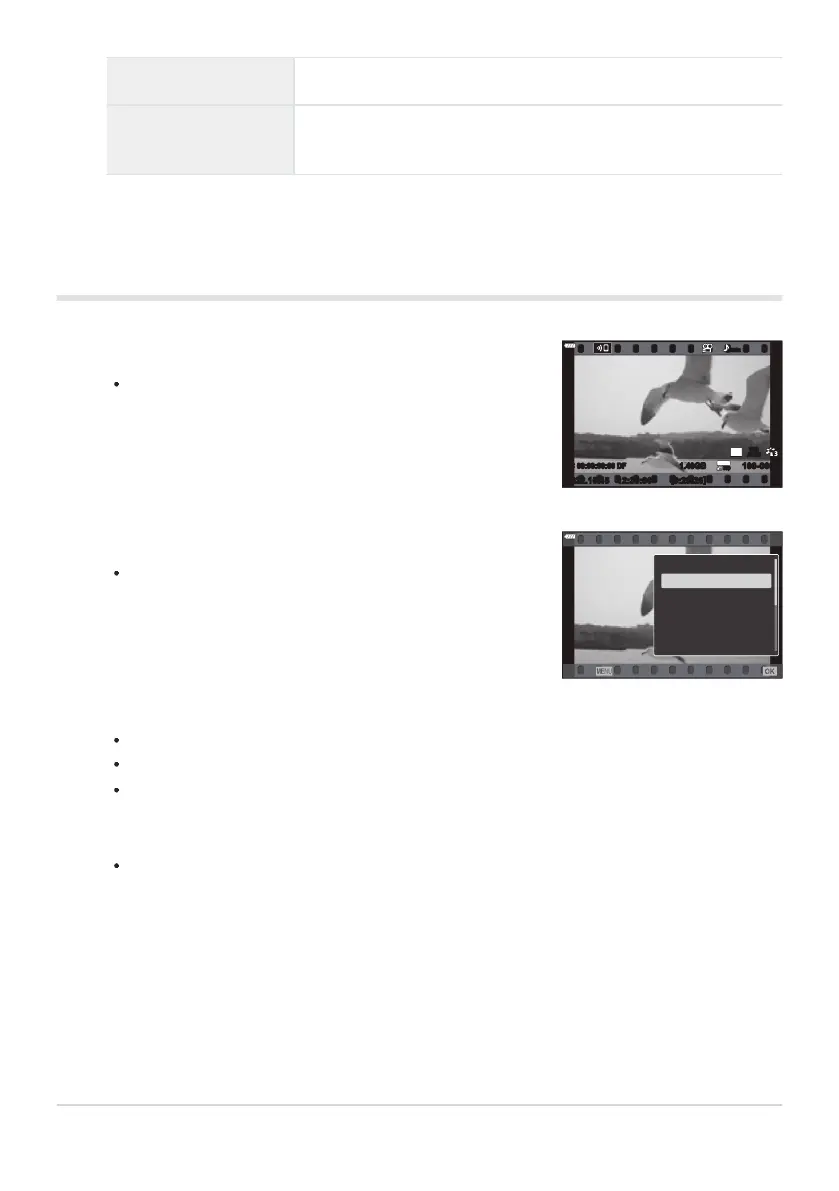
Press the q button.
Y
our most recent photograph or movie will be displayed.
WB
AUTO
TC 00:00:00:00 DF
30
p
30
p
4K
48kHz
2022.10.15
[
0:20:20
]
1.40GB
Movie
Select a movie and press the OK button.
The playb
ack menu will be displayed.
Movie
Play from Beginning
Play Movie
Movie Edit
Shar
e Order
0
Delete entire n
Back
Set
D button
Delet
e image (P.
189)
OK button
View menus (in calendar playb
ack, press this button to exit to
single-frame playback)
Watching movies
Select [Play Movie] and pr
ess the
OK button.
Movie playback begins.
Fast-forward and rewind using H/I.
Press the OK button again to pause playback. While playback is paused, use F to view the
first frame and G to view the last frame. Use HI or the front dial (p) to view previous or
next frame.
Press the MENU button to end playback.
183
Viewing photographs and movies
1.
2.
3.



 To Next Page