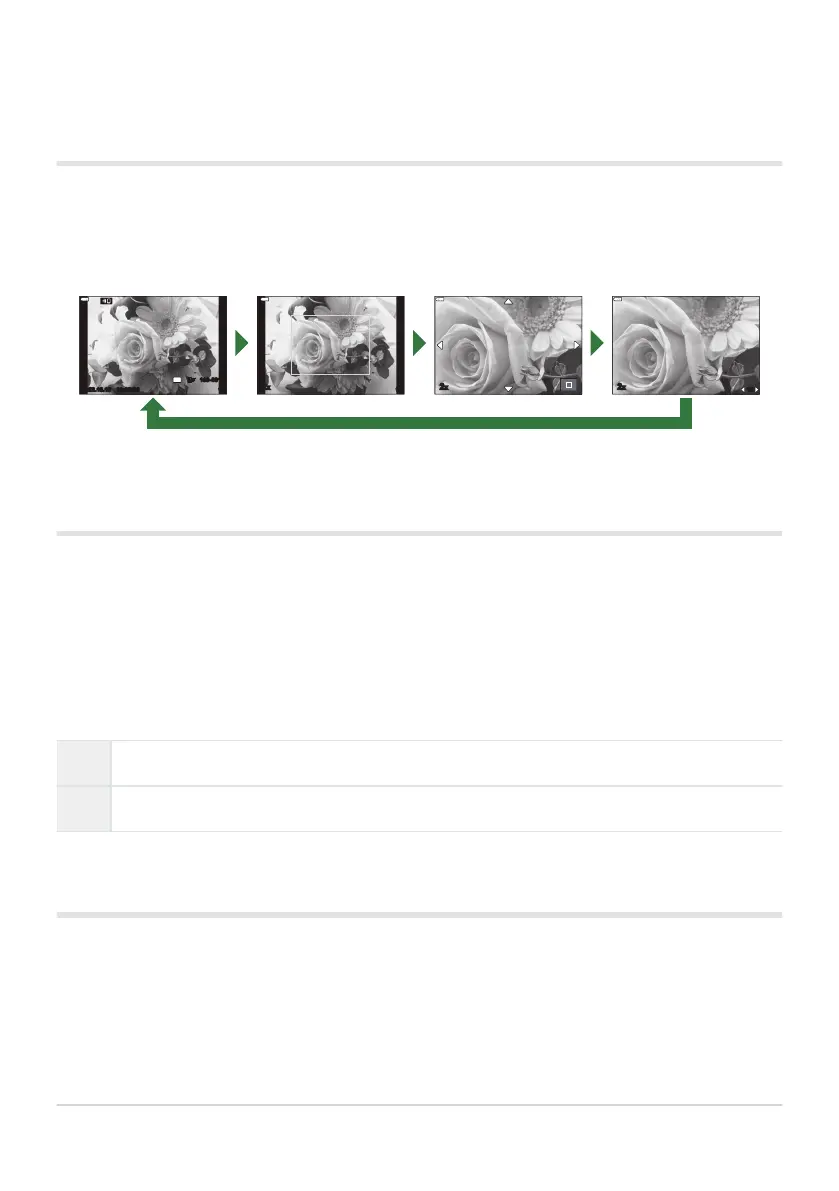
q8Info (Magnified playback infor
mation
display)
The magnified playback information displays can be set with [q8 Info]. If [8] (Magnify) is
currently assigned to a control (P. 167), you can cycle through the chosen displays by repeatedly
pressing the 8 button during playback. You can also choose to not show displays that appear at the
default setting.
YFYF
2022.10.15
15
2x 2x 2x
15
8 8 8
8
LV-Info (Shooting information displays)
Choose the info shown in the live view shooting display
. g“Switching the information
display” (P. 41)
To add highlights and shadows to the [LV-Info] display, press the I button to place a check next
to [Custom1] or [Custom2]. The added displays are can be viewed by repeatedly pressing the INFO
button during shooting. You can also choose to not show displays that appear at the default setting.
To choose the items displayed when the shutter button is pressed halfway, highlight [Image Only] in
the [LV-Info] menu and press the I button.
On Shooting info is displayed while the shutter button is pressed halfway.
Off Shooting info is not displayed while the shutter button is pressed halfway.
LV OFF-Info (Shooting information displays)
Choose a shooting display (P
. 41
).
333
Adding information displays (G/Info Settings)



 To Next Page