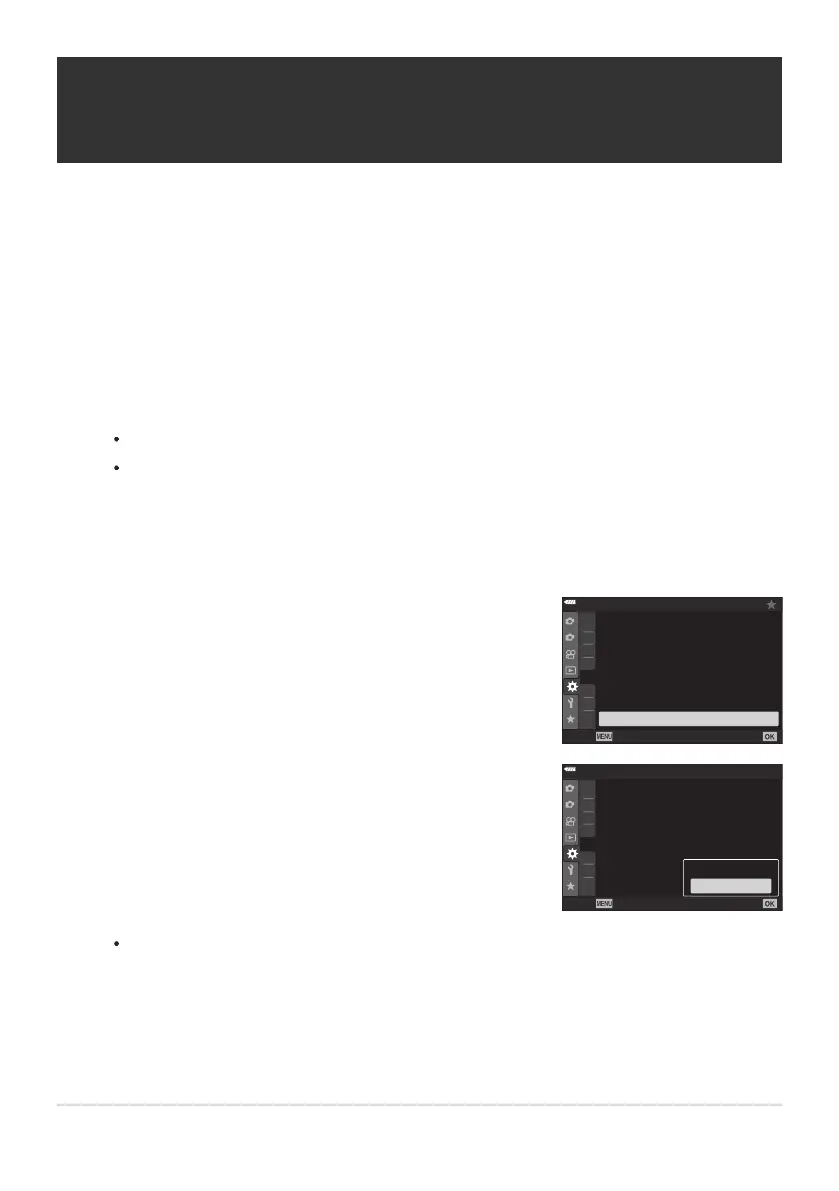
Highlight [KFlicker Scan]
in CCustom Menu n and press
the OK button.
1
2
D3
D4
E1
E2
E3
F
G
D2
E2
Off
E2. Exp/ISO/BULB/
p
Live Bulb
Bulb/Time
Monitor
Live Composite Timer
–7
3h
Bulb/Time Timer
8min
Live Time
0.5sec
Composite Settings
Off
K
Flicker Scan
Back
Set
Highlight [On] using the FG buttons and pr
ess the OK
button.
1
2
D3
D4
E1
E2
E3
F
G
D2
E2
E2. Exp/ISO/BULB/
p
Live Bulb
Bulb/Time
Monitor
Live Composite Timer
–7
3h
Bulb/Time Timer
8min
Live Time
0.5sec
Composite Settings
Off
K
Flicker Scan
Off
Back
Set
Off
On
Reducing Flicker Under LED Lighting
(KFlicker Scan)
MENU
Q C Q n Q [K Flicker Scan]
Banding may occur in photographs taken under LED lighting. Use [KFlicker Scan] to optimize
shutter speed while viewing banding in the display.
This item can be used in S, M, and silent mode and with High Res Shot and Pro Capture shooting.
The range of available shutter speeds is reduced.
Choose shooting and drive modes.
Choose shooting mode S or M.
Choose one of the following drive modes:
Silent mode (A, C, D, I, J, K)
High Res Shot (K)
Pro Capture (u, t)
The camera will return to the previous menu.
343
Reducing Flicker Under LED Lighting (KFlicker
Scan)
C
C
1.
-
-
-
2.
3.



 To Next Page