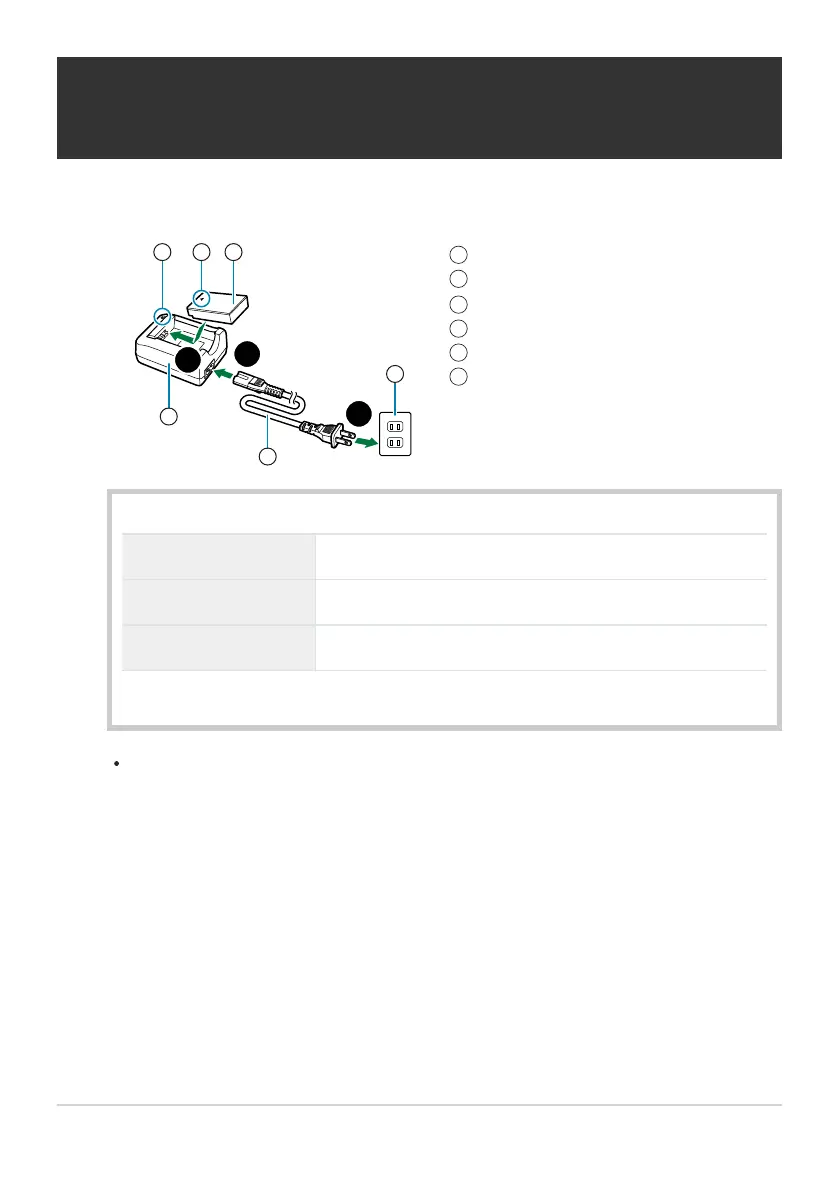
Charging indicator
Direction indicating mark (J
)
Lithium-ion battery
Lithium-ion charger
AC cable
AC outlet
1
2
3
4
5
6
Charging the Battery Using an Optional BCS‑5
Batter
y Charger
Charge the battery.
Charging indicator
Charging in progress Lights orange
Charging complete Off
Charging error Blinks orange
(Charging time: Approximately 3hours 30minutes)
Unplug the char
ger when char
ging is complete.
26
Charging the Battery Using an Optional BCS‑5
Batt
er
y Charger
1.



 To Next Page