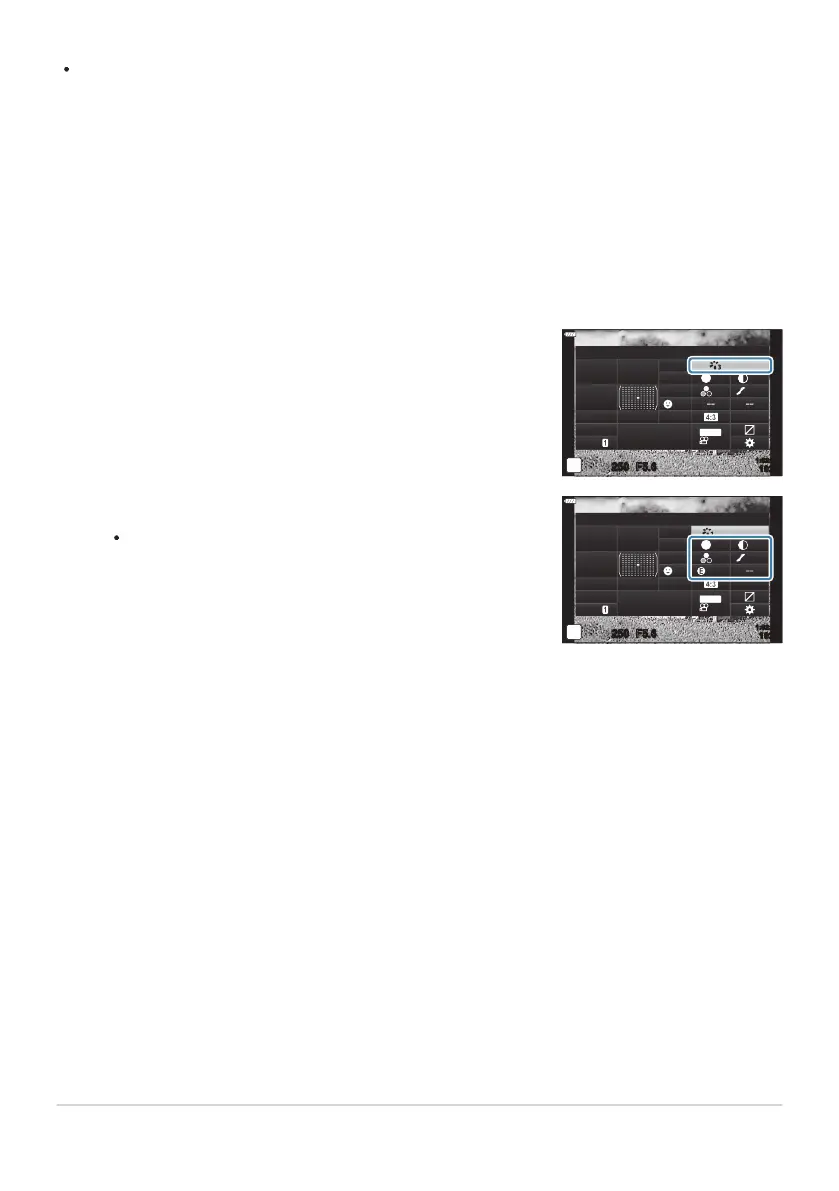
Highlight [Picture Mode] using the
FGHI buttons.
Picture Mode
sRGB
Natural
S
Normal
WB
Auto
ISO
Auto
±
0
A
±
0
±
0 ±
0
±
0
G
±
0
250
1023
1:02:03
F5.6
p
o
S
-
AF
Off
30
p
30
p
4K
S-IS Auto
Y
F
#
±
0.0
#
M-IS
Use the front dial to select an option.
Depending on the option select
ed, pictur
e mode
parameters may be displayed in LV super control panel.
Adjust parameters as desired.
S Sharpness (P. 158)
F Contrast (P. 159)
E Saturation (P. 160)
D Gradation (P. 161)
F Color Filter (P. 162)
T Monochrome Color (P. 163)
E Effect (P. 164)
-
-
-
-
-
-
-
Picture Mode
i-Enhance
sRGB
WB
Auto
ISO
Auto
A
±
0
G
±
0
250 F5.6
p
Standard
S
Normal
±
0
±
0
±
0
o
S
-
AF
Off
30
p
30
p
4K
S-IS Auto
Y
F
#
±
0.0
#
1023
1:02:03
M-IS
Art filters apply only to the JPEG copy. [RAW+JPEG] is aut
omatically selected for image quality in
place of [RAW].
Depending on the subject, tone transitions may be ragged, the effect may be less noticeable, or the
image may become more “grainy”.
You can hide or reveal picture modes using [Picture Mode Settings] in CCustom
Menui (P. 279).
Press the OK button to display the LV super control panel.
156
Processing options (Picture Mode)
C
B
1.
2.
3.



 To Next Page