Option Description
Copyright
Settings
Add the names of the photographer and copyright holder to new photographs.
Names can be up to 63 charact
ers long.
[Copyright Info.]: Select [On] to include the names of the photographer and
copyright holder in the Exif data for new photographs.
[Artist Name]: Enter the name of the photographer.
[Copyright Name]: Enter the name of the copyright holder.
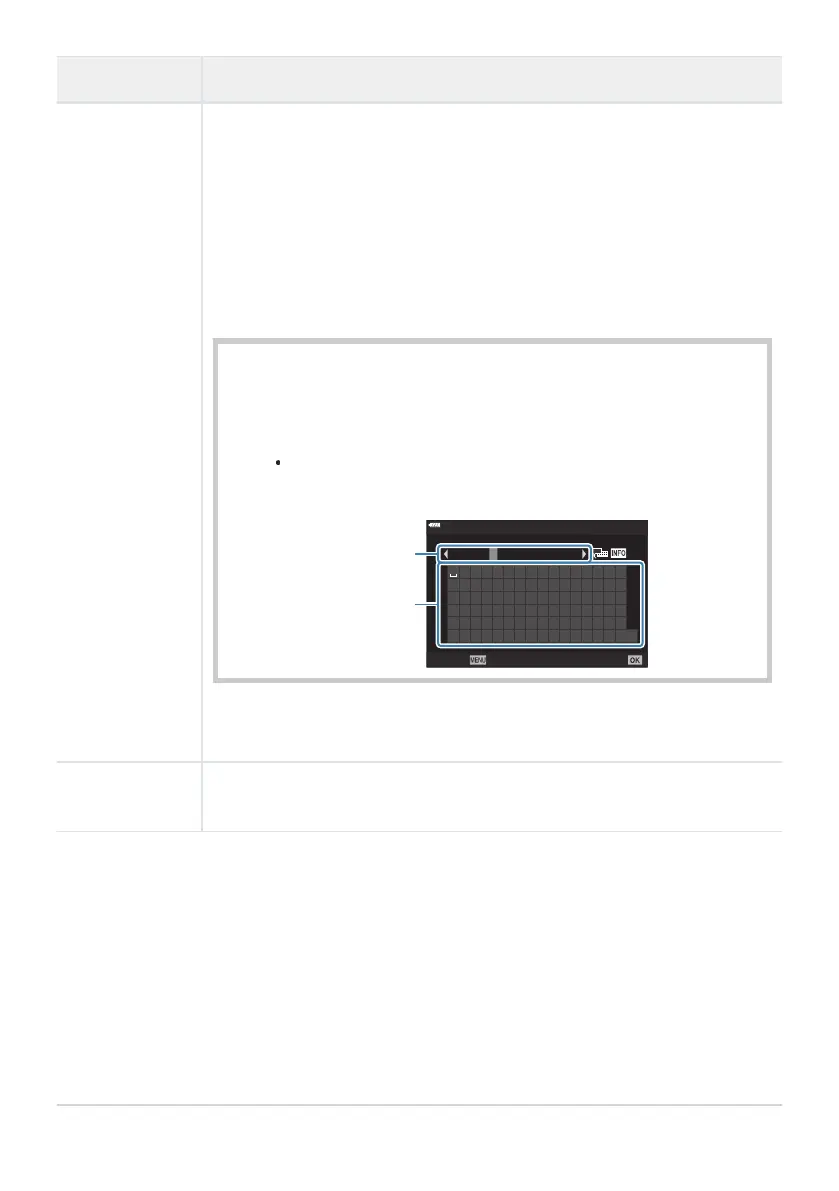
1. Select characters from a and press the OK
button. The selected
characters appear in b.
2. Repeat Step1 to complete the name, then highlight [END] and press
the OK button.
To delete a character, press the INFO button to place the cursor in
the name area b, highlight the character, and press D.
! ” # $ % &
( )
* + , - . /
0 1 2 3 4 5 6 7
’
8 9 : ; < = > ?
@
A B C D E F G H I J K L M N O
P Q R S T U V W X Y Z
[
\
]
^ _
o
a b c d e f g h i j k l m n
END
p q r s t u v w x y z
| }
ABCDE
`
{
~
05/63
Copyrigh
t Name
Cancel
Set
Delete D
b
a
We do not accept liability for damages arising from disputes involving the
use of
[Copyright Settings]. Use at your own risk.
Lens Info
Settings
Save lens info for up to 10 lenses that do not automatically supply info to the
camera (P. 348).
291
pq R
ecord/Erase
C



 To Next Page