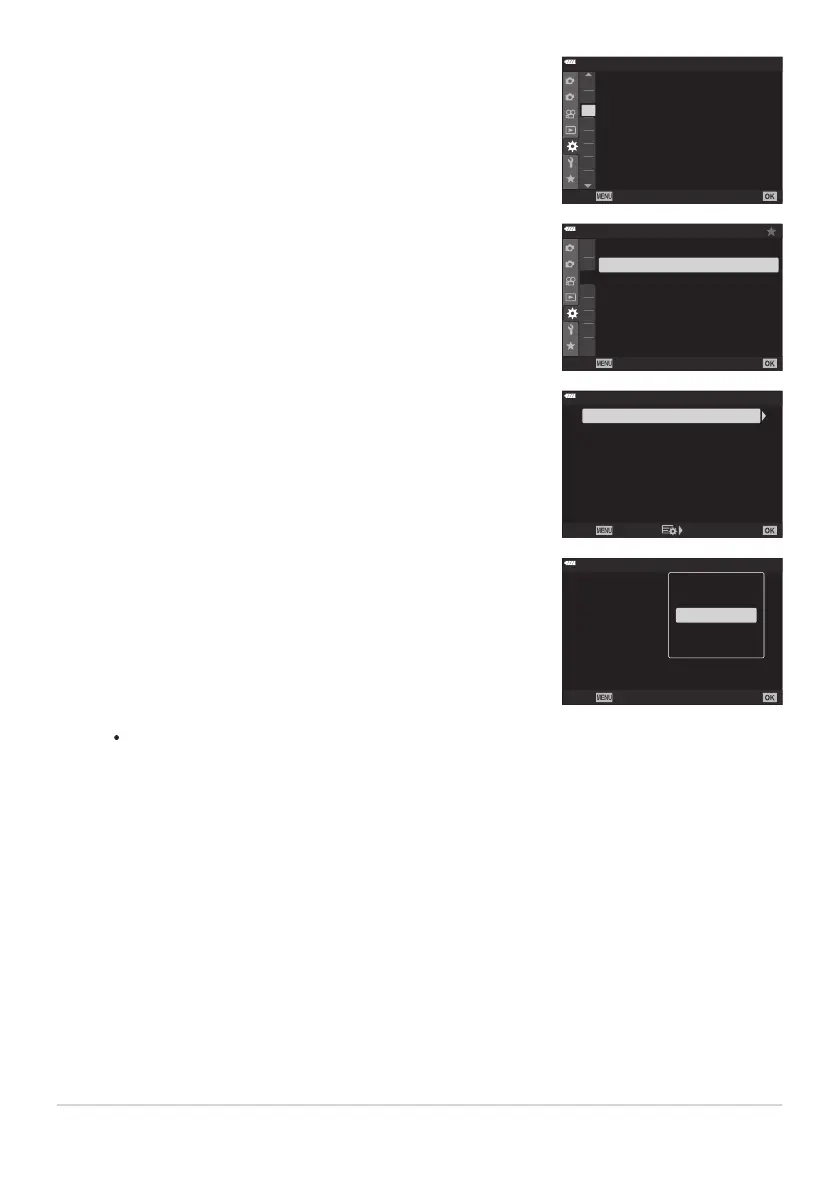
Display C Custom Menu
l (Disp/o/PC).
1
2
D3
D4
E1
E2
E3
F
G
D2
D4
On
D4. Disp/8/
PC
USB Mode
HDMI
8
Sel
ect
Back
Set
Highlight [HDMI] using the FG buttons and press the I
button.
1
2
D3
D4
E1
E2
E3
F
G
D2
D4
On
D4. Disp/8/
PC
USB Mode
HDMI
8
Select
Back
Set
Highlight an item using the FG buttons and pr
ess the I
button.
HDMI
HDMI Control
Outpu
t Frame Rate
Output Size
60p Priority
Back Set
Off
4K
Highlight the desired option using the FG buttons and pr
ess
the OK button.
HDMI
HDMI Control
Outpu
t Frame Rate
Output Size
60p Priority
Off
4K
Back
Set
C4K
4K
1080p
720p
48
0p/576p
Repeat Steps4 and 5 as required.
Press the
MENU button repeatedly to exit the menu.
386
Viewing Pictures on a TV (HDMI)
2.
3.
4.
5.
6.



 To Next Page