2 Basic repair procedures Chapter E: Basic repair procedures
142 Planmeca PlanMill 40 Technical manual
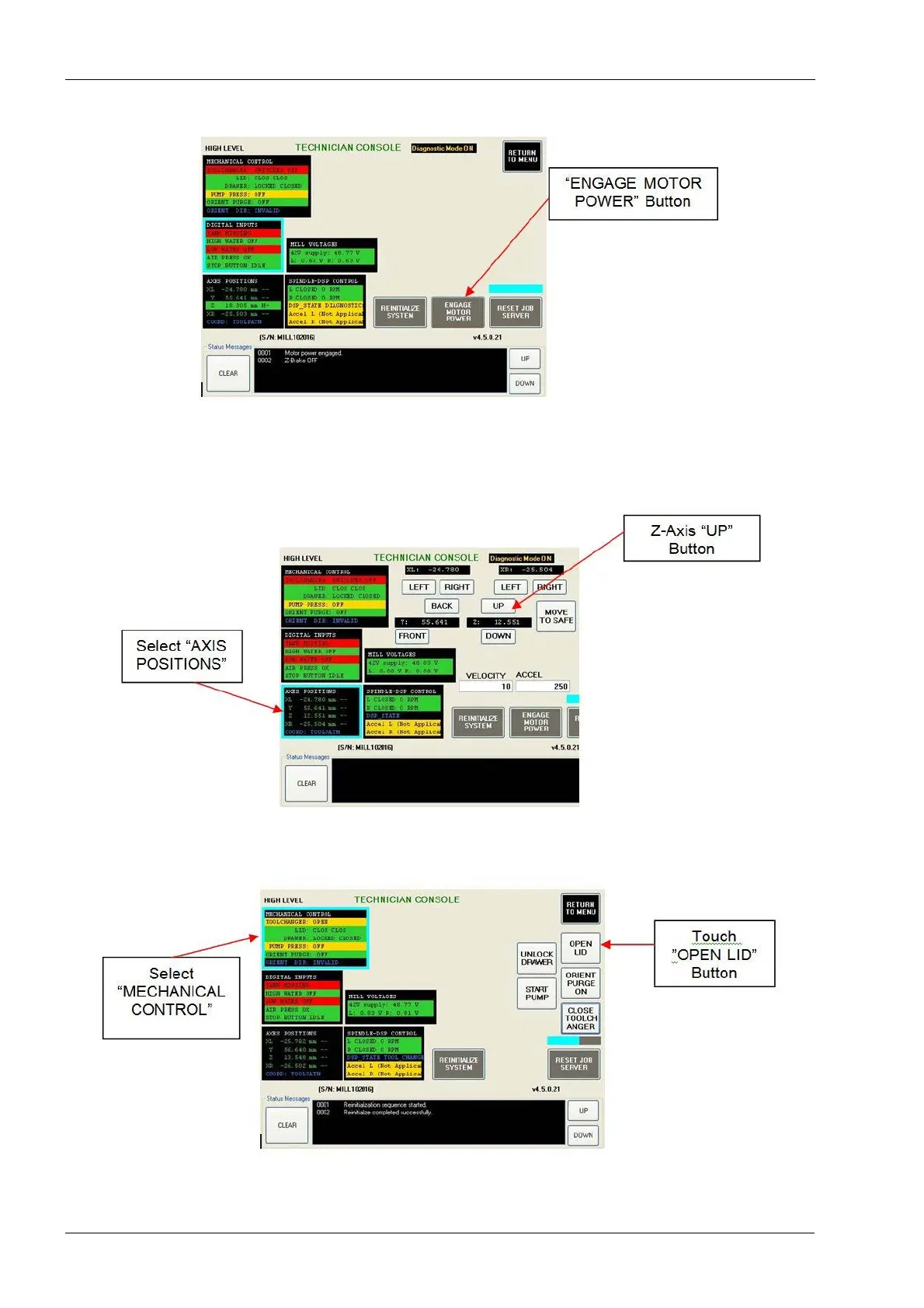
Figure 147: Technician console, High level
2. Touch ENGAGE MOTOR POWER button. Verify all four green LEDs on the amplifier
module are lit and all four red LEDs are off.
3. Select AXES POSITIONS.
Figure 148: Raising the Z-axis
4. Use the UP button to raise the Z-axis to the top.
Figure 149: Opening the lid
5. Select MECHANICAL CONTROL and touch the OPEN LID button. This will open lid
and engage the Z-brake.














 To Next Page