Chapter B: Preventive maintenance
Technical manual Planmeca PlanMill 40 25
1.3 Maintenance icons
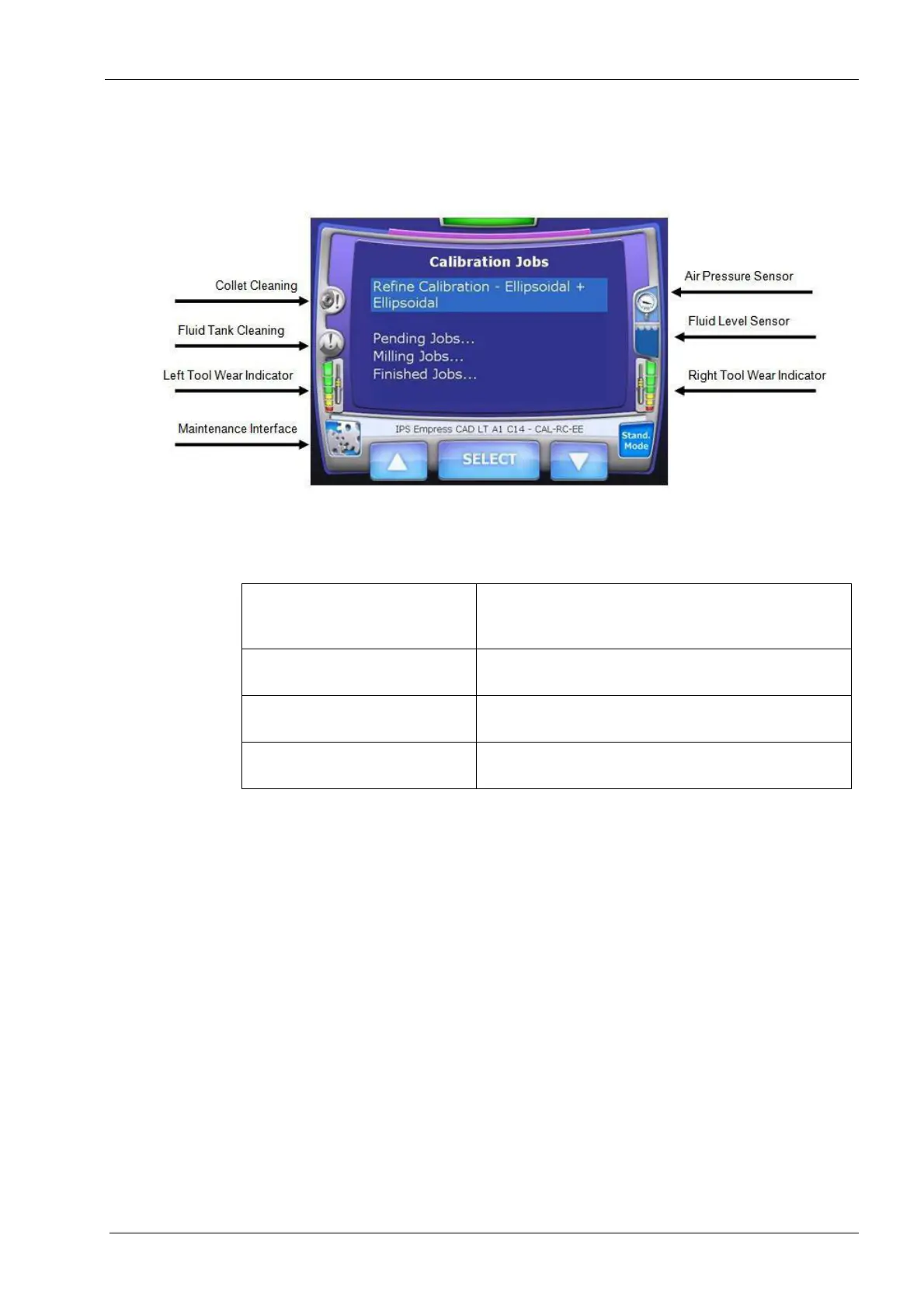
One of the functions of the PlanMill 40 GUI home screen is to provide users with warnings
and maintenance information. Each of these icons will turn red when attention is required.
Figure 11: Maintenance icons
By pressing on these icons, prompts appear to guide the user through the maintenance.
Once the maintenance has been performed, the counters reset.
Table 11: Maintenance icons
Collet Cleaning Press and hold this icon to see text at the bottom of
the screen indicating the recommended number of
milling hours until the collets should be cleaned.
Fluid Tank Cleaning Press and hold this icon to see the recommended
time required before the fluid tank should be cleaned.
Air Pressure Sensor Detects the air pressure levels. Press and hold this
icon to see the status of the air pressure.
Fluid Level Sensor Detects the fluid level. Press and hold this icon to see
the status of the fluid level.














 To Next Page