4 Origin calibration Chapter C: Calibration
60 Planmeca PlanMill 40 Technical manual
4 Origin calibration
The origin of the mill is a point in space which defines X = 0, Y = 0, and Z = 0 for each of
the axes and the toolpath used to grind the dental restorations. This point is located on the
front face of a mandrel (without a block) and centered both horizontally and vertically. We
use the tip of the tool in the left spindle to define this point. The tip of the right tool is simply
offset from this origin by Y-offset and Z-offset values. We utilize an automated procedure
to determine the origin and offset values.
The principal of operation for the Auto-touch calibration procedure is based on electrical
continuity. The calibration mandrel is positioned in the mandrel holder on the mill. The
cylindrical end is electrically isolated from the mandrel portion which locks into the holder.
Additionally, the calibration pins are installed into the spindles. Electrical leads from the
Auto-touch calibration box are connected to each of the calibration pins and the calibration
mandrel. The Auto-touch calibration box is then connected to the mill electronics box via a
USB connection. A continuity signal is monitored by the upper level software through this
USB connection. Critical dimensions of the components in the calibration kit are entered
and saved in the PlanMill 40 software to minimise any errors associated with
manufacturing variations in the calibration kit components. A specialised calibration
sequence is initiated in the software once the connections have been made. This
sequence consists of a number of probing operations in which the milling unit precisely
locates the position of the calibration mandrel. This sequence is fully automated and
simply requires the removal of the components upon completion.
The result of the auto-touch calibration procedure is that the X, Y, and Z coordinates for
the origin to the left spindle are now defined. Specifically, these coordinates are the
physical distances from the home sensors on each of the axes to the origin. Additionally,
the Y-offset, Z-offset and indirectly the X-tools, Delta-X’s define the right tools position
relative to that origin.
Performing this calibration procedure will necessitate performing the rest of the calibration
steps, listed in 1 "Overview" on page 49.
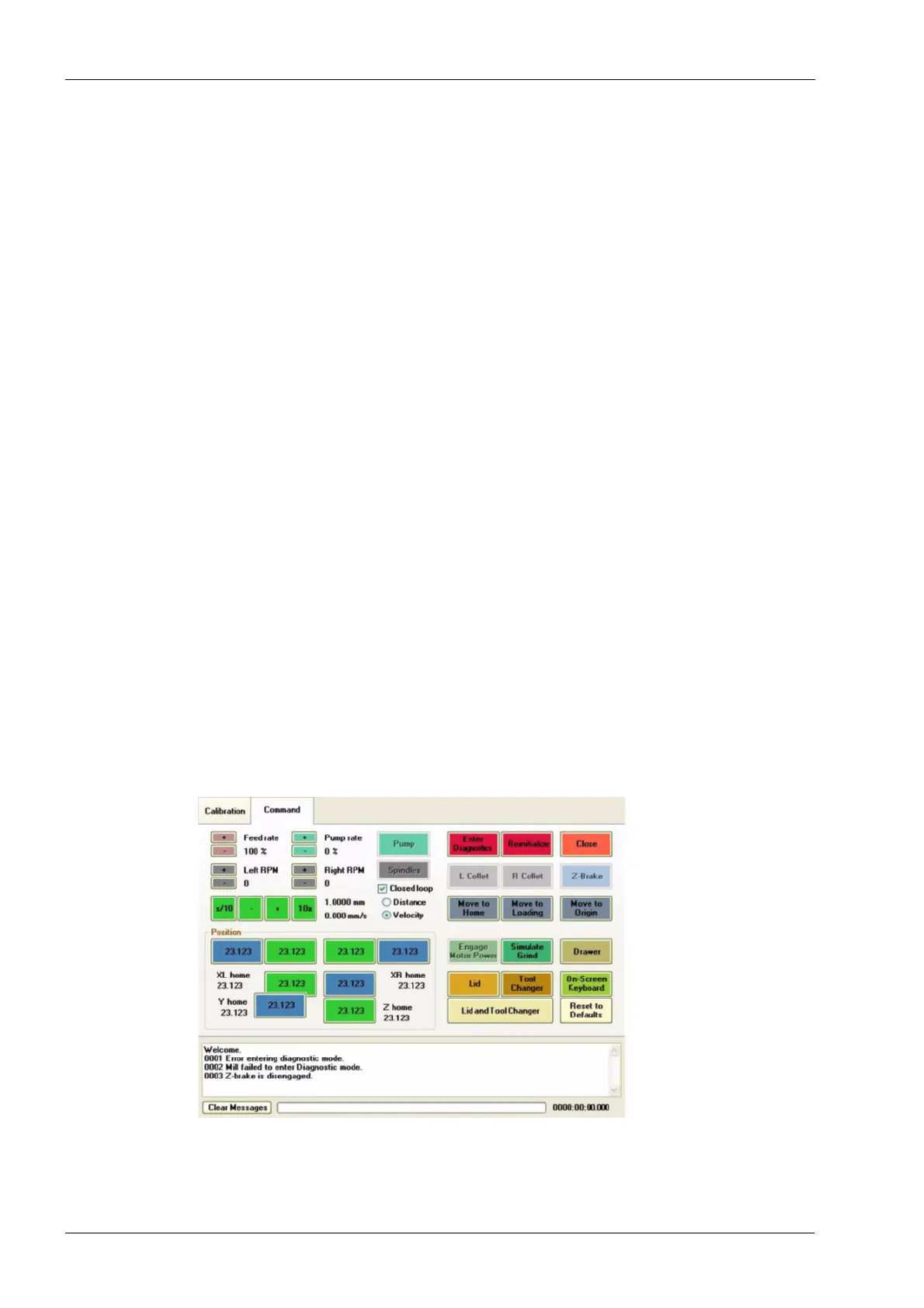
1. Touch the Calibration tab.
Figure 52: Touch Calibration tab
2. Locate the (Step3) Origin box and touch the drop down arrow.
3. Then select auto_touch from the drop down list.














 To Next Page