Chapter C: Calibration 4 Origin calibration
Technical manual Planmeca PlanMill 40 61
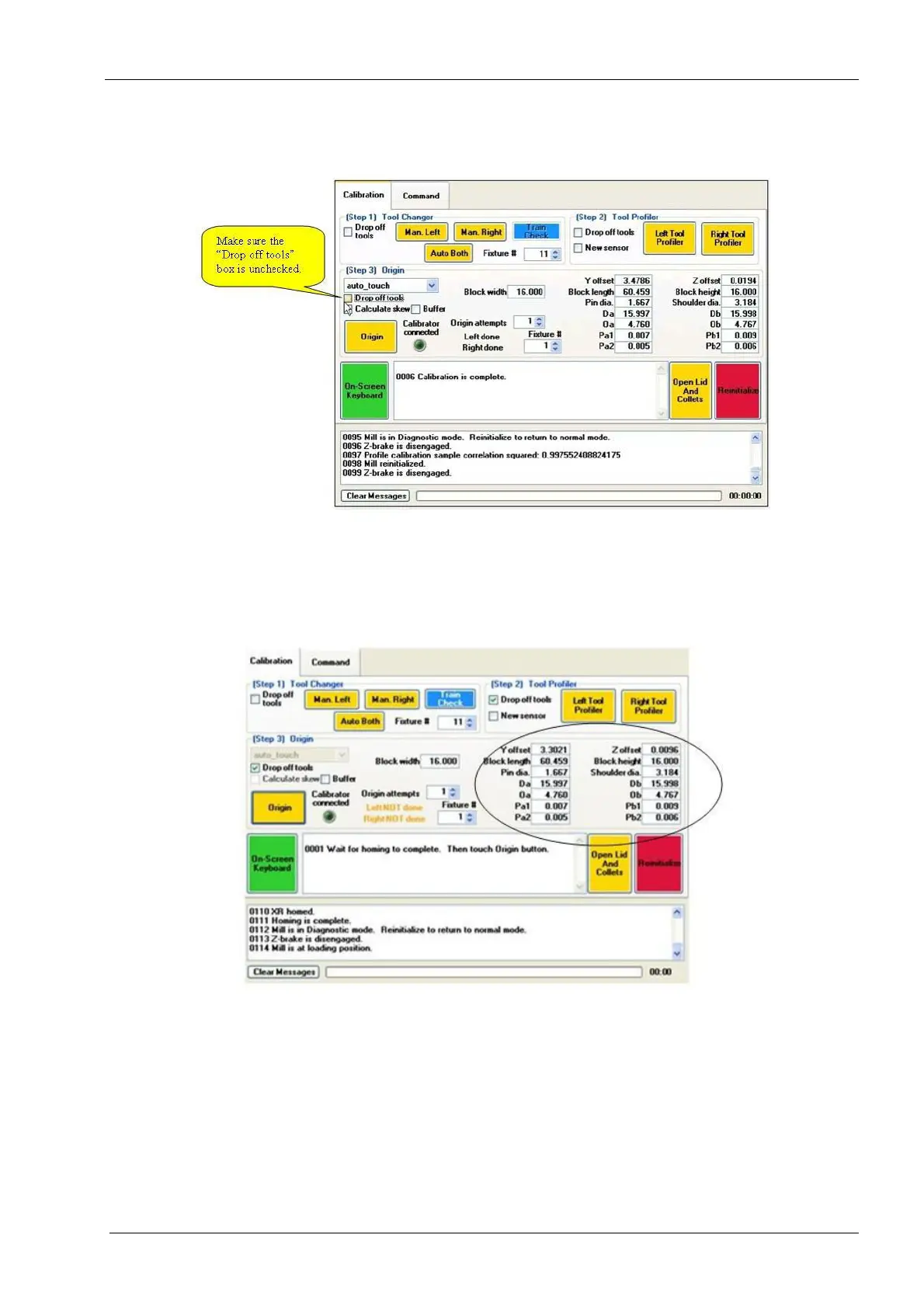
4. Verify that all tools have been removed from spindles and make sure the Drop off
tools box is unchecked.
Figure 53: "Drop off tools" is unchecked
5. Hold down the Origin button (for approximately 6 seconds) until the button turns
green. A message appears in the text box: "Wait for homing to complete. Then touch
Origin button.” Simultaneously the lid lights turns red.
6. Follow the instructions by touching the Origin button.
Figure 54: Hold down Origin button until it turns green
7. Lid opens and a message appears in the text box: "Connect calibrator to mill using
USB cable. Wait for the LED next to origin button to light up, then touch Origin button."
Follow the instructions.














 To Next Page