Chapter C: Calibration 3 Profiler sensor calibration
Technical manual Planmeca PlanMill 40 57
3 Profiler sensor calibration
The following procedure is used to calibrate the profile sensor located in the lower center
portion of the tool changer arm. The profile sensor is an optical sensor that detects the
diameter and length of the grinding tools. The tool changer arm protects the profile sensor
while providing a vertical slot under the arm where the tools are inserted and detected by
the sensor. The position of the slot is offset from the front tool pocket for the left and right
sides respectively. Thus any changes to the tool changer calibration left or right will affect
the position of the slot for that side and will affect calibration of the sensor for that side.
This means that any changes to the tool changer calibration necessitate recalibrating the
profile sensor.
Performing this calibration procedure will necessitate performing the rest of the calibration
steps, listed in 1 "Overview" on page 49.
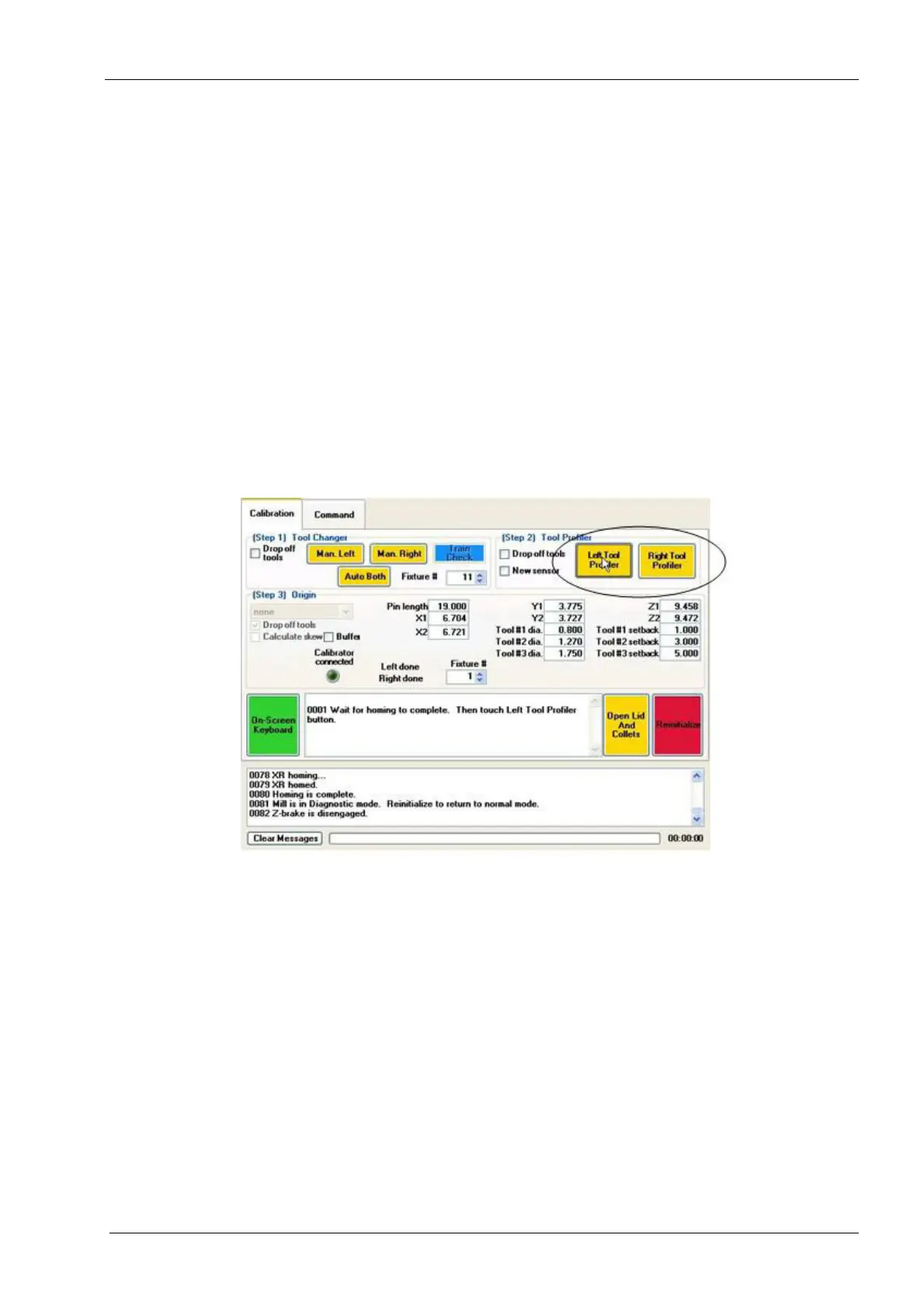
1. Touch the Calibration tab. Locate the (Step2) Tool Profiler box. Notice the Left Tool
Profiler and Right Tool Profiler buttons. The left and right sides are calibrated
separately. You will calibrate the left side first.
Figure 51: Tool Profiler buttons
2. Verify that all tools have been removed and uncheck Drop off Tools at this time.
Leave all values in the (Step 3) Origin box at their defaults at this time.
If the mill is being calibrated due to the installation of a new profile sensor select the "New
Sensor" check box.














 To Next Page