3 Profiler sensor calibration Chapter C: Calibration
58 Planmeca PlanMill 40 Technical manual
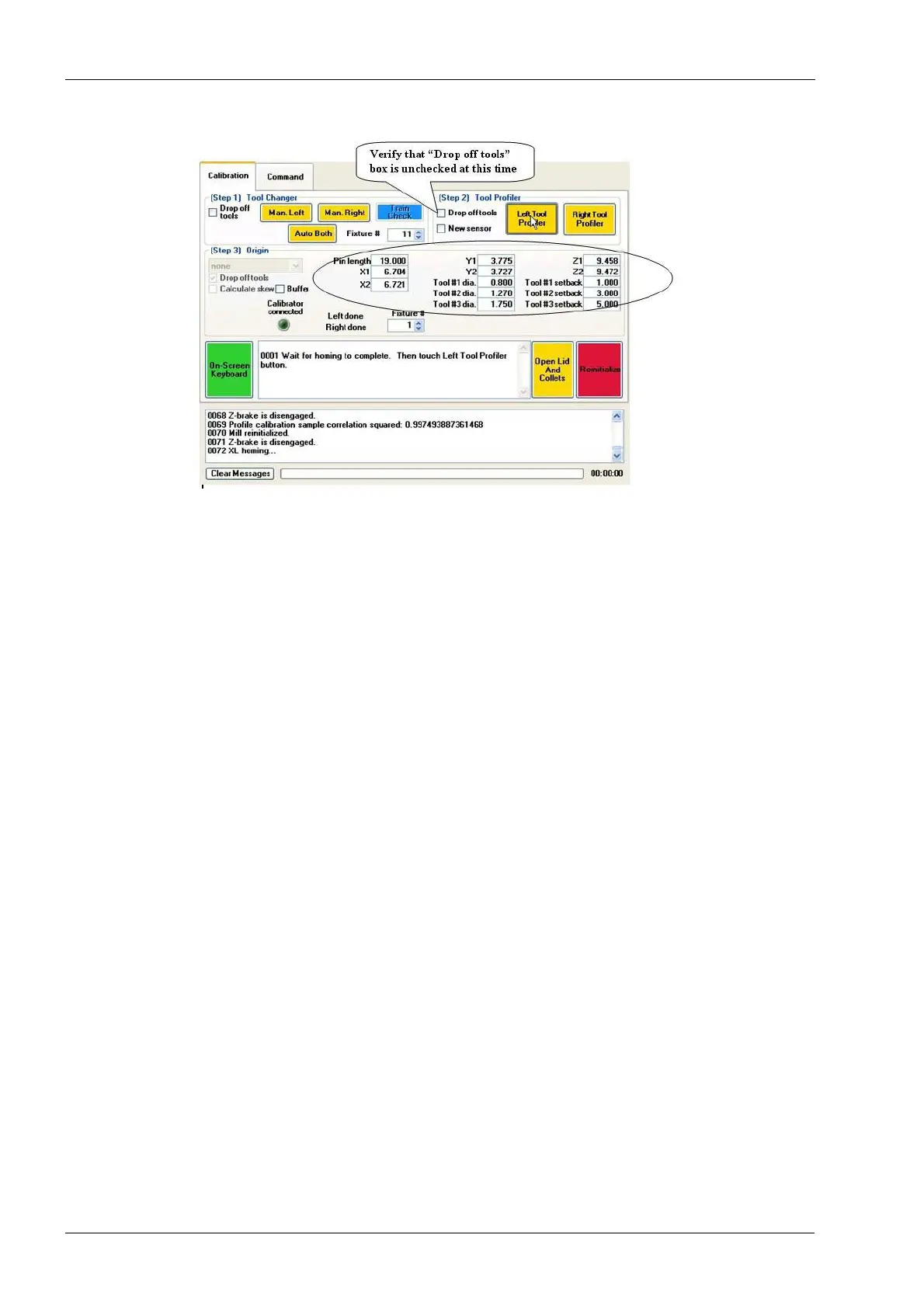
Figure 68: "Drop off tools" box is unchecked
Notice the Left Tool Profiler and Right Tool Profiler buttons. The left and right sides are
calibrated separately. You will calibrate the left side first.
3. Hold down the Left Tool Profiler button (approximately 6 seconds) until the button
turns green, then release. The following message appears in the first text box: "0001
Wait for homing to complete. Then touch Left Tool Profiler button."
4. Wait for the homing to complete and the lid lights to turn red. Then touch the Left Tool
Profiler button.
5. Wait for the tool changer to extend and the lid to open. The following message appers
in the text box: Touch the Left Tool Profiler button to calibrate profiler signal. This will
take a few minutes.
6. Touch the Left Tool Profiler button. It will take about 3 or 4 minutes to calibrate the
profiler signal. Observe the green status bar at the bottom of the screen.
7. When the profile signal calibration completes. Follow the directions of the message
that appears in the text box: "Insert 3-step pin in left collet. Hold tool in place and
touch Left Tool Profiler button." The left collet closes.
8. Close the lid and touch the Left Tool Profiler button. The process will take a few
minutes as the tool should pass through the profile sensor twice. If the tool enters the
profile sensor and comes back out and stops, the calibration has failed and the profile
sensor will have to be replaced. When the mill has completed left tool profiler
calibration, left collect opens and lid pops open.
9. When the lid opens the following message appers in the text box: "Remove the
calibration 3-Step pin from the collet. Close the lid and touch Left Tool Profiler button
to continue. Wait for re-initialization to complete (as indicated by green LED's) after
touching the button. Follow the instructions.
10. Left Tool Profiler calibration is complete.
11. Touch and hold the Right Tool Profiler button (approx. 6 seconds) until the button
turns green, then release. The following message appears in the first text box: "0001
Wait for homing to complete. Then touch Right Tool Profiler button."
12. Repeat steps 4 through 11 following the instructive messages appearing in the text
box to complete the right tool profiler calibration.
13. Tool profiler sensor calibration is complete.














 To Next Page