Installation: Fax Option Type 9001 (D418-00)
D418 2 SM
1.1.2 FCU INSTALLATION
Before installing this fax unit:
1) Print out all data in the printer buffer.
2) Turn off the main power switch and disconnect the power cord and the network
cable.
FCU (D418-00)
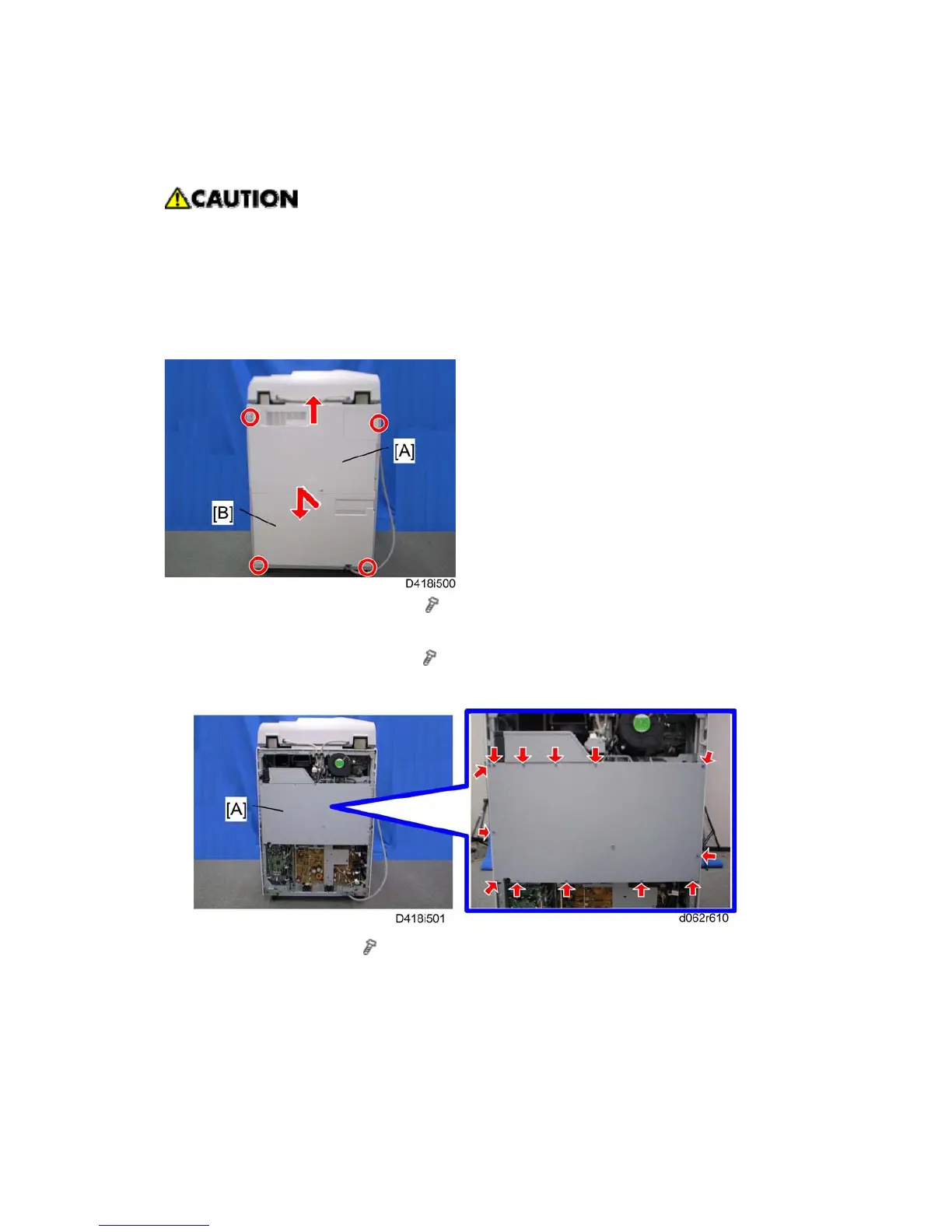
1. Remove the rear upper cover [A] (
x 2).
Slide the rear upper cover up, and then remove it.
2. Remove the rear lower cover [B] (
x 2).
First slide up the rear lower cover, then slide it down.
3. Controller box cover [A] (
x 13).



 To Next Page