USB2.0/SD Slot Type C (D464)
SM 2-105 D062/D063/D065/D066
Installation
above diagrams.
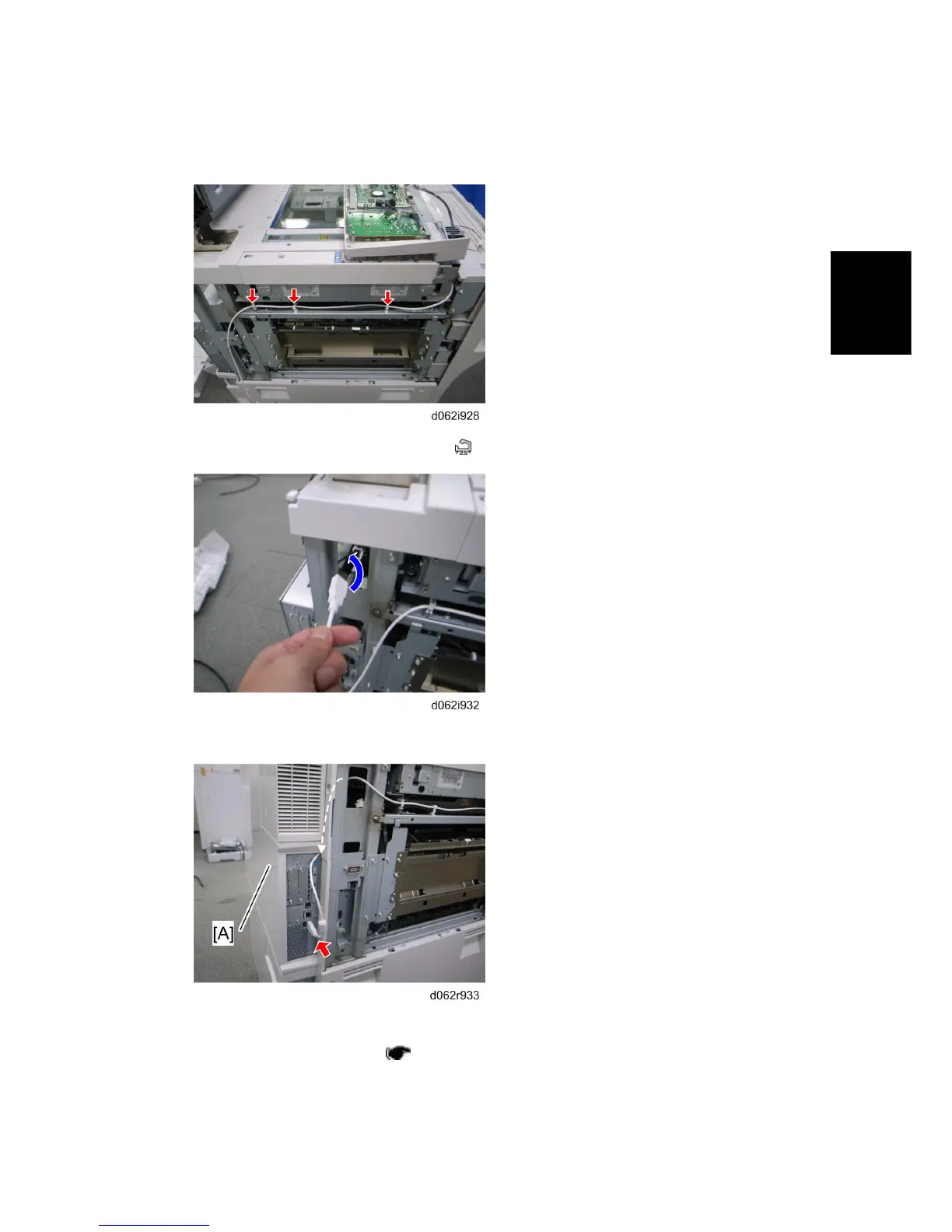
11. Secure the USB Cable to the bracket (
x 3).
12. Pass the USB Cable to the rear side of the machine.
13. Pass the USB Cable through the rear upper cover [A].
14. Install the rear upper cover (
p.4-8 "Rear Covers")
15. Insert the USB Cable in the USB slot on the controller box.
Rev. 08/03/2009



 To Next Page