Advanced Features
Automatic Sorting Into Groups [Programme]
147
3
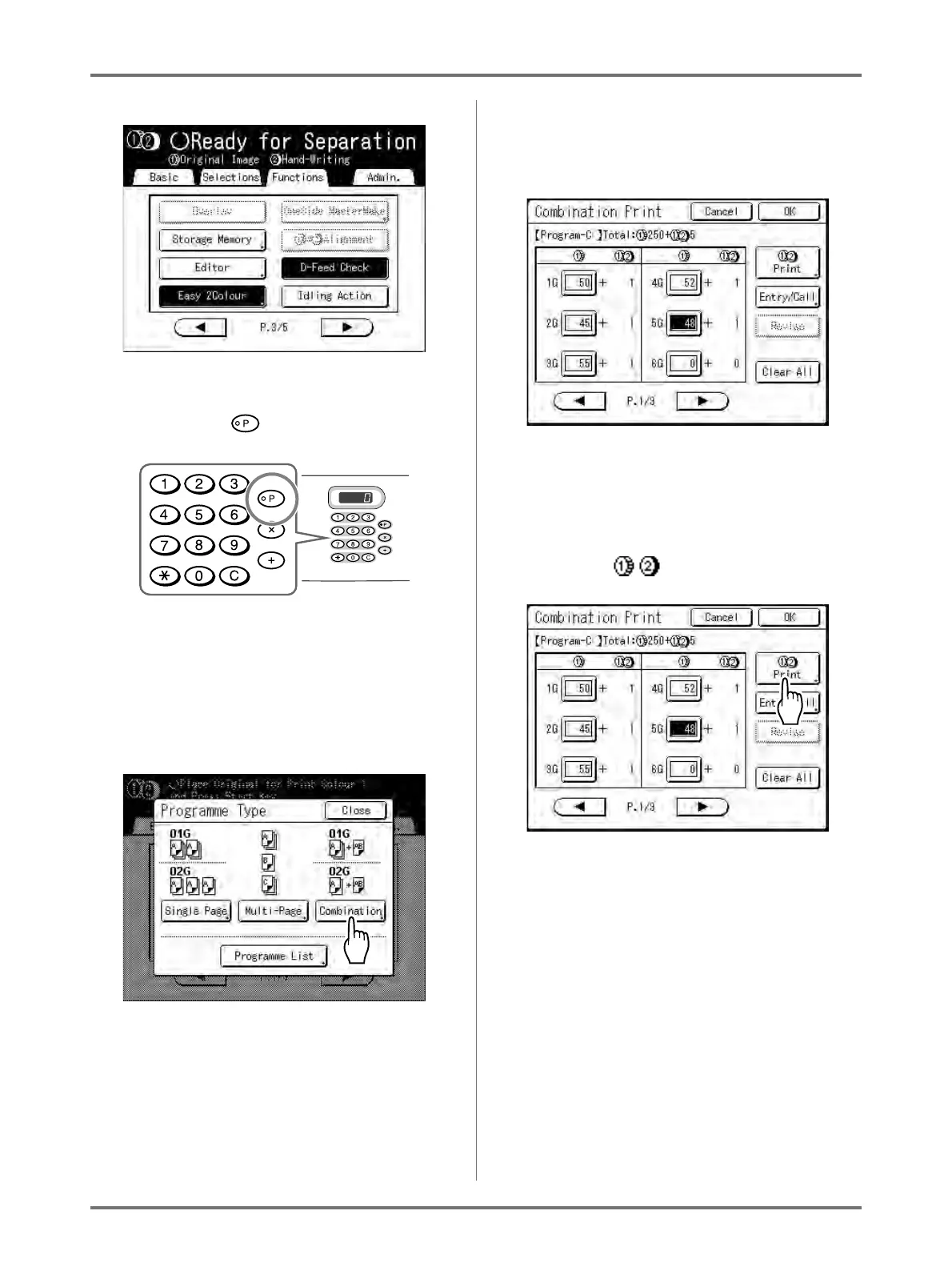
Setting [Combination].
1) Press the key.
Note:
• Alternatively, from the Master Making
Basic Screen, touch [Functions] then
[Programme] to display the Programme
Type screen.
2) Touch [Combination].
3) Input the number of test copies for each 5
groups into the 5 input boxes (1G to 5G)
Touch the input box and use the Print Quan-
tity Keys to enter a value.
Note:
• The screen above is displayed if a compu-
ter is used to send original data. The follow-
ing steps are performed from the Control
Panel.
4) Touch [ Print].



 To Next Page