Advanced Features
Setting Up Direct Access Area and Selections Tab [DirectAccess Entry] [Selections Entry]
183
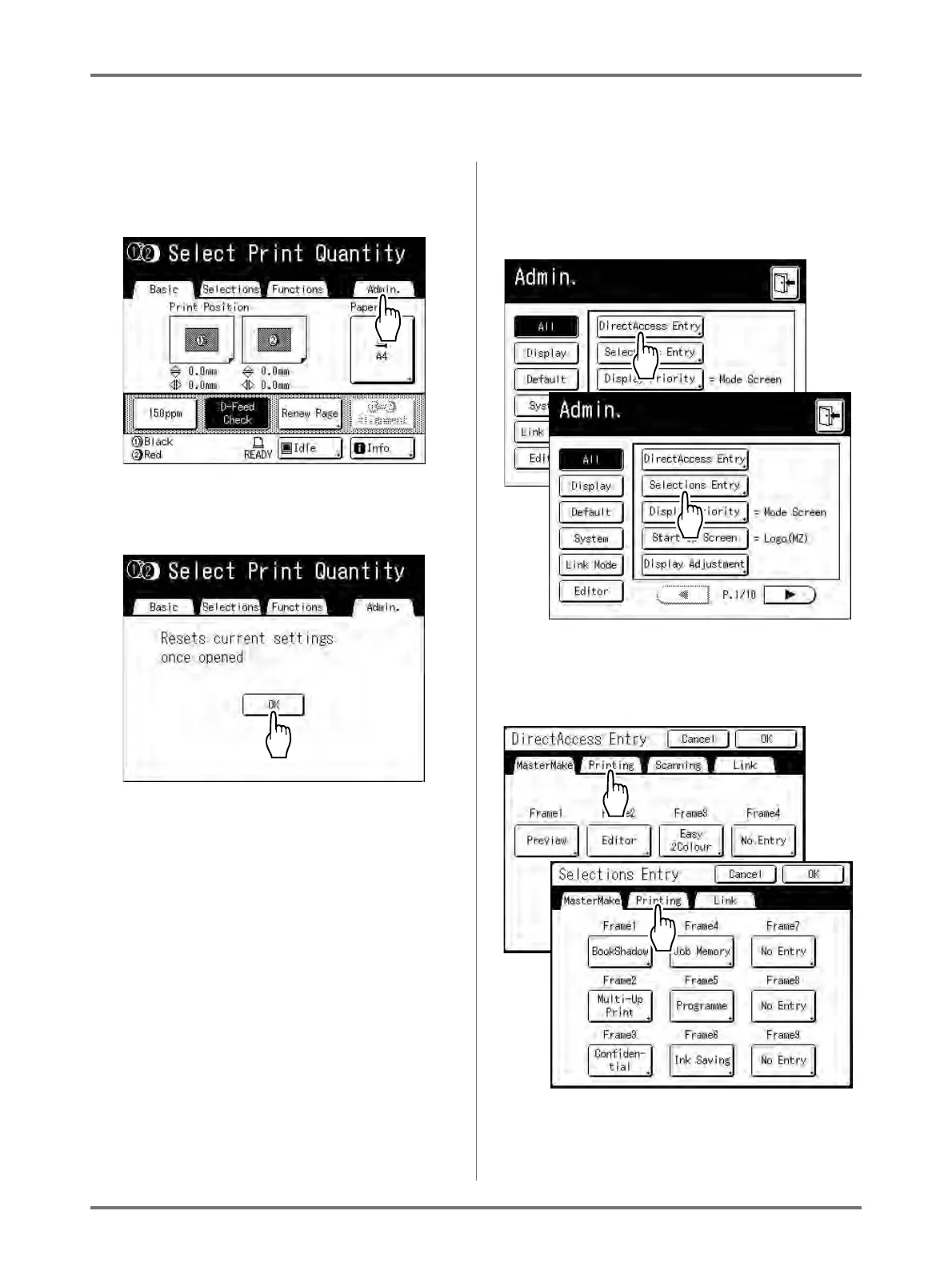
In the following steps, the “Direct Access” area configuration screen is shown in the upper-left, and the “Selections”
configuration screen is shown in the bottom-right. When both screens are the same, only one image will be shown.
1
Touch [Admin.] on the Basic Screen
for each mode.
2
Touch [OK].
3
Touch [DirectAccess Entry] or
[Selections Entry] on the Admin.
screen.
4
Select a mode tab to store new but-
tons.



 To Next Page