Advanced Features
Registering a Custom Paper Size [Custom Paper Entry]
187
5
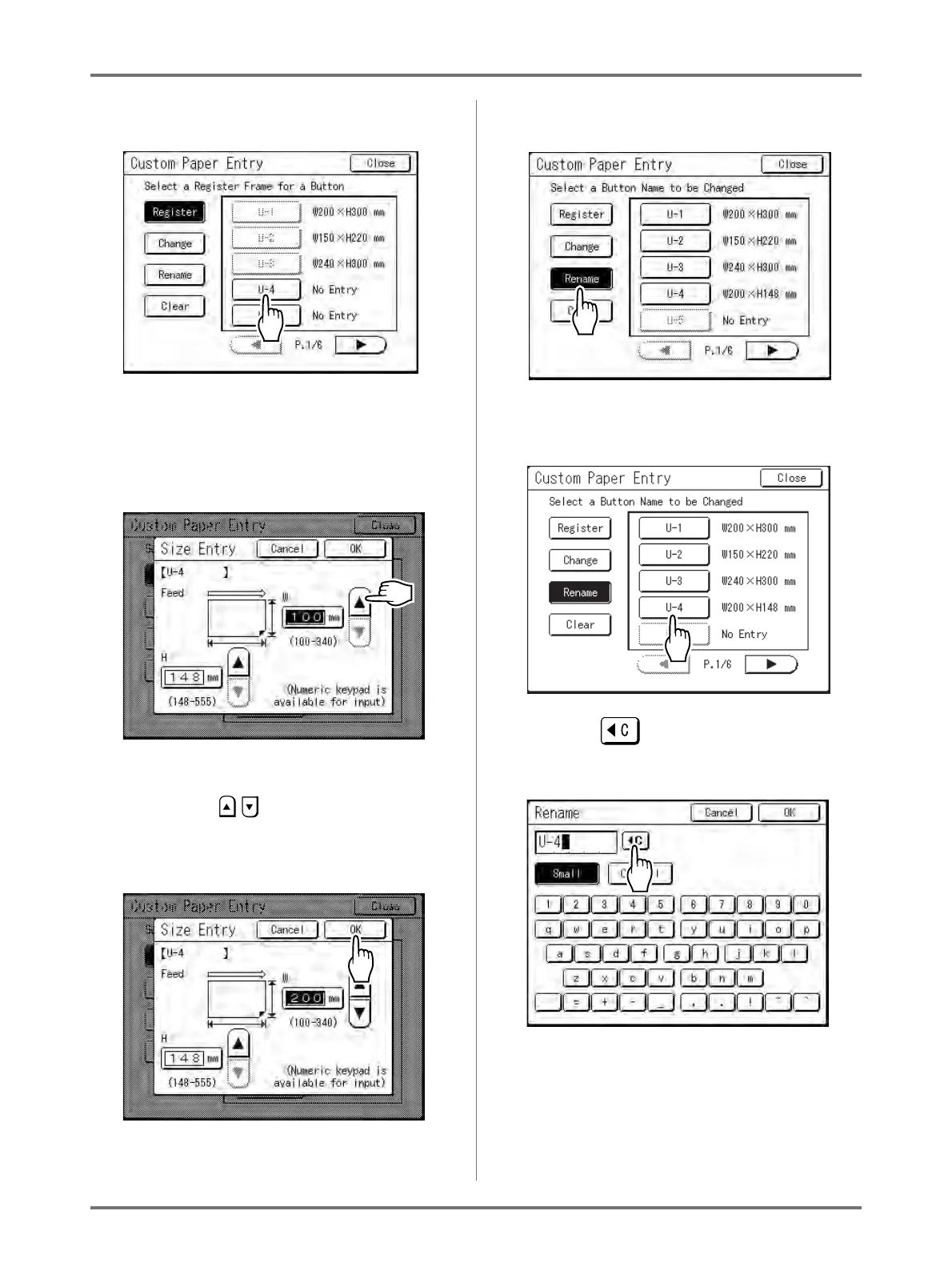
Touch an unused button.
A button already associated with another size is
greyed out.
6
Enter the paper size.
Facing towards the paper feeding direction (into
Paper Feed Tray), enter W (width) and H (height).
Touch either , or use Print Quantity Keys.
7
Touch [OK].
Rename as necessary.
Touch [Close] to skip renaming the size.
8
Touch [Rename].
9
Select a button to rename.
10
Touch to delete the current
name.
11
Touch character buttons to enter a
new name.
Change capitalization by selecting [Small] or
[Capital] button.
)p.142



 To Next Page