Troubleshooting
When a Message Displays
267
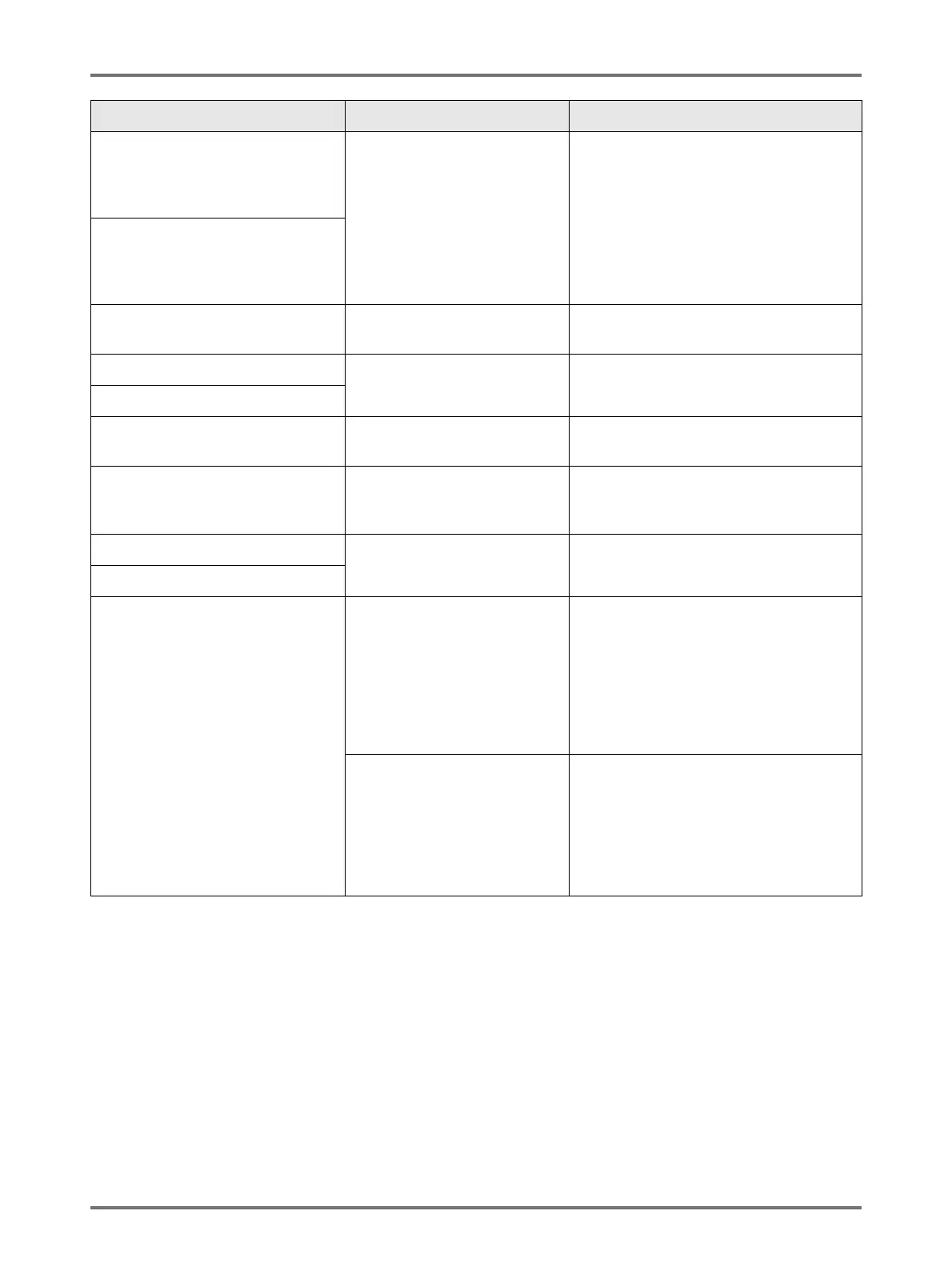
Print Drum 1 is not Set in Place
Press Drum Release Button and
Pull Out Print Drum Once
after Button Lights
The Print Drum is locked but not
pushed in properly.
Press the Print Drum Release Button .
Remove the Print Drum after the button is
lit and reinstall.
Print Drum 2 is not Set in Place
Press Drum Release Button and
Pull Out Print Drum Once
after Button Lights
Rear Cover of Main Body is Off
Call Service
The machine rear cover is
removed.
Contact your dealer (or authorised service
representative).
Set Master Disposal Box 1 in Place The Master Disposal Box is
improperly set or is missing.
Properly set the Master Disposal Box.
)p.248
Set Master Disposal Box 2 in Place
Set Master in Place No master is installed. Install a Master Roll.
)p.243
Set Master Making Unit in Place The Master Making Unit is
missing or is improperly
installed.
Properly install the Master Making Unit.
)p.243
Set Print Drum 1 in Place The Print Drum is improperly
set or is missing.
Properly install the Print Drum.
)p.250
Set Print Drum 2 in Place
Wrong-type Ink Cartridge Installed in
Print Drum 1 or Cannot Read Ink Info
Replace Ink Cartridge
or Contact Dealer/Riso Office
Inappropriate Ink Cartridge is
installed.
Properly install a correct Ink Cartridge.
)p.246
Important!:
• Use the Ink Cartridge specifically
designed and approved for use with this
machine. Failure to do so may cause
problems or damage to the machine.
The label on the Ink Cartridge
outlet surface has come off or
surface is with dirt.
The label on the Ink Cartridge outlet
surface contains information needed for
printing. If the machine cannot read the
information, it does not operate.
Set an Ink Cartridge that is specific to the
machine and that is with label attachment
and free from dirt.
Message Possible Cause Action


 To Next Page