Basic Operations
2-Colour Printing with 2 Originals
42
Important!:
• Make certain to read the “Size and Weight
Restrictions” ()p.16) concerning the originals
that can be set in the Auto Document Feeder.
• When printing two copes of an original at once,
the print function settings for each drum cannot
be changed.
• When setting an original to the Auto Document
Feeder, the “Auto-Process” turns “ON”.(the
Auto-Process key light comes on.)When turn-
ing “OFF” the “Auto-Process”, turn off the light
by pressing the Auto-Process key.
Tip:
Auto Document Feeder can have up to about 50
pages of originals set at once. (when using 64 g/
m² originals).
6
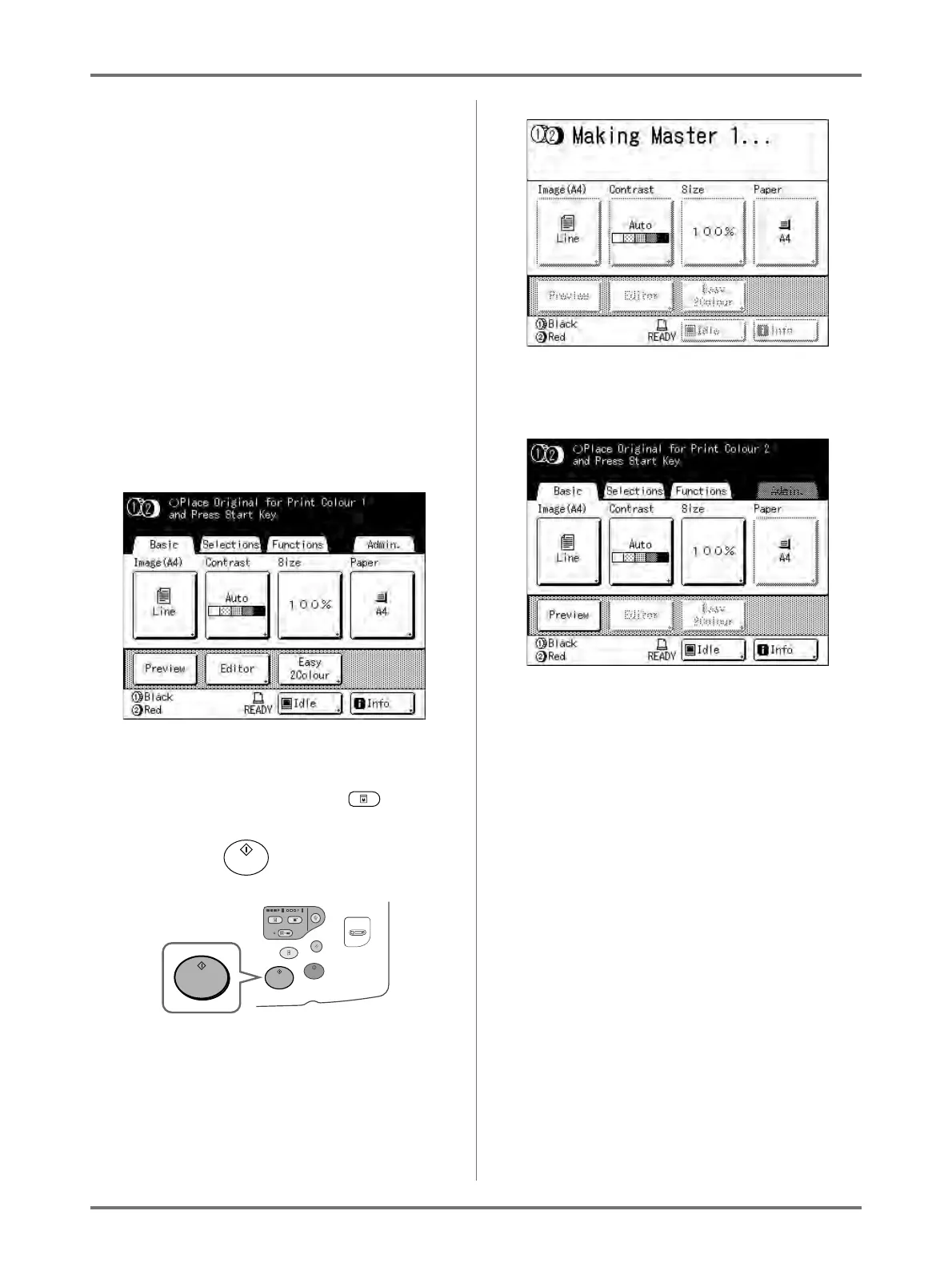
Configure print functions.
In the Master Making Basic Screen, select func-
tions as needed. See the item for each printer
function for further information about print func-
tions. If it is not displayed, press to display
the Master Making Basic Screen.
7
Press the key.
The scan of the original for Drum 1 begins.
Once the scan has completed, the master is made
for Drum 1.
Once the masters are made, one proof copy from
Drum 1 alone is printed, and the Master Making
Basic Screen for Drum 2 appears.
In step 5, if two originals have been placed
together in the ADF unit, one proof copy from
Drum 1 only is printed, and the master is subse-
quently made on Drum 2. Continue on to step 11.
Tip:
Auto Idling
When “Auto Idling” is set to ON, idling operations
may occur when master-making process is initi-
ated.
Factory default is set to idle automatically at the
beginning of the master-making when the
machine is inactive for over 12 hours.
To toggle “Auto Idling” ON/OFF, or to modify
number of hours before activating next idling, go
to the Admin. screen.
)p.177
Idling can also be manually initiated when making
a master.
)p.160



 To Next Page