Basic Operations
2-Colour Printing with 1 Original [Easy 2Colour]
53
7
Configure print functions.
Make various settings as needed.
For further information, see the section for each
print function.
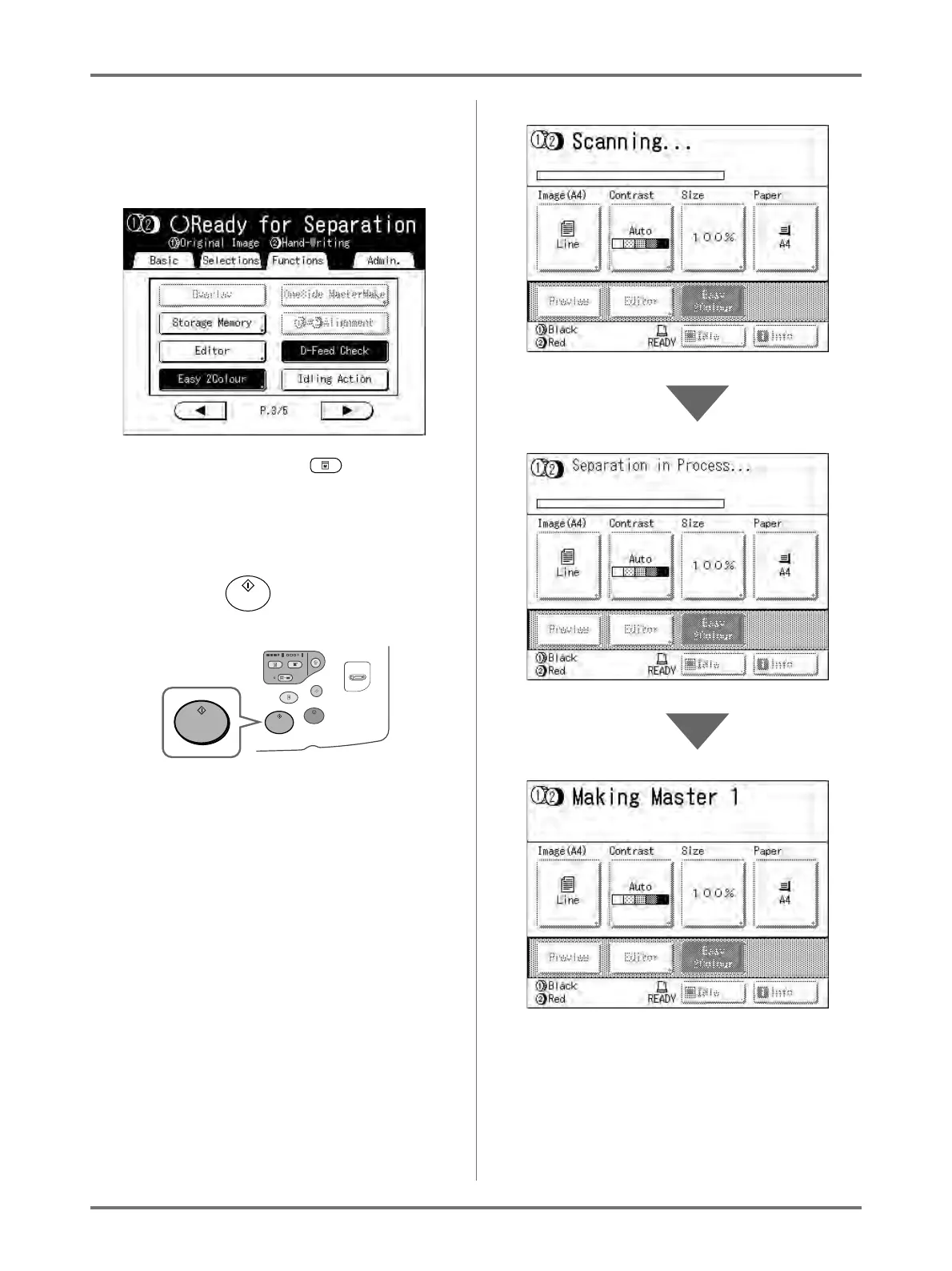
If it is not displayed, press to display the
Master Making Basic Screen.
Note:
• Set “Preview” to confirm the colour separation.
)p.108
8
Press the key.
The machine scans the original, separates col-
ours, then creates masters in a sequence.
Note:
• If you set “Preview” in step 7, the print process
will temporarily stop once separation is com-
plete.
)p.108
Once the master is made on Drum 1, one proof
copy will print from Drum 1 only. A master will then
be made on Drum 2.



 To Next Page