Basic Operations
2-Colour Printing with 1 Original [Easy 2Colour]
57
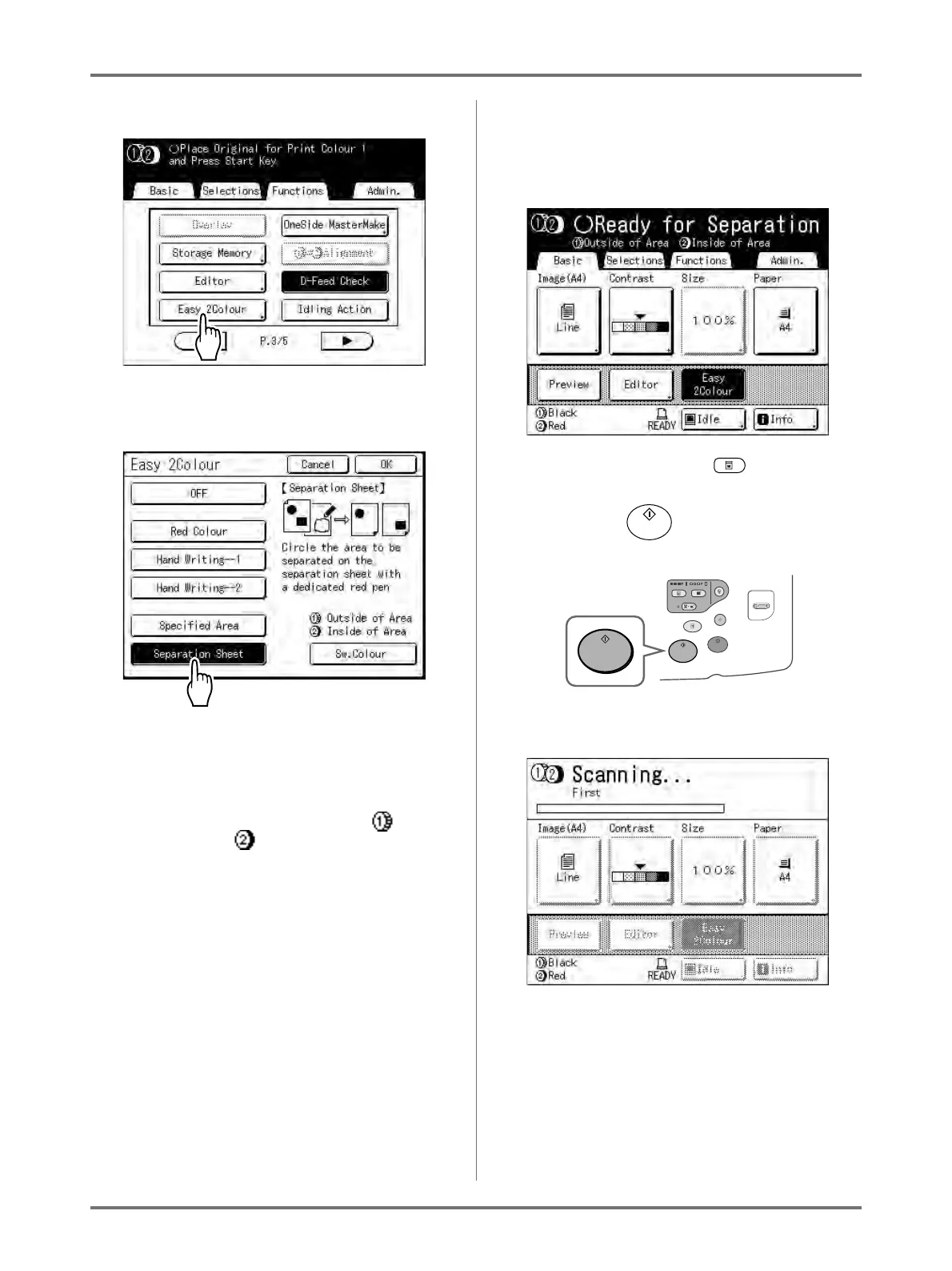
2) Touch [Easy 2Colour].
The Easy 2Colour screen appears.
3) Touch the button of the separation to use.
Note:
• The part for which a master is being made
(either the “Outside of Area” or the “Inside
of Area”) is displayed in the lower right sec-
tion of the screen at Drum 1 ( ) and
Drum 2 ( ).
Touch [Sw.Colour] to switch the colour
separations.
4) Touch [OK].
The Functions screen appears.
3
Configure print functions.
Make various settings as needed.
For further information, see the section for each
print function.
If it is not displayed, press to display the
Master Making Basic Screen.
4
Press the key.
A scan of the Area Specification Sheet begins.
Once the scan has completed, the Master Making
Basic Screen appears. The original is next
scanned.



 To Next Page