7.21
Date Code 20060320 Instruction Manual SEL-311C Relay
Inputs, Outputs, Timers, and Other Control Logic
Multiple Setting Groups
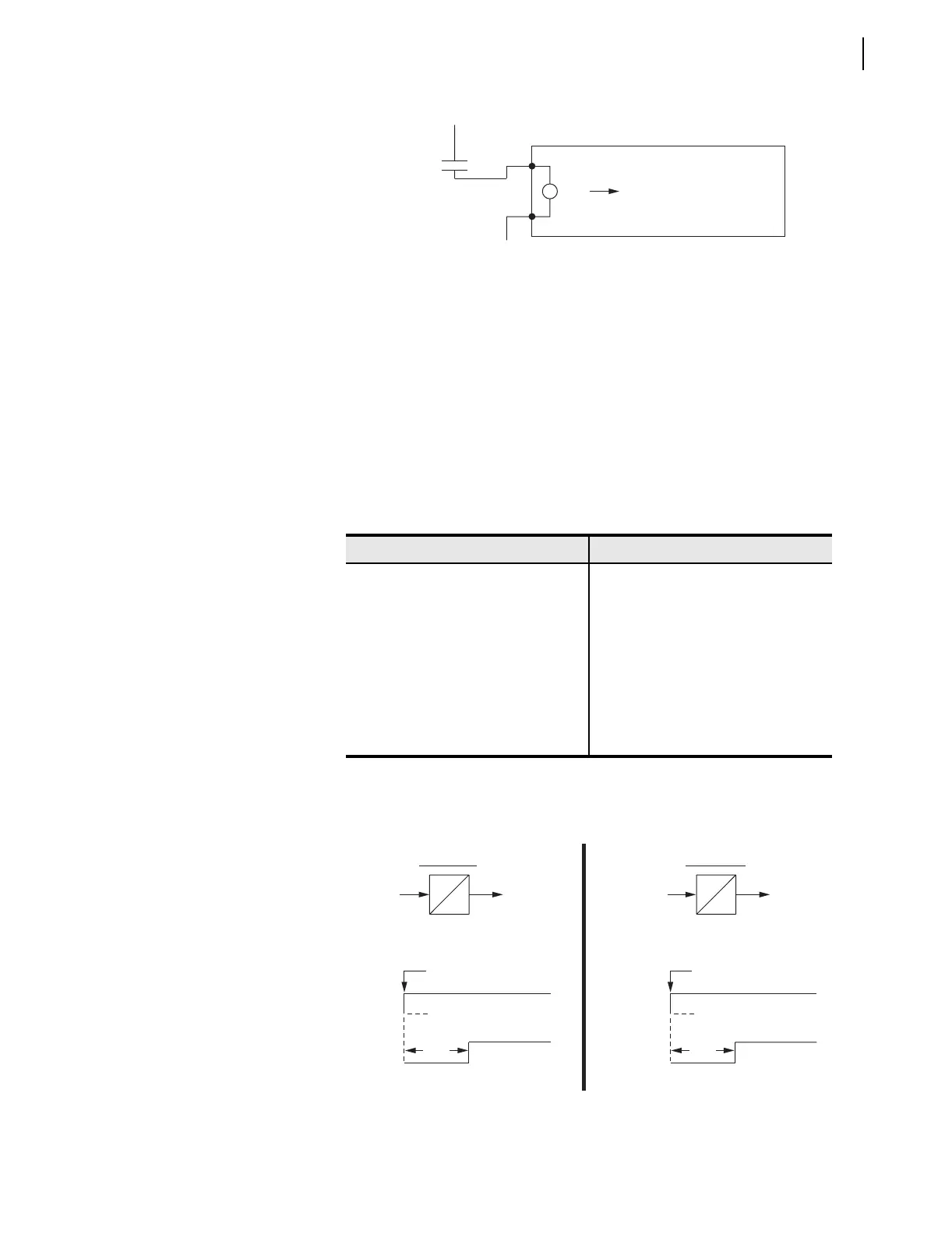
Figure 7.19 SCADA Contact Pulses Input IN105
to Switch Active Setting Group Between Setting Groups 1 and 4
If setting Group 1 is the active setting group and the SCADA contact is pulsed,
setting Group 4 becomes the active setting group. If the SCADA contact is
pulsed again, setting Group 1 becomes the active setting group again. The
setting group control operates in a cyclical manner:
pulse to activate setting Group 4 ... pulse to activate setting Group 1 ...
pulse to activate setting Group 4 ... pulse to activate setting Group 1 ...
This logic is implemented in the SEL
OGIC control equation settings in
Table 7.6.
SEL
OGIC control equation timer input setting SV8 in Table 7 .6 has logic
output SV8T, shown in operation in Figure 7.20 for both setting Groups 1
and 4.
Figure 7.20 SELOGIC Control Equation
Variable Timer SV8T Used in Setting Group Switching
Ta ble 7.6 S E LOGIC Control Equation Settings for Switching Active Setting
Group Between Setting Groups 1 and 4
Setting Group 1 Setting Group 4
SV8 = SG1 SV8 = SG4
SS1 = 0 SS1 = IN105 * SV8T
SS2 = 0 SS2 = 0
SS3 = 0 SS3 = 0
SS4 = IN105 * SV8T SS4 = 0
SS5 = 0 SS5 = 0
SS6 = 0 SS6 = 0
(+)
SCADA
(—)
Change Active Setting Group
SEL-311C
IN105
SV8 = SG1
SV8T
Setting Group 1 Activated
SV8PU
SV8 = SG1 SV8T
SV8PU > SCADA contact pulse width
SV8DO = 0
Setting Group 1
SV8 = SG4
SV8 = SG4
Setting Group 4
SV8PU > SCADA contact pulse width
SV8DO = 0
Setting Group 4 Activated
SV8T
SV8PU
SV8T
SV8PU
SV8D0
SV8PU
SV8D0



 To Next Page