11.9
Date Code 20060320 Instruction Manual SEL-311C Relay
Front-Panel Interface (Only on Models With LCD)
Functions Unique to the Front-Panel Interface
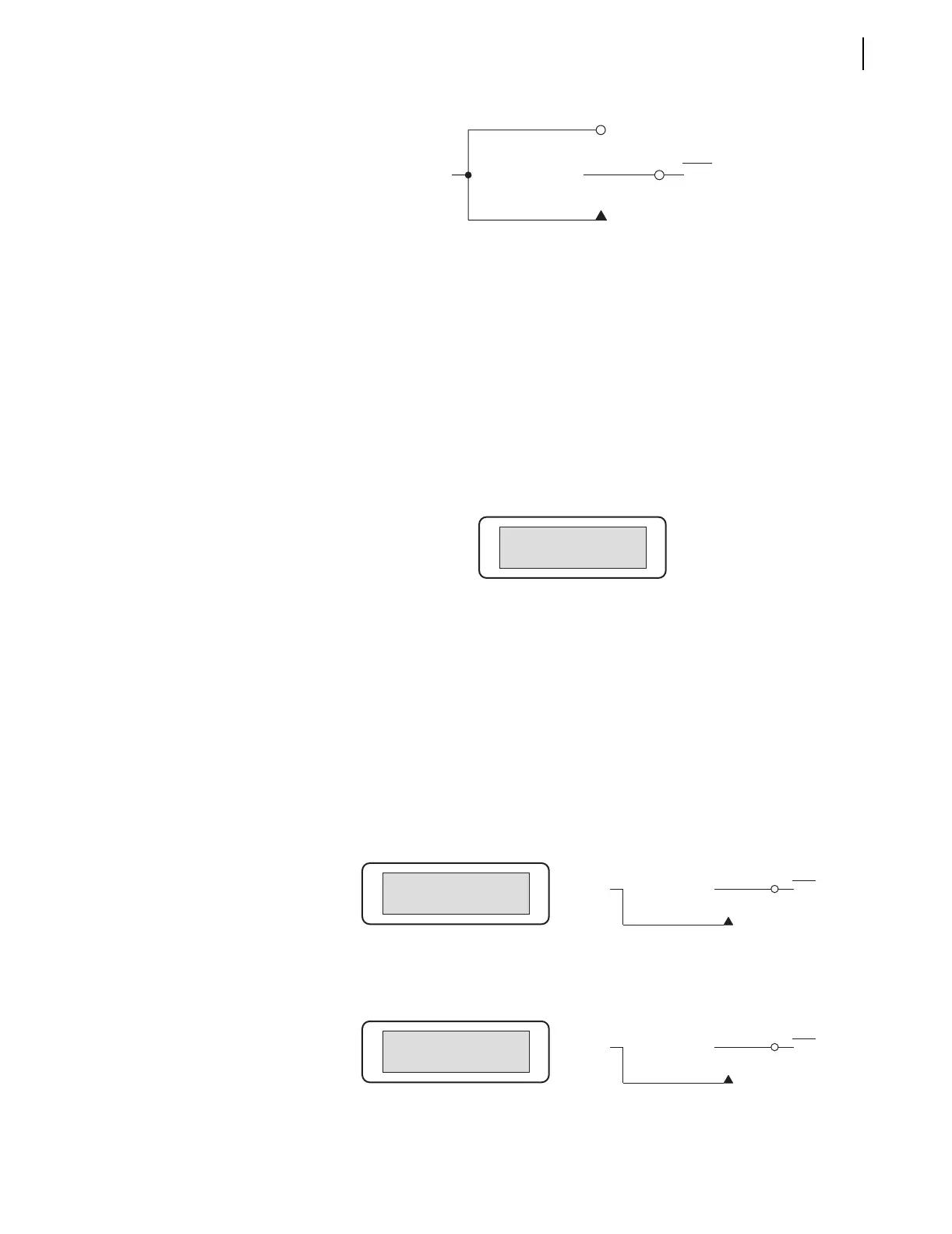
Figure 11.7 Local Control Switch Configured as an ON/OFF/MOMENTARY
Switch
Local control switches are created by making corresponding switch position
label settings. These text label settings are set with the SET T command or
viewed with the SHO T command via the serial port (see Section 9: Setting
the Relay and SHO Command (Show/View Settings) on page 10.25). See Local
Control Switches on page 7.7 for more information on local control.
View Local Control (With Example Settings)
Access local control via the {CNTRL} pushbutton. If local control switches exist
(i.e., corresponding switch position label settings were made), the following
message displays with the rotating default display messages.
Assume the following settings:
TR = …+LB3 +… (Trip setting includes LB3)
CL = …+ LB4 +… (Close setting includes LB4)
NLB3 = MANUAL TRIP
CLB3 = RETURN
PLB3 = TRIP
NLB4 = MANUAL CLOSE
CLB4 = RETURN
PLB4 = CLOSE
Press the {CNTRL} pushbutton, and the first set local control switch displays:
Press the right arrow pushbutton, and scroll to the next set local control
switch:
The
MANUAL TRIP: RETURN/TRIP and MANUAL CLOSE: RETURN/CLOSE switches
are both OFF/MOMENTARY switches (see Figure 11.6).
Logical 1
LBn
(n = 1 through 16)
ON Position
OFF Position
(Logical 0)
MOMENTARY Position
Relay
Word
Bit
Press CNTRL for
Local Control
MANUAL TRIP
←→
Position: RETURN
Logical 1
LB3
RETURN
(Logical 0)
TRIP
Relay
Word
Bit
MANUAL TRIP
MANUAL CLOSE
←→
Position: RETURN
Logical 1
LB4
RETURN
(Logical 0)
CLOSE
Relay
Word
Bit
MANUAL CLOSE



 To Next Page