B.16
SEL-311C Relay Instruction Manual Date Code 20060320
Firmware Upgrade Instructions
Step 2. Use the SHO command to view the relay settings and verify
that these match the settings you saved earlier (see Backup
Relay Settings on page 6).
If the settings do not match, reenter the settings you saved
earlier (see Step 6 under CR_RAM, EEPROM, and IO_BRD
Fail Status Messages on page 15).
Step 3. Type SHO C <Enter> to verify the relay calibration settings.
If the settings do not match the settings contained in the text file
you recorded in C. Save Settings and Other Data on page 6,
contact your customer service representative or the factory for
assistance.
Step 4. Use the firmware identification string (FID) to verify download
of the correct firmware:
a. From the File menu, choose Properties.
b. Select the Settings tab in the Firmware Upgrade
Properties dialog box (Figure B.4).
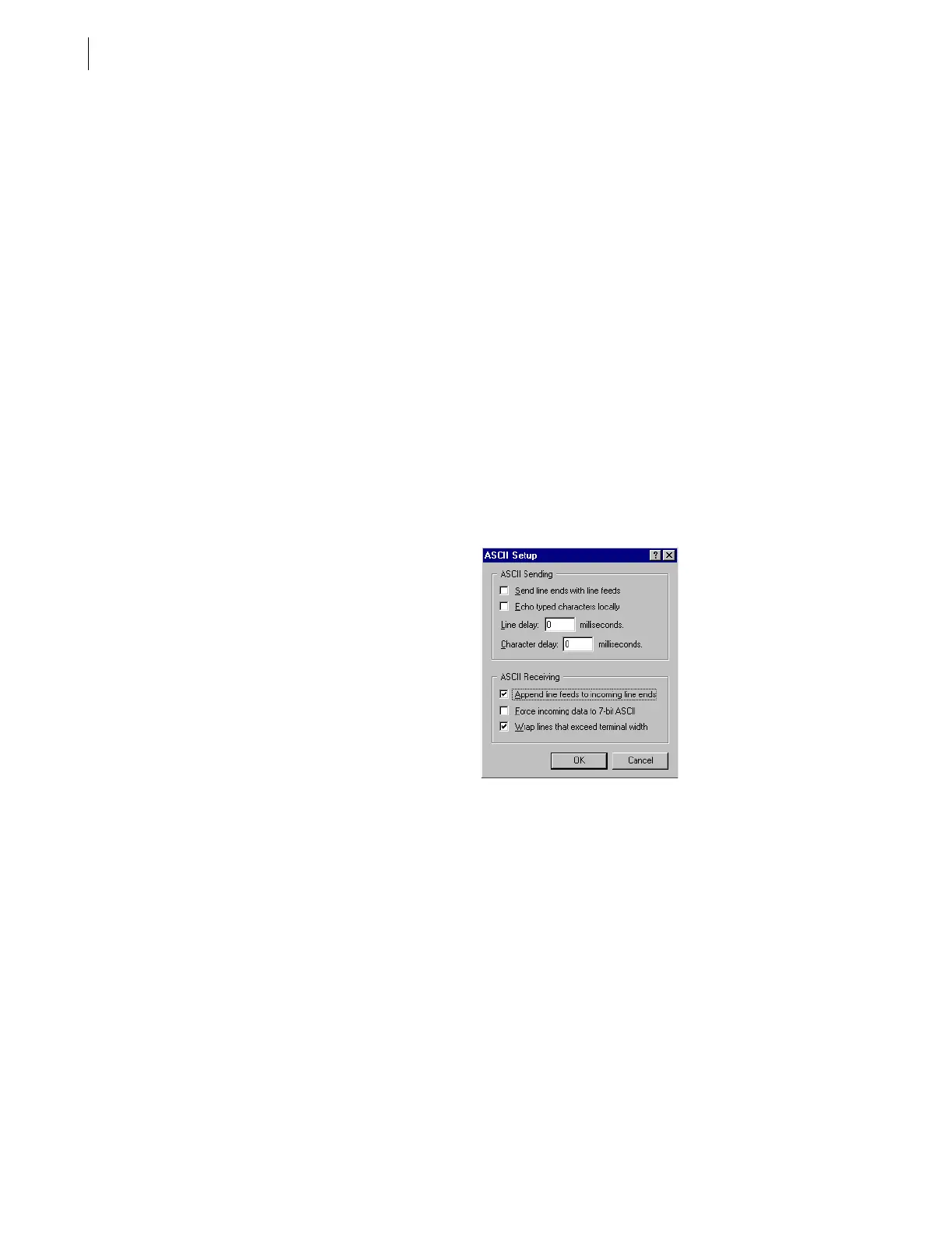
c. Click ASCII Setup.
You should see a dialog box similar to Figure B.16.
d. Under ASCII Receiving, select the check box to
Append line feeds to incoming line ends.
Figure B.16 Preparing HyperTerminal for ID Command Display
e. Click OK twice to return to the terminal emulation
window.
f. Type ID <Enter> and compare the number the relay
displays against the number from the firmware
envelope label.
g. If the label FID and part number match the relay
display, proceed to Step 5.
h. For a mismatch between a displayed FID or part
number, and the firmware envelope label, reattempt the
upgrade or contact the factory for assistance.
Step 5. Type STA <Enter> and verify that all relay self-test parameters
are within tolerance.



 To Next Page