B.2
SEL-311C Relay Instruction Manual Date Code 20060320
Firmware Upgrade Instructions
➤ SEL-5010 Relay Assistant software or ACSELERATOR
®
QuickSet SEL-5030 software
The SEL-5010 Relay Assistant software has a feature that
guides you through the conversion process. This upgrade guide
will assist you with steps C, D, E, F, and G of these upgrade
instructions. If you do not have the latest SEL-5010 software,
please contact your customer service representative or the
factory for details on getting the SEL-5010 Relay Assistant
software.
➤ Your relay instruction manual
Upgrade Procedure
A. Prepare the Relay
Step 1. If the relay is in use, follow your company practices for
removing a relay from service.
Typically, these include changing settings, or disconnecting
external voltage sources or output contact wiring, to disable
relay control functions.
Step 2. Apply power to the relay.
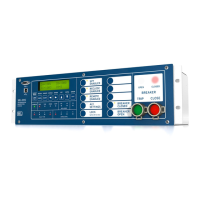
Step 3. From the relay front panel, press the {SET} pushbutton.
Step 4. Use the arrow pushbuttons to navigate to
PORT.
Step 5. Press the {SELECT} pushbutton.
Step 6. Use the arrow pushbuttons to navigate to the relay serial port
you plan to use (usually the front port).
Step 7. Press the {SELECT} pushbutton.
Step 8. With
SHOW selected, press the {SELECT} pushbutton.
Step 9. Press the {Down Arrow} pushbutton to scroll through the port
settings; write down the value for each setting.
Step 10. At the
EXIT SETTINGS? prompt, select Yes and press the
{SELECT} pushbutton.
Step 11. Connect an SEL Cable C234A (or equivalent) serial
communications cable to the relay serial port selected in Step 6
above.
B. Establish a Terminal Connection
To establish communication between the relay and a personal computer, you
must be able to modify the computer serial communications parameters (i.e.,
data transmission rate, data bits, parity) and set the file transfer protocol to
1K Xmodem or Xmodem protocol.
Step 1. Connect a serial communications cable to the computer serial
port:
a. Check the computer for a label identifying the serial
communications ports.


 To Next Page