7.34
SEL-2032 Communications Processor Instruction Manual Date Code 20120126
Settings
Math/Data Movement (SET M) Settings
14 = 123H Store the value 123h (291) in the 15th register of the User region.
15,C = 1:GLOBAL:0;40 Copy FID string into a packed character format.
55;C;DEAD_COUNTER=5 Store a 5 in the 56th register of the User region and
treat it as a counter with the label “DEAD_COUNTER.”
60:0 = X Store the value of Global Element X to bit 0 of the 61st register in
the User region.
60:0;;GLOBALS += Y Perform a Logical OR of Global bit Y with the current
value of bit 0 in the 61st User region register. Store the result to bit 0 in
the 61st User region register and give that register the label
“GLOBALS.”
122:14 = 1 Set bit 14 of the 123rd register in the User region to 1.
97:4;I;TAR_WRD = !3:52A Store the inverted value of the Port 3 relay 52A
element to bit 4 of the 98th User region register and treat it as a 16-bit
signed integer with the label “TAR_WRD”.
1 += 1:METER:VB Add the Port 1 VB value to the value in the second register
of the User region and store the result in the second register of the User
region.
1:0;B=2:STATE:1.5 Move 6 SER points (references start with 0 for the first
point) statuses from Port 2 to User region and make time-stamped SER
data available to protocol (for example, DNP3).
1:0;B=2:STATE:52A Move status of 52A from Port 2 to User region and make
time-stamped SER data available to protocol (for example, DNP3).
100h;;NVOL_MEM = 10 Configure 10 contiguous registers for nonvolatile
register storage. The contents of registers 101h–10Ah will be stored in
nonvolatile memory at 23:30 (11:30 pm) each day or when you change
settings on the port where you have configured the nonvolatile storage.
The User region registers 101h–10Ah are automatically reloaded with
the values stored in nonvolatile memory during SEL-2032 power up.
This equation can be used once per port.
ASCII
Hexadecimal
Data Conversion
Example
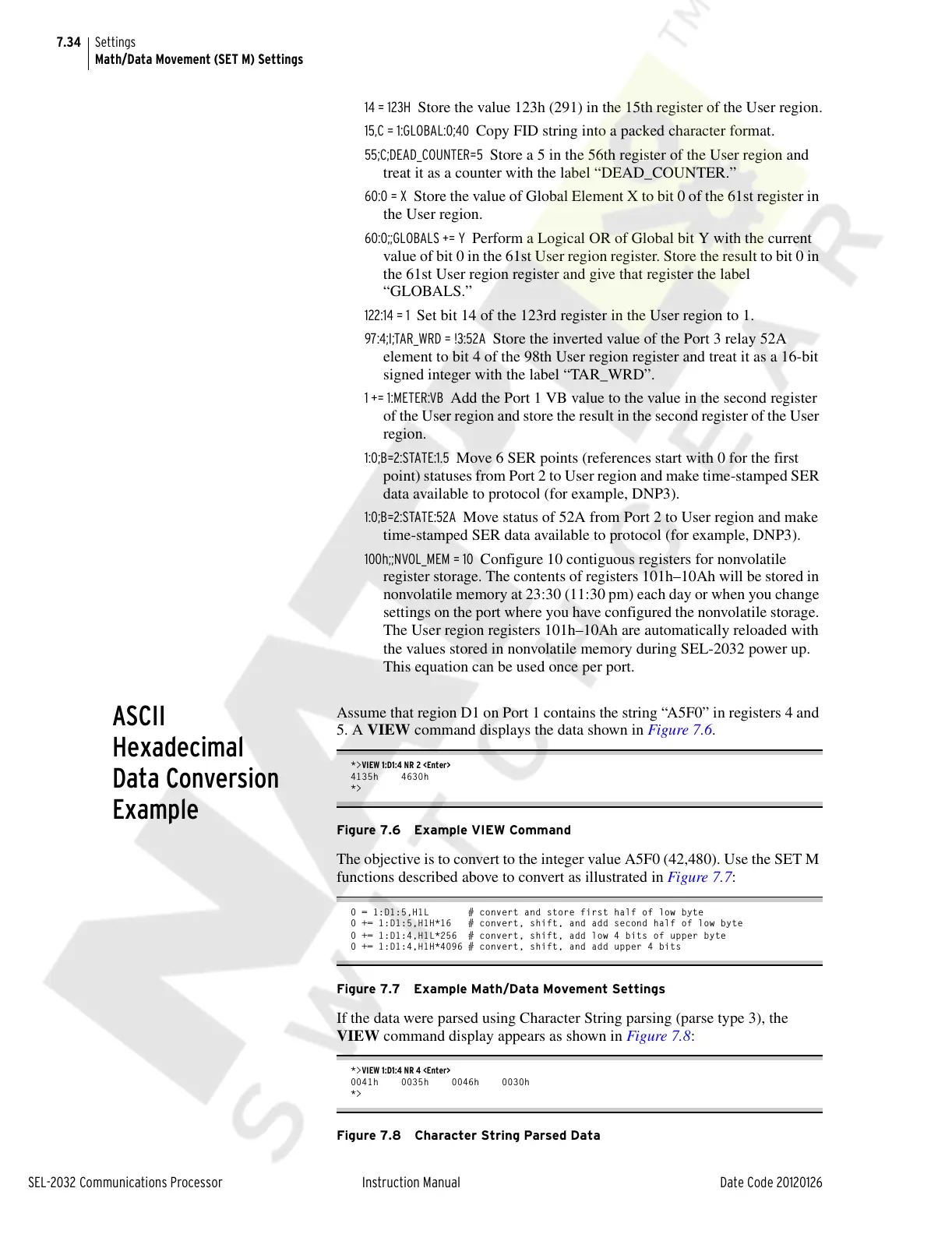
Assume that region D1 on Port 1 contains the string “A5F0” in registers 4 and
5. A VIEW command displays the data shown in Figure 7.6.
*>VIEW 1:D1:4 NR 2 <Enter>
4135h 4630h
*>
Figure 7.6 Example VIEW Command
The objective is to convert to the integer value A5F0 (42,480). Use the SET M
functions described above to convert as illustrated in Figure 7.7:
0 = 1:D1:5,H1L # convert and store first half of low byte
0 += 1:D1:5,H1H*16 # convert, shift, and add second half of low byte
0 += 1:D1:4,H1L*256 # convert, shift, add low 4 bits of upper byte
0 += 1:D1:4,H1H*4096 # convert, shift, and add upper 4 bits
Figure 7.7 Example Math/Data Movement Settings
If the data were parsed using Character String parsing (parse type 3), the
VIEW command display appears as shown in Figure 7.8:
*>VIEW 1:D1:4 NR 4 <Enter>
0041h 0035h 0046h 0030h
*>
Figure 7.8 Character String Parsed Data
Courtesy of NationalSwitchgear.com



 To Next Page