7.7
Date Code 20120126 Instruction Manual SEL-2032 Communications Processor
Settings
Port Configuration (SET P) and Communication Settings
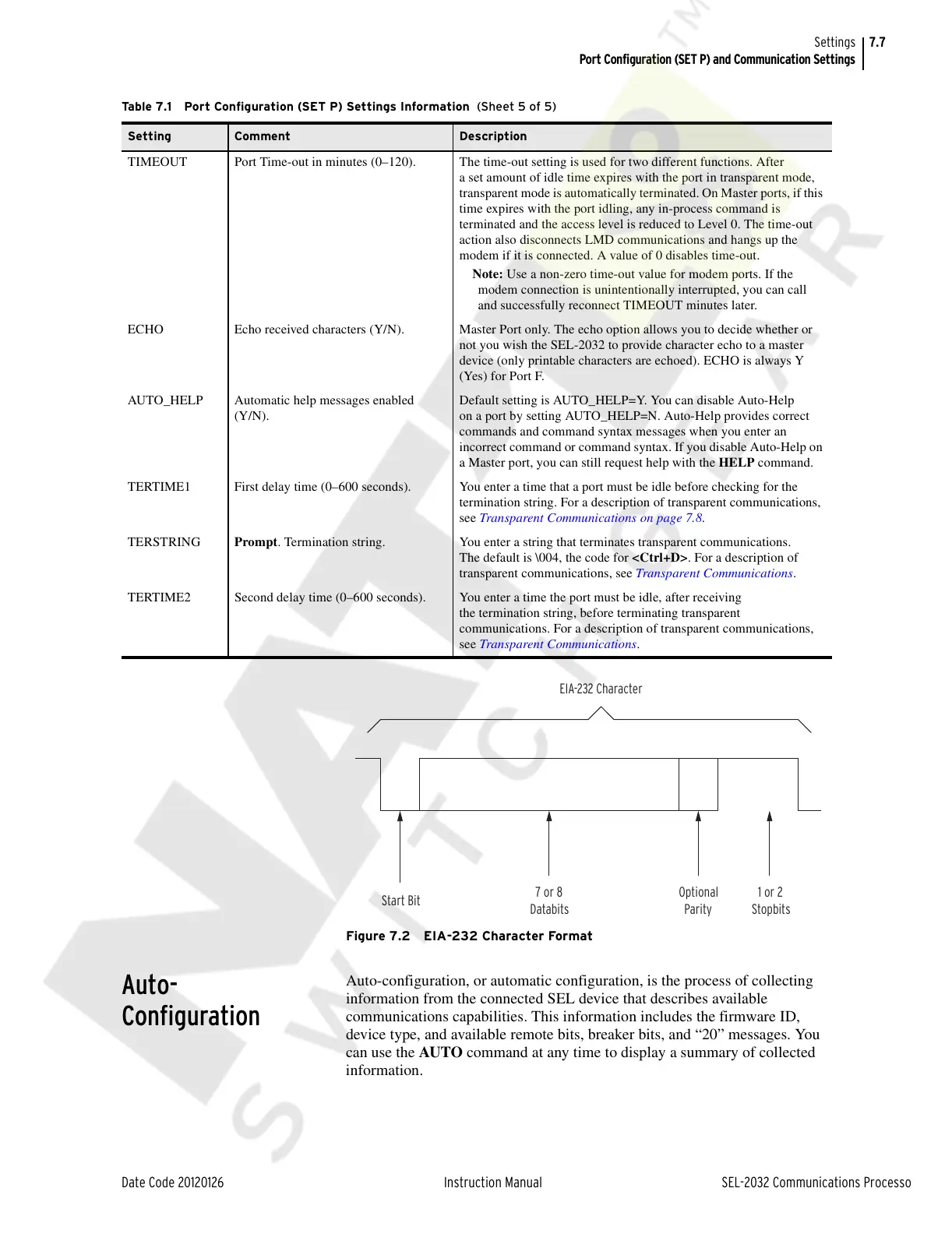
Figure 7.2 EIA-232 Character Format
Auto-
Configuration
Auto-configuration, or automatic configuration, is the process of collecting
information from the connected SEL device that describes available
communications capabilities. This information includes the firmware ID,
device type, and available remote bits, breaker bits, and “20” messages. You
can use the AUTO command at any time to display a summary of collected
information.
TIMEOUT Port Time-out in minutes (0–120). The time-out setting is used for two different functions. After
a set amount of idle time expires with the port in transparent mode,
transparent mode is automatically terminated. On Master ports, if this
time expires with the port idling, any in-process command is
terminated and the access level is reduced to Level 0. The time-out
action also disconnects LMD communications and hangs up the
modem if it is connected. A value of 0 disables time-out.
Note: Use a non-zero time-out value for modem ports. If the
modem connection is unintentionally interrupted, you can call
and successfully reconnect TIMEOUT minutes later.
ECHO Echo received characters (Y/N). Master Port only. The echo option allows you to decide whether or
not you wish the SEL-2032 to provide character echo to a master
device (only printable characters are echoed). ECHO is always Y
(Yes) for Port F.
AUTO_HELP Automatic help messages enabled
(Y/N).
Default setting is AUTO_HELP=Y. You can disable Auto-Help
on a port by setting AUTO_HELP=N. Auto-Help provides correct
commands and command syntax messages when you enter an
incorrect command or command syntax. If you disable Auto-Help on
a Master port, you can still request help with the HELP command.
TERTIME1 First delay time (0–600 seconds). You enter a time that a port must be idle before checking for the
termination string. For a description of transparent communications,
see Transparent Communications on page 7.8.
TERSTRING Prompt. Termination string. You enter a string that terminates transparent communications.
The default is \004, the code for <Ctrl+D>. For a description of
transparent communications, see Transparent Communications.
TERTIME2 Second delay time (0–600 seconds). You enter a time the port must be idle, after receiving
the termination string, before terminating transparent
communications. For a description of transparent communications,
see Transparent Communications.
Table 7.1 Port Configuration (SET P) Settings Information (Sheet 5 of 5)
Setting Comment Description
EIA-232 Character
7 or 8
Databits
Start Bit
Optional
Parity
1 or 2
Stopbits
Courtesy of NationalSwitchgear.com



 To Next Page