8.10
SEL-2032 Communications Processor Instruction Manual Date Code 20120126
Serial Port Communications and Commands
Command Set
FILE
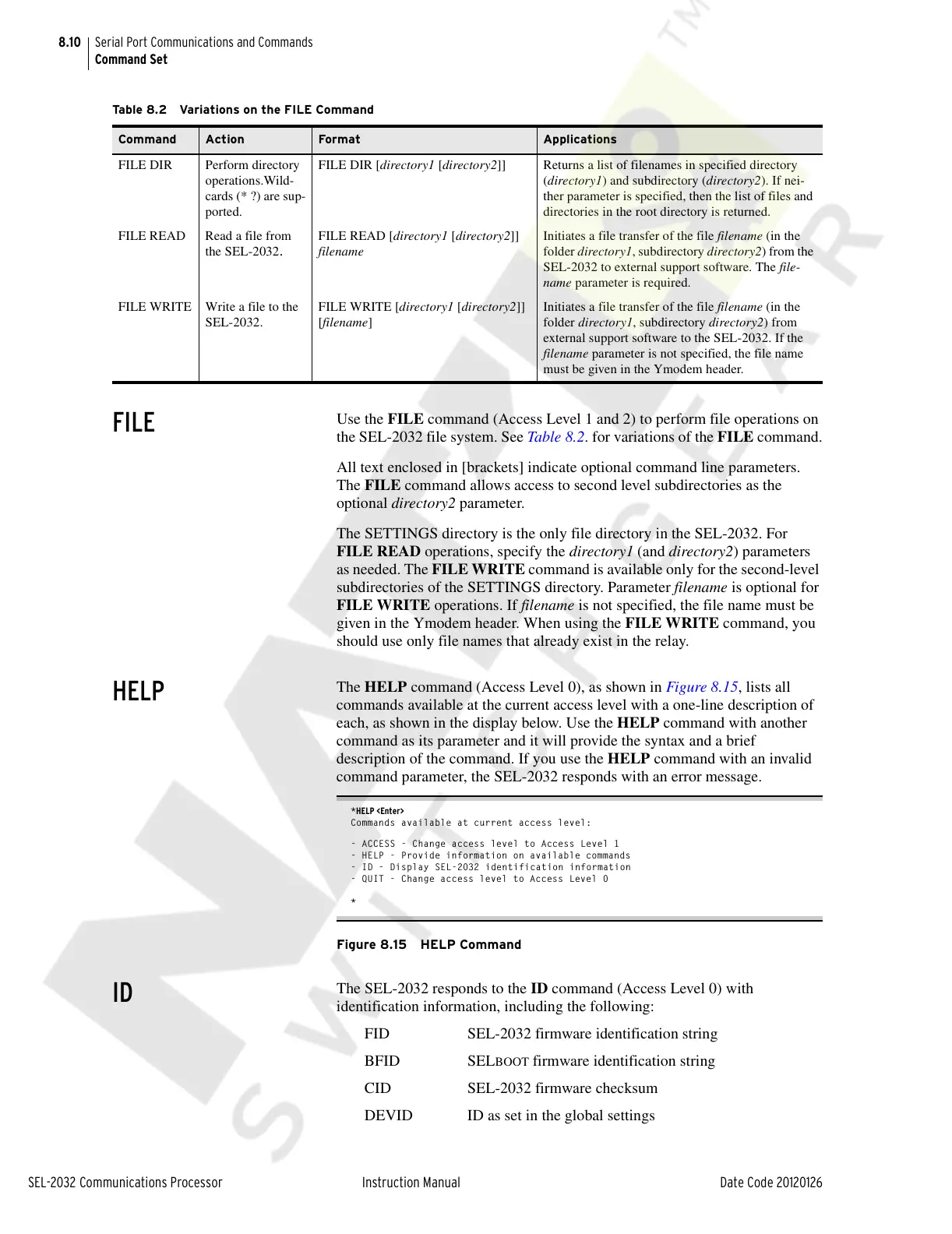
Use the FILE command (Access Level 1 and 2) to perform file operations on
the SEL-2032 file system. See Table 8.2. for variations of the FILE command.
All text enclosed in [brackets] indicate optional command line parameters.
The FILE command allows access to second level subdirectories as the
optional directory2 parameter.
The SETTINGS directory is the only file directory in the SEL-2032. For
FILE READ operations, specify the directory1 (and directory2) parameters
as needed. The FILE WRITE command is available only for the second-level
subdirectories of the SETTINGS directory. Parameter filename is optional for
FILE WRITE operations. If filename is not specified, the file name must be
given in the Ymodem header. When using the FILE WRITE command, you
should use only file names that already exist in the relay.
HELP
The HELP command (Access Level 0), as shown in Figure 8.15, lists all
commands available at the current access level with a one-line description of
each, as shown in the display below. Use the HELP command with another
command as its parameter and it will provide the syntax and a brief
description of the command. If you use the HELP command with an invalid
command parameter, the SEL-2032 responds with an error message.
*HELP <Enter>
Commands available at current access level:
- ACCESS - Change access level to Access Level 1
- HELP - Provide information on available commands
- ID - Display SEL-2032 identification information
- QUIT - Change access level to Access Level 0
*
Figure 8.15 HELP Command
ID
The SEL-2032 responds to the ID command (Access Level 0) with
identification information, including the following:
FID SEL-2032 firmware identification string
BFID SEL
BOOT firmware identification string
CID SEL-2032 firmware checksum
DEVID ID as set in the global settings
Table 8.2 Variations on the FILE Command
Command Action Format Applications
FILE DIR Perform directory
operations.Wild-
cards (* ?) are sup-
ported.
FILE DIR [directory1 [directory2]] Returns a list of filenames in specified directory
(directory1) and subdirectory (directory2). If nei-
ther parameter is specified, then the list of files and
directories in the root directory is returned.
FILE READ Read a file from
the SEL-2032
.
FILE READ [directory1 [directory2]]
filename
Initiates a file transfer of the file filename (in the
folder directory1, subdirectory directory2) from the
SEL-2032 to external support software. The file-
name parameter is required.
FILE WRITE Write a file to the
SEL-2032.
FILE WRITE [directory1 [directory2]]
[filename]
Initiates a file transfer of the file filename (in the
folder directory1, subdirectory directory2) from
external support software to the SEL-2032. If the
filename parameter is not specified, the file name
must be given in the Ymodem header.
Courtesy of NationalSwitchgear.com



 To Next Page