3.28
SEL-2032 Communications Processor Instruction Manual Date Code 20120126
Job Done Examples
Example 6: Modbus Job Done
Step 7. View the data stored in the Port 2 METER data region by
issuing the commands VIEW 2:METER or VIEW 2:D1. The
SEL-2032 responds with a data “dump” showing the data
stored in the region at the time of the request with the
respective data item labels. In this example, the data are
updated once each second.
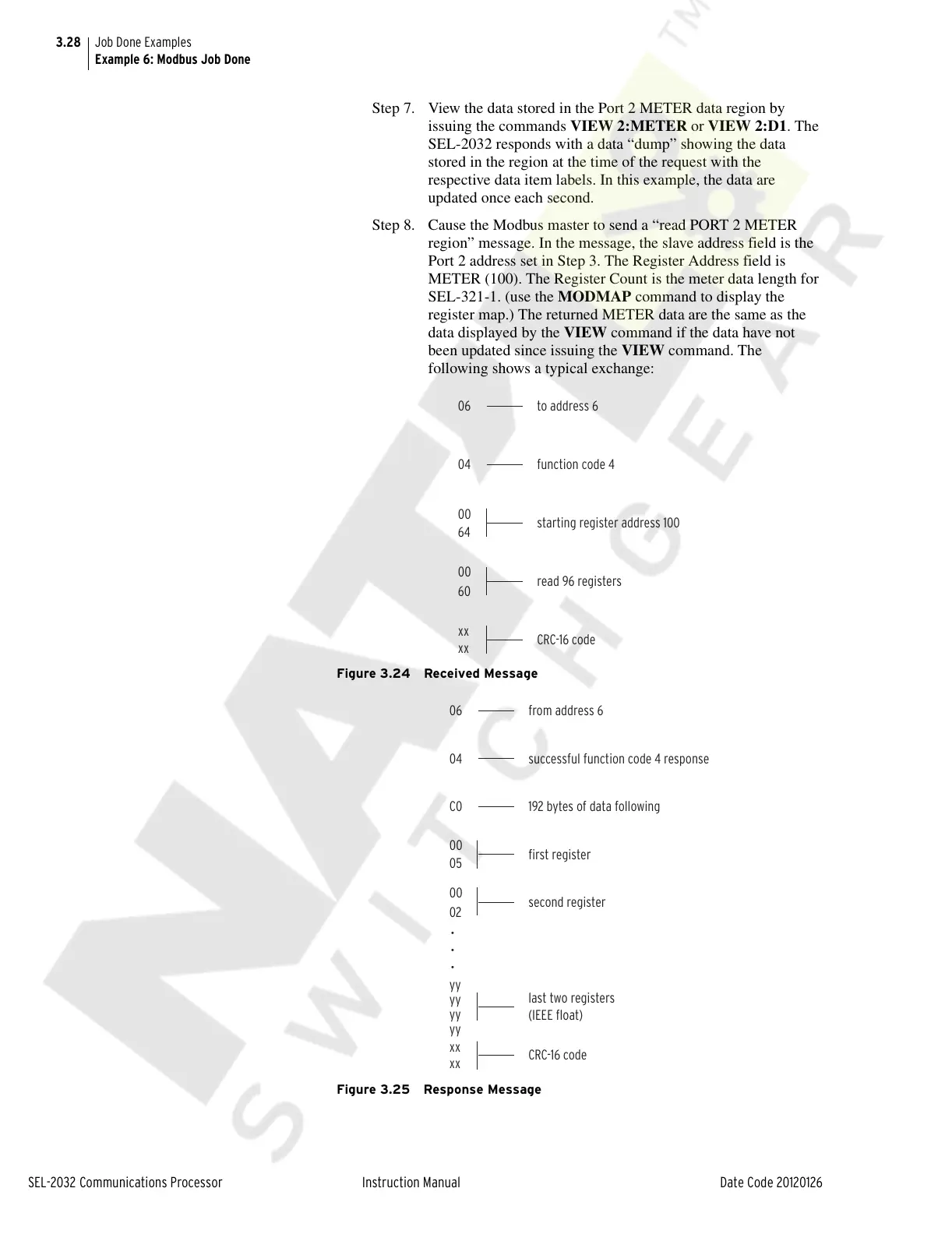
Step 8. Cause the Modbus master to send a “read PORT 2 METER
region” message. In the message, the slave address field is the
Port 2 address set in Step 3. The Register Address field is
METER (100). The Register Count is the meter data length for
SEL-321-1. (use the MODMAP command to display the
register map.) The returned METER data are the same as the
data displayed by the VIEW command if the data have not
been updated since issuing the VIEW command. The
following shows a typical exchange:
Figure 3.24 Received Message
Figure 3.25 Response Message
06 to address 6
function code 4
04
starting register address 100
00
64
read 96 registers
00
60
CRC-16 code
xx
xx
06 from address 6
192 bytes of data following
C0
successful function code 4 response
04
•
•
•
first register
00
05
second register
00
02
last two registers
(IEEE float)
yy
yy
yy
yy
CRC-16 code
xx
xx
Courtesy of NationalSwitchgear.com



 To Next Page