8.19
Date Code 20120126 Instruction Manual SEL-2032 Communications Processor
Serial Port Communications and Commands
Command Set
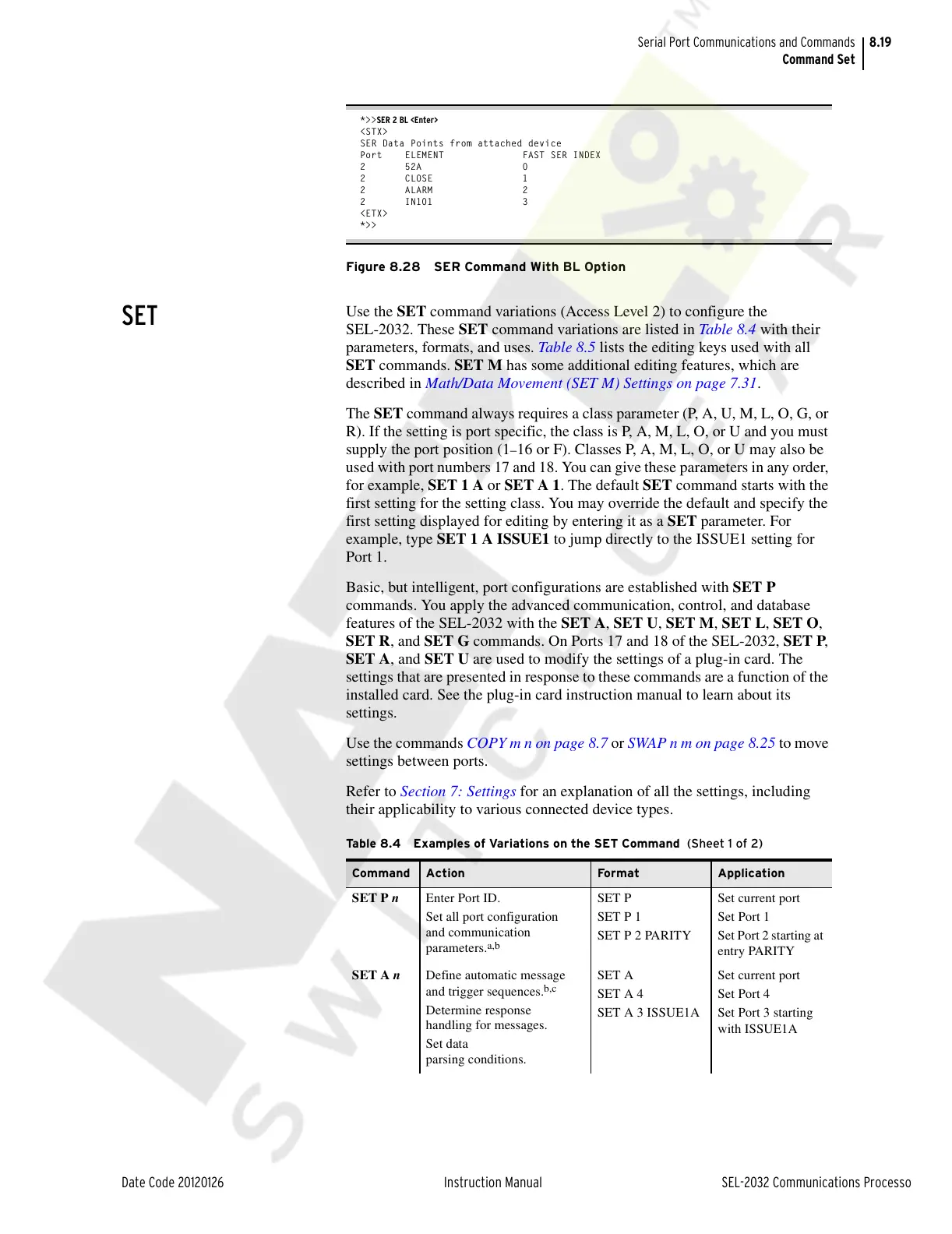
*>>SER 2 BL <Enter>
<STX>
SER Data Points from attached device
Port ELEMENT FAST SER INDEX
2 52A 0
2 CLOSE 1
2 ALARM 2
2 IN101 3
<ETX>
*>>
Figure 8.28 SER Command With BL Option
SET
Use the SET command variations (Access Level 2) to configure the
SEL-2032. These SET command variations are listed in Table 8.4 with their
parameters, formats, and uses. Table 8.5 lists the editing keys used with all
SET commands. SET M has some additional editing features, which are
described in Math/Data Movement (SET M) Settings on page 7.31.
The SET command always requires a class parameter (P, A, U, M, L, O, G, or
R). If the setting is port specific, the class is P, A, M, L, O, or U and you must
supply the port position (1
–16 or F). Classes P, A, M, L, O, or U may also be
used with port numbers 17 and 18. You can give these parameters in any order,
for example, SET 1 A or SET A 1. The default SET command starts with the
first setting for the setting class. You may override the default and specify the
first setting displayed for editing by entering it as a SET parameter. For
example, type SET 1 A ISSUE1 to jump directly to the ISSUE1 setting for
Port 1.
Basic, but intelligent, port configurations are established with SET P
commands. You apply the advanced communication, control, and database
features of the SEL-2032 with the SET A, SET U, SET M, SET L, SET O,
SET R, and SET G commands. On Ports 17 and 18 of the SEL-2032, SET P,
SET A, and SET U are used to modify the settings of a plug-in card. The
settings that are presented in response to these commands are a function of the
installed card. See the plug-in card instruction manual to learn about its
settings.
Use the commands COPY m n on page 8.7 or SWAP n m on page 8.25 to move
settings between ports.
Refer to Section 7: Settings for an explanation of all the settings, including
their applicability to various connected device types.
Table 8.4 Examples of Variations on the SET Command (Sheet 1 of 2)
Command Action Fo rma t Application
SET P n Enter Port ID.
Set all port configuration
and communication
parameters.
a,b
SET P
SET P 1
SET P 2 PARITY
Set current port
Set Port 1
Set Port 2 starting at
entry PARITY
SET A n Define automatic message
and trigger sequences.
b,c
Determine response
handling for messages.
Set data
parsing conditions.
SET A
SET A 4
SET A 3 ISSUE1A
Set current port
Set Port 4
Set Port 3 starting
with ISSUE1A
Courtesy of NationalSwitchgear.com



 To Next Page