Section 06 ST EE RING AND PROPULSION
Subsection 01 (STEERING)
219100893-028-002_b
4. Test watercraft.
5. Readjust as necessary.
6. Reinstall the top c over.
TIGHTENING TORQUE
Top cover screw
5.5 N•m ±
0.5 N•m
(49 lbf•in ±4lbf•in)
NOTE: It is a good starting point to align body
lines when replacing the steering cable.
219100893-028-310_a
PROCEDURES
HANDLEBAR GRIP
Removing the Handlebar Grip
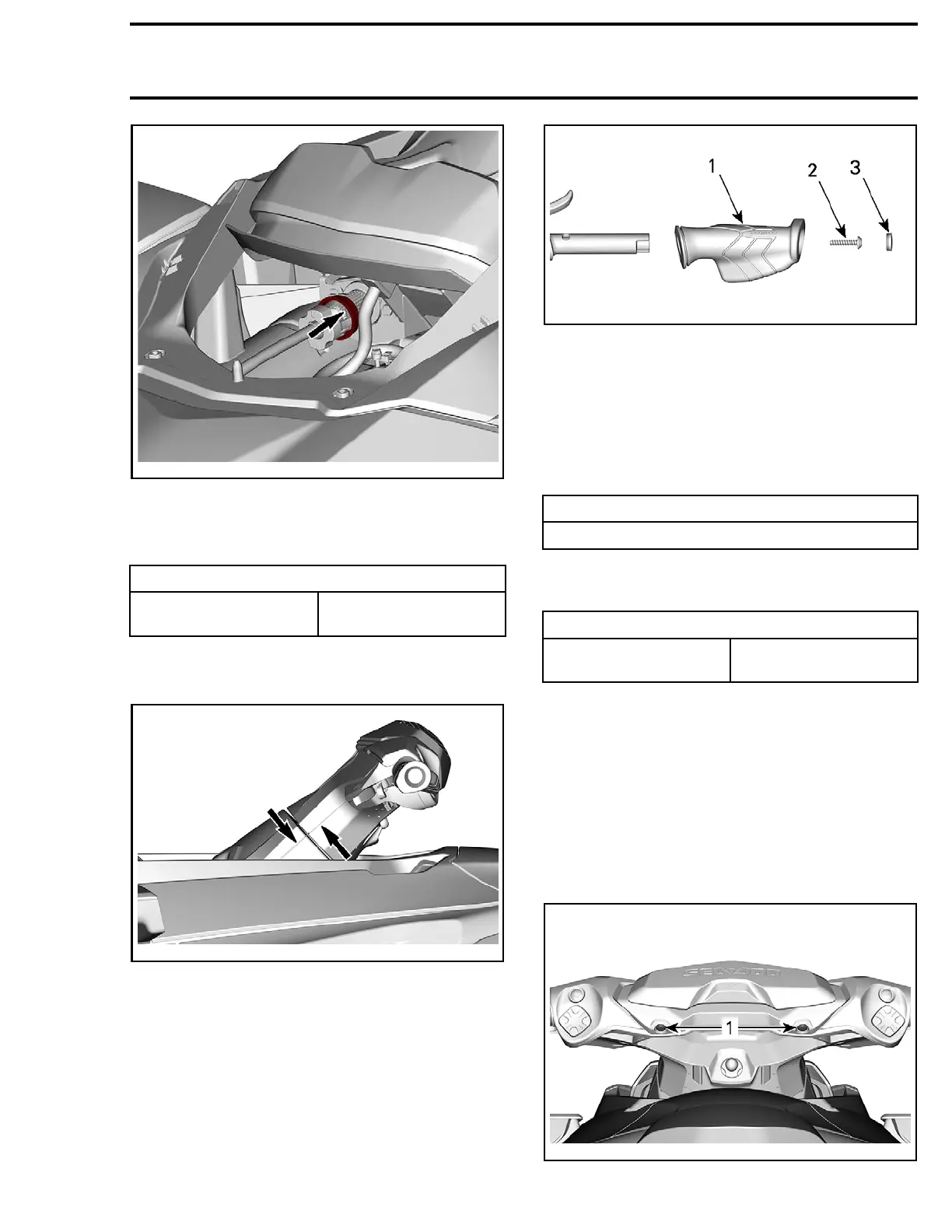
To remove handlebar grip, remove the cap, then
the retaining screw.
Pull out handlebar from handlebar.
219100893-028-004_a
1. Handlebar grip
2. Handlebar grip screw
3. Handlebar grip cap
Installing the Handlebar Grip
Install handlebar grip on handlebar matching it to
the notch in the handlebar.
Apply blue Loctite on screw threads (or use new
self-locking screws).
SERVICE PRODUCT
LOCTITE 243
(BLUE) (P/N 293 800 060)
Install handlebar grip screw.
Torque han
dlebar grip screw to specification.
TIGHTENING TORQUE
Handlebar grip screw
4N•m ± 0.5N•m
(35 lbf•in ±4lbf•in)
Install cap.
HANDLEBAR SWITCH COVER
(LH OR RH)
Removing the Handlebar Switch Cover
(LH or RH)
On RXT-X models
1. Remove retaining screws.
219100893-028-300_a
219100963-017 153


 To Next Page
 Loading...