209
23) PARKING BRAKE SWITCH
Description
The parking brake light switch is a single
pole, push-button type switch. The parking
brake light switch is located underneath the
parking brake lever on the parking brake
linkage, which is on the right side of the
tractor. When the parking brake is pull up
the contacts in the switch is closed.
When the parking brake is pull down the
contacts in the switch is open.
Removal
NOTE: The parking brake light switch may
be tested for continuity without removing the
switch from the tractor, but it is
recommended that the switch be down
removed for testing.
To test the switch in
the tractor, disconnect the two switch leads
to switch and touch an ohmmeter probe to
each lead.
Engage and disengage the
parking brake, using the continuity test to
check the switch for proper operation.
1. Disconnect the negative (-) battery cable
from the battery.
Parking Brake Light Switch
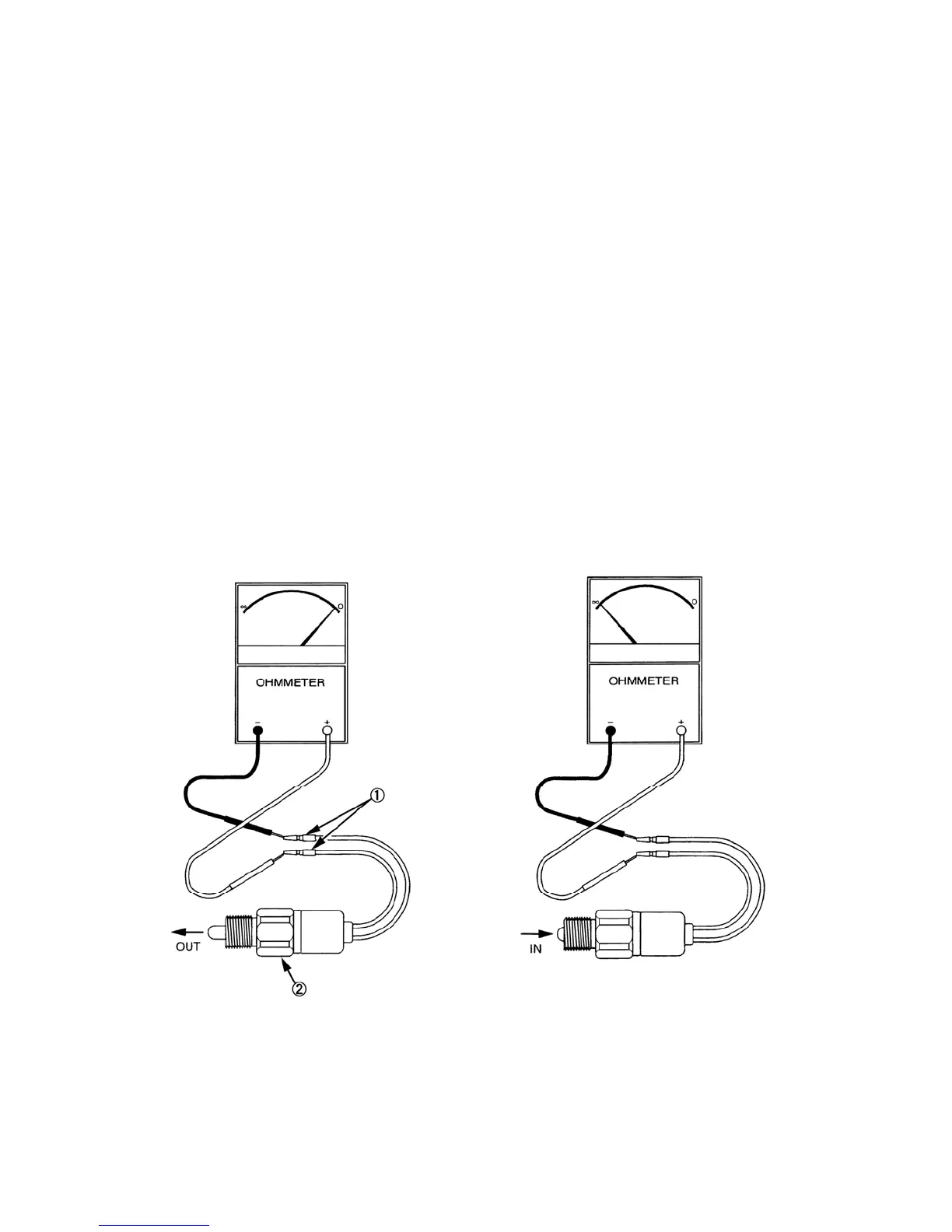
Trouble-shooting - Continuity Test
1. Using an ohmmeter, connect test leads to
each terminal, 1, on the safety switch, 2.
Observe the ohmmeter reading.
2. With the switch button in the "OUT"
(parking brake engaged) position, the
switch contacts should be closed, and
there will be little or no resistance
indicating continuity in the switch. If
there is no continuity, the switch is
defective and needs replaced.
2. With the switch button in the “ IN“
(parking brake disengaged) position,
the switch contacts should be open, and
there will be high resistance, indicating
no continuity in the switch.
If there is continuity, the switch is
defective and needs replaced.
572Y
Installation
1. Assemble of the parking brake safety switch generally follows the disassembly in reverse.
(385200731)



 To Next Page