Sysmex XP-300 8-7
Display and Output of Analysis Results
Revised April 2012
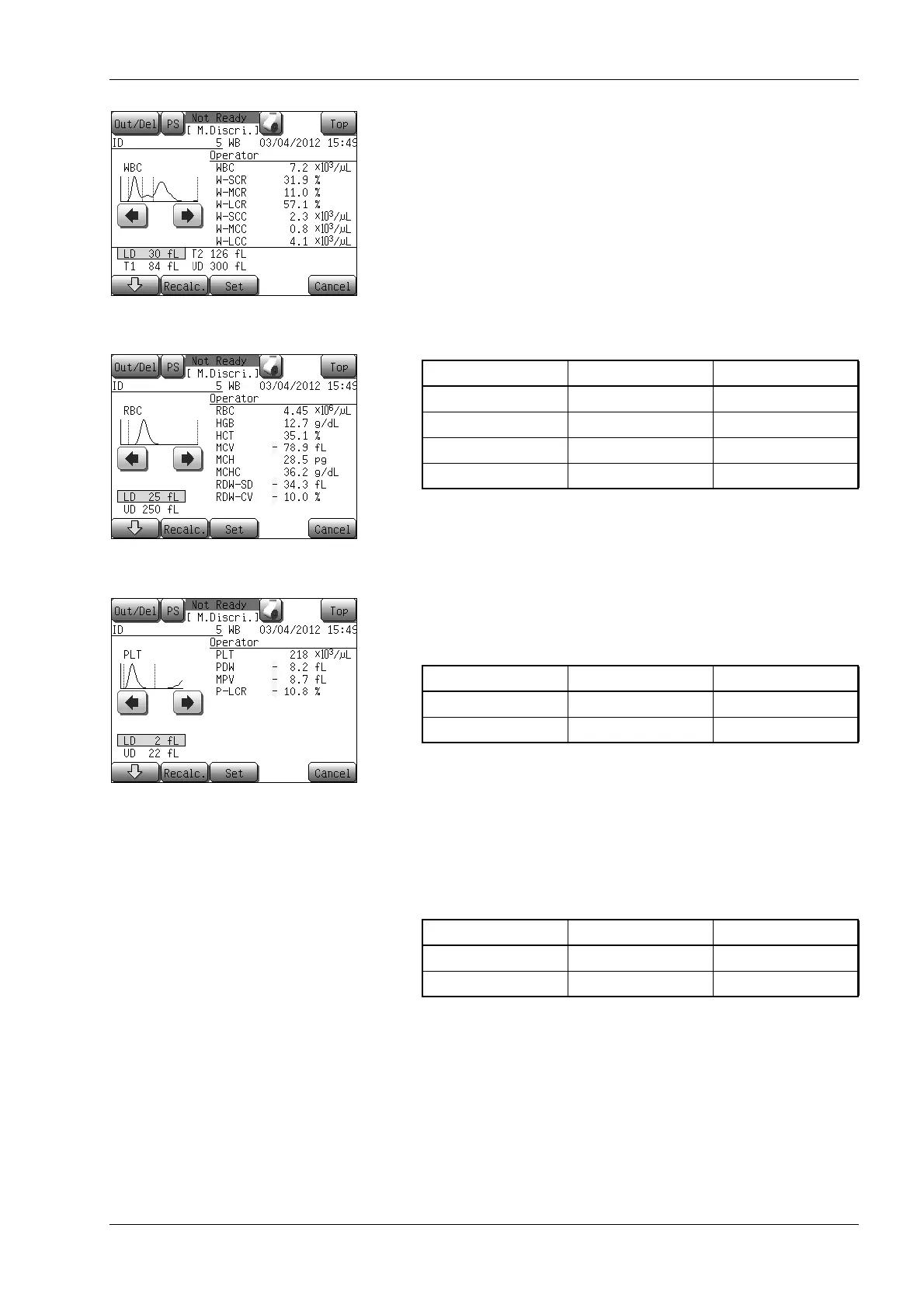
(3) Press the [↓] button to select the discriminator you want to
change from a list at the bottom left of the screen.
The selected discriminator is highlighted.
(4) Press the [←] or [→] button to move the discriminator position
on the histogram.
The discriminator position relocated is displayed in the list at
the bottom left of the screen.
The range within which each discriminator position can move is
shown below.
• Manual discrimination screen (WBC)
WBC particle distribution covers 50 channels of 0 to 49 (6 fL
per channel), and the channel changes by one at a time.
The relation between WBC particle distribution channel and fL
display is as follows:
Discri. position (fL) = (Channel No. + 1) × 6
• Manual discrimination screen (RBC)
RBC particle distribution covers 50 channels of 0 to 49 (5 fL
per channel), and the channel changes by one at a time.
The relation between RBC particle distribution channel and fL
display is as follows:
Discri. position (fL) = (Channel No. + 1) × 5
• Manual discrimination screen (PLT)
PLT particle distribution covers 40 channels of 0 to 39 (1 fL per
channel), and the channel changes by one at a time.
The relation between PLT particle distribution channel and fL
display is as follows:
Discri. position (fL) = (Channel No. + 1) × 1
Manual discrimination screen
(WBC)
Manual discrimination screen
(RBC)
Manual discrimination screen
(PLT)
Discri. to move
Lower limit Upper limit
LD 6fL (0ch) T1
T1 LD T2
T2 T1 UD
UD T2 300fL (49ch)
Discri. to move
Lower limit Upper limit
LD 5fL (0ch) UD
UD LD 250fL (49ch)
Discri. to move
Lower limit Upper limit
LD 1fL (0ch) UD
UD LD 40fL (39ch)



 To Next Page