8-8 Sysmex XP-300
Display and Output of Analysis Results
Revised April 2012
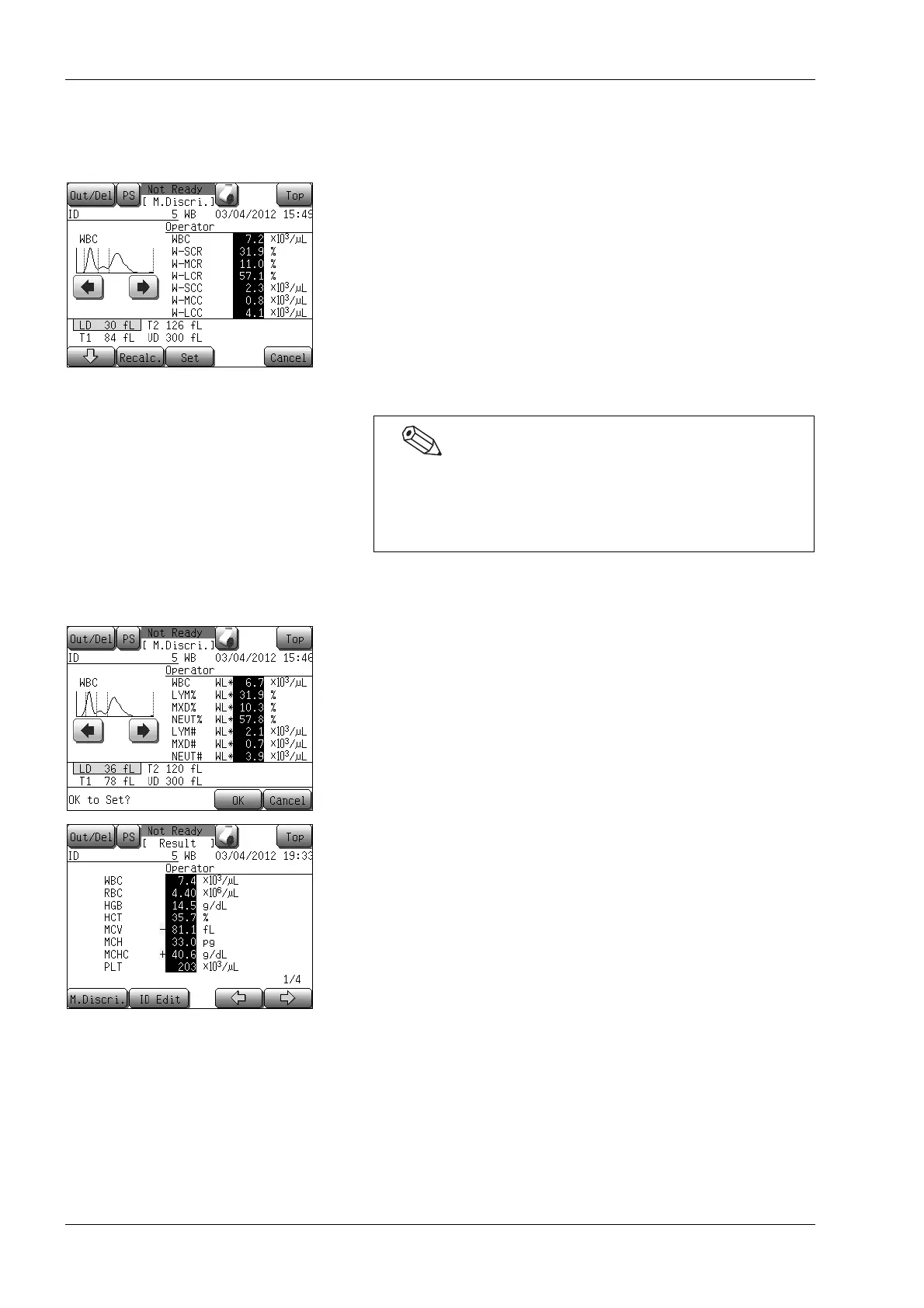
(5) After moving the discriminator, press the [Recalc.] button.
The discriminator position is set and analysis data is
re-calculated on the basis of new discriminator position.
Re-calculated data is reverse-displayed on the screen.
* Pressing the [Cancel] button will display the manual
discrimination quit confirmation dialog.
• Pressing the [OK] button on the manual discrimination
quit confirmation screen returns to the analysis result
screen without changing the settings.
• Pressing the [Cancel] button on the manual discrimination
quit confirmation screen returns to the manual
discrimination screen, and allows manual discrimination
operation.
(6) Press the [Set] button.
The setting change confirmation dialog will appear.
• Press the [OK] button to update the changed contents and
return to the analysis result screen.
• Press the [Cancel] button to return to the manual
discrimination screen.
Analysis values changed in manual discrimination are reverse-
displayed on the analysis result screen.
Pressing the [Top] button on the analysis result screen also
displays the manual discrimination quit confirmation
dialog. In this case, pressing the [OK] button in the dialog
returns to the Main screen without changing the settings.



 To Next Page