Sysmex XP-300 8-9
Display and Output of Analysis Results
Revised July 2012
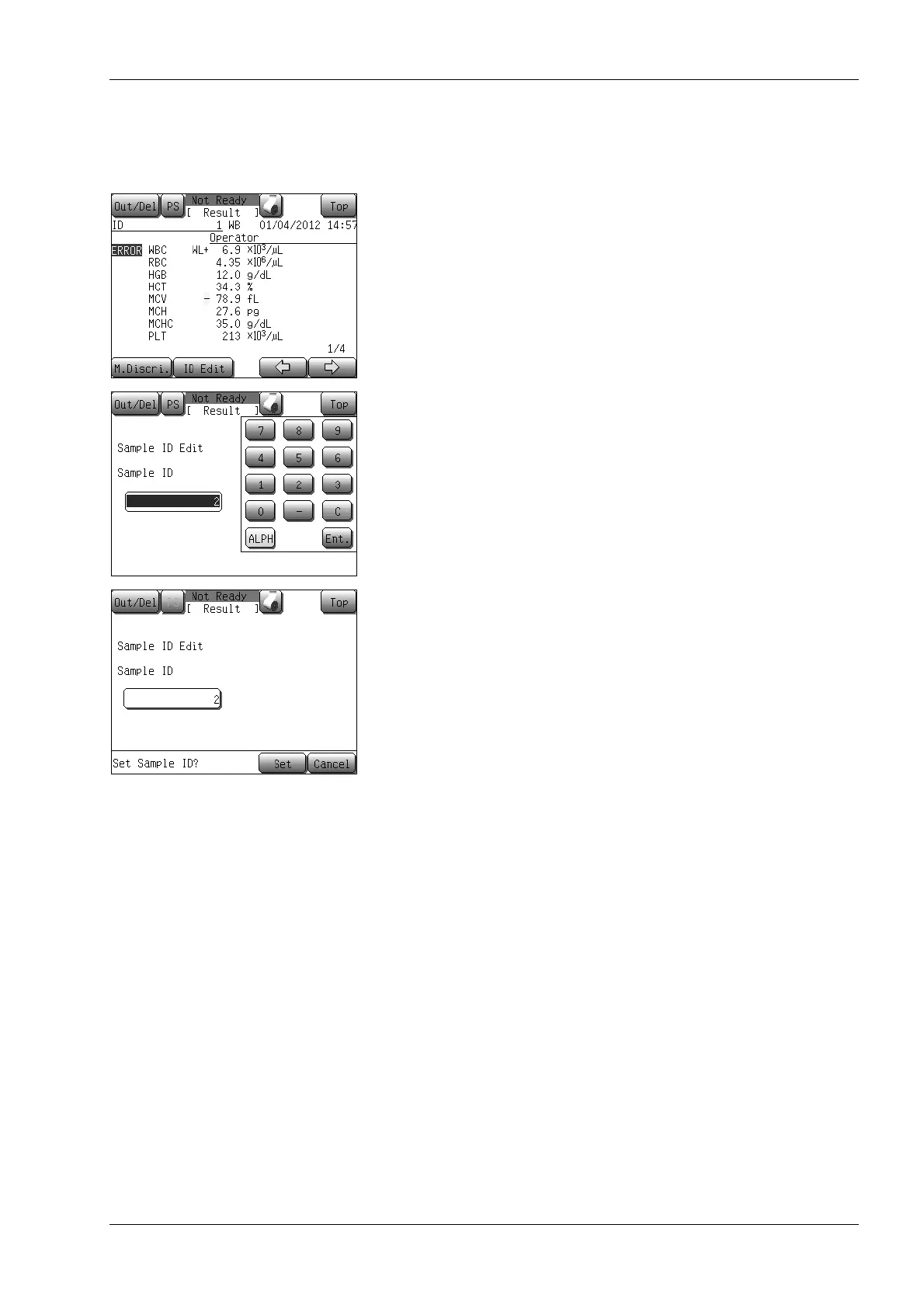
Editing the sample ID
The ID numbers of the latest samples displayed on the analysis result
screen can be edited.
(1) Press the [ID Edit] button on the analysis result screen.
The sample ID edit screen will appear.
(2) Press the [Sample ID] display column.
The ID number of the latest sample is reverse-displayed and the
numeric keyboard is displayed.
(3) Change the sample ID.
During the sample ID input, the most right character can be
deleted by pressing the [C] button.
(4) Press the [Ent.] button.
The numeric keypad closes and the ID edit confirmation dialog
will appear.
• Press the [Set] button to define the sample ID and close the
dialog.
• Pressing the [Cancel] button closes the dialog without
changing the sample ID.



 To Next Page