8-16 Sysmex XP-300
Display and Output of Analysis Results
Revised April 2012
Not-output mark: Displays whether or not the analysis data has been printed from the
internal/graphic printer or output to the host computer.
[I] : The data has not been printed from the internal printer. The mark
disappears when printed.
[G] : The data has not been printed from the graphic printer. The mark
disappears when printed.
[H] : The data has not been output to the host computer. The mark
disappears when output.
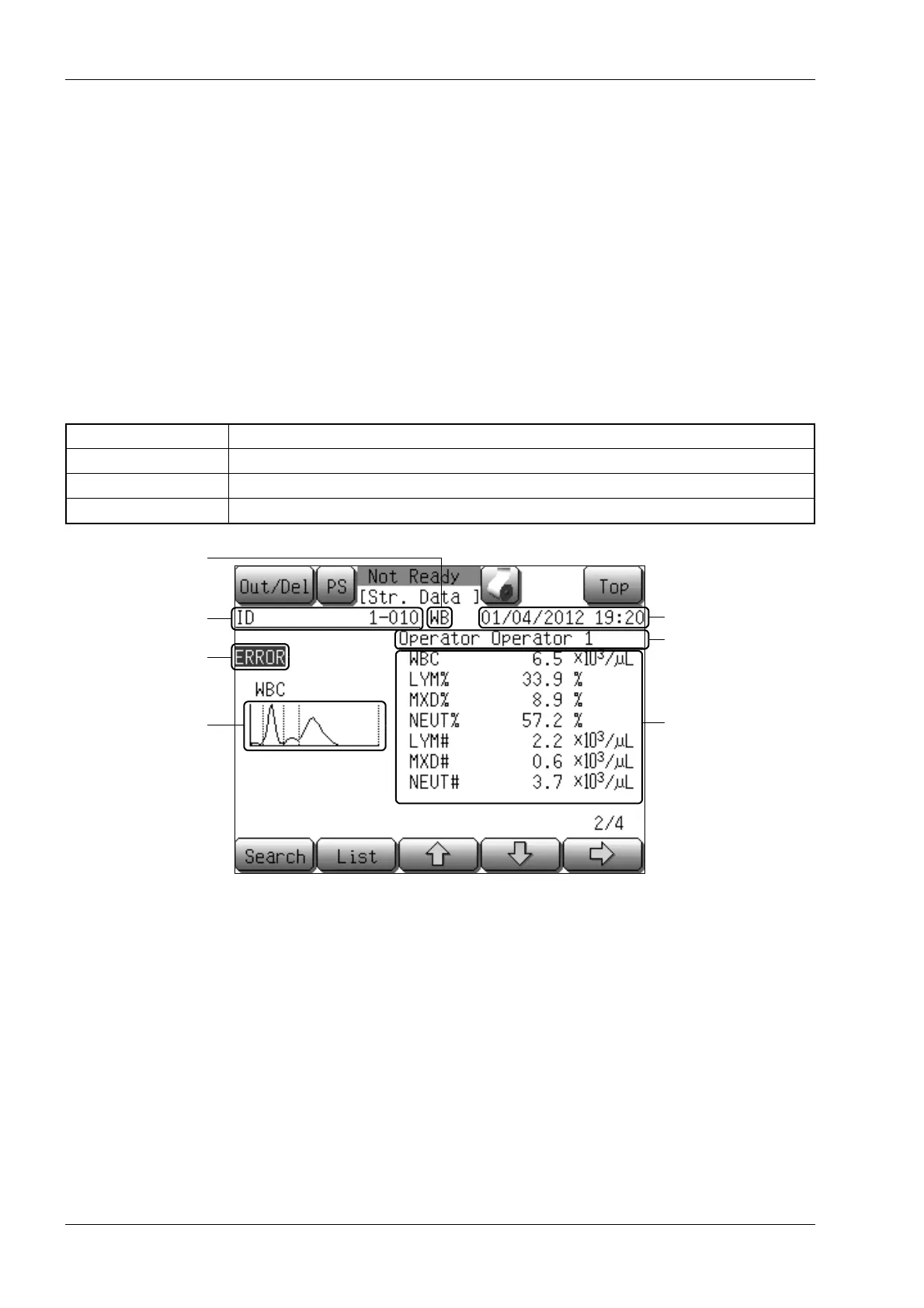
Detail screen
Analysis results of the selected sample are displayed on the detail screen.
The detail screen is composed of 4 screens (first to fourth), each of which displays analysis results of the
following parameters:
Description of the detail screens
[Out/Del]: Prints or deletes the stored analysis data. For details, see “Output of
stored data” and “Deleting stored data” in “8.2 Stored data”.
[Search]: Searches for the stored analysis data. For details, see “Searching stored
data” in “8.2 Stored data”.
[List]: Displays the first list screen. The cursor is located at the sample data that
is currently displayed.
[↑]: Moves to the previous analysis result.
However, when the oldest analysis result is displayed, this button
operation becomes invalid.
First detail screen WBC, RBC, HGB, HCT, MCV, MCH, MCHC, PLT
Second detail screen WBC, LYM%, MXD%, NEUT%, LYM#, MXD#, NEUT#
Third detail screen RBC, MCV, RDW-SD, RDW-CV, PLT, PDW, MPV, P-LCR, PCT
Fourth detail screen WBC research parameters (ResearchW, ResearchS, ResearchM, ResearchL)
Analysis mode
Sample ID
Analysis data
Instrument error flag
Date and time of analysis
Example: Second detail screen
Operator ID
Histogram



 To Next Page