Sysmex XP-300 8-17
Display and Output of Analysis Results
Revised April 2012
[↓]: Moves to the next analysis result.
However, when the latest analysis result is displayed, this button
operation becomes invalid.
[→]: Switches the screen in such an order as first to fourth (detail) and first to
fourth (list). For details, see “Stored data screen” in “8.2 Stored data”.
Analysis mode: Displays the analysis mode for the sample. Displays [WB] for the whole
blood mode, [PD] for the pre-diluted mode and [QC] for the quality
control mode.
Sample ID: Displays the sample ID number.
Instrument error flag: Appears when an instrument malfunction is detected during analysis.
Histogram: Displays the histograms of WBC, RBC and PLT on the second to fourth
detail screens.
Date and time of analysis: Displays the date and time when the analysis result was obtained.
Operator ID: Displays the operator ID of the analysis.
Analysis data: Displays the analysis data of each parameter. When an analysis error
occurs, a histogram error flag or abnormal data flag is displayed.
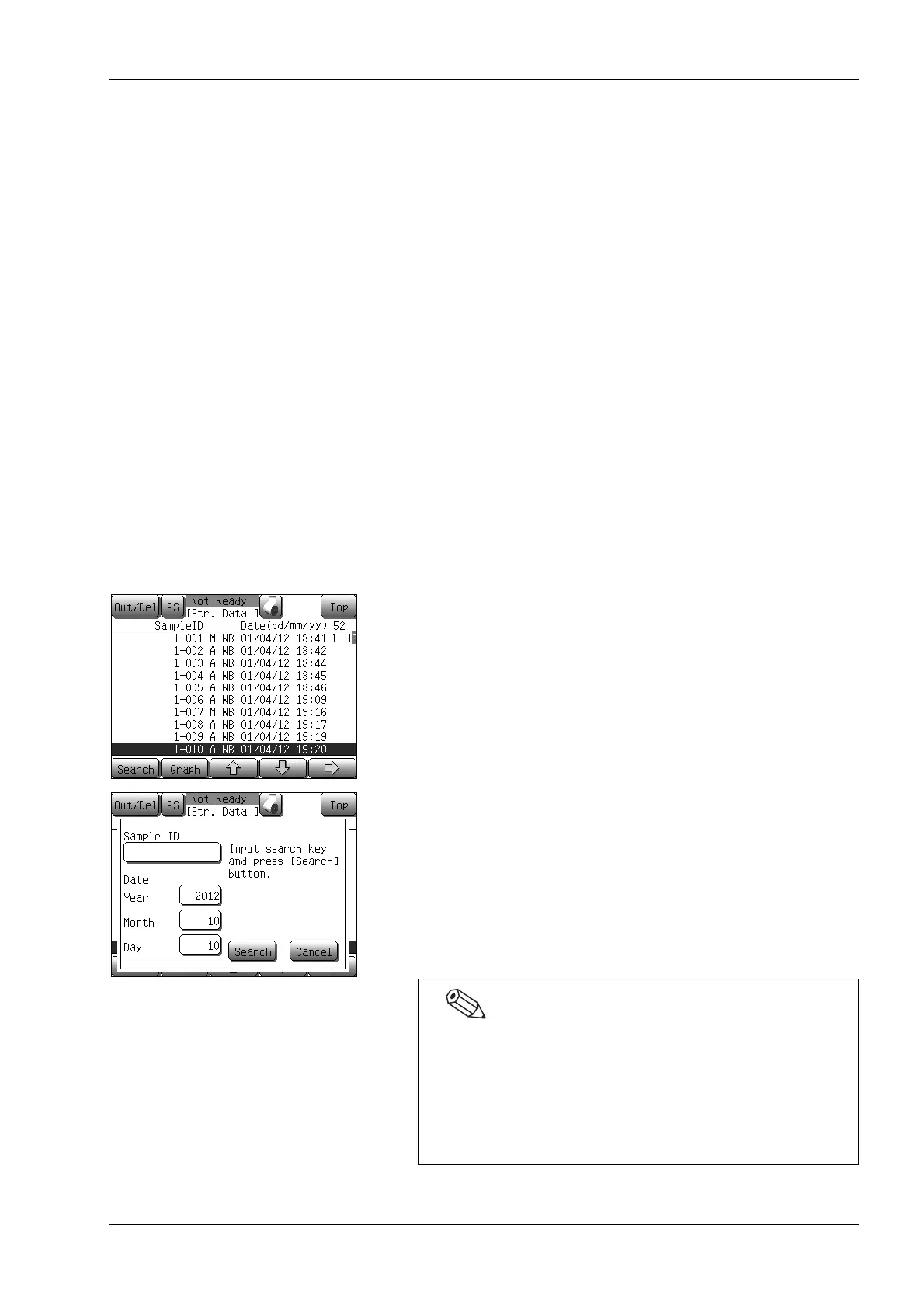
Searching stored data
On the stored data screen, data can be searched for using the sample
ID and the date of analysis as the search key.
(1) Press the [Search] button on the stored data screen.
The search dialog will appear.
(2) Select the search key.
[Sample ID]: Select this option when data is
searched using the sample ID.
A numeric keypad will appear.
Date [Year] [Month] [Day]: Select this option when data is
searched using the date of
analysis. A numeric keypad for
date input is displayed.
• When the numeric keypad is displayed in the search dialog,
boxes in which you can input are reverse-displayed.
• A bar code can also be input while displaying the numeric
keypad.
• The search dialog is displayed with the date on that day in
the Date [Year], [Month] and [Day] display columns.



 To Next Page