Sysmex XP-300 9-19
Quality Control
Revised February 2013
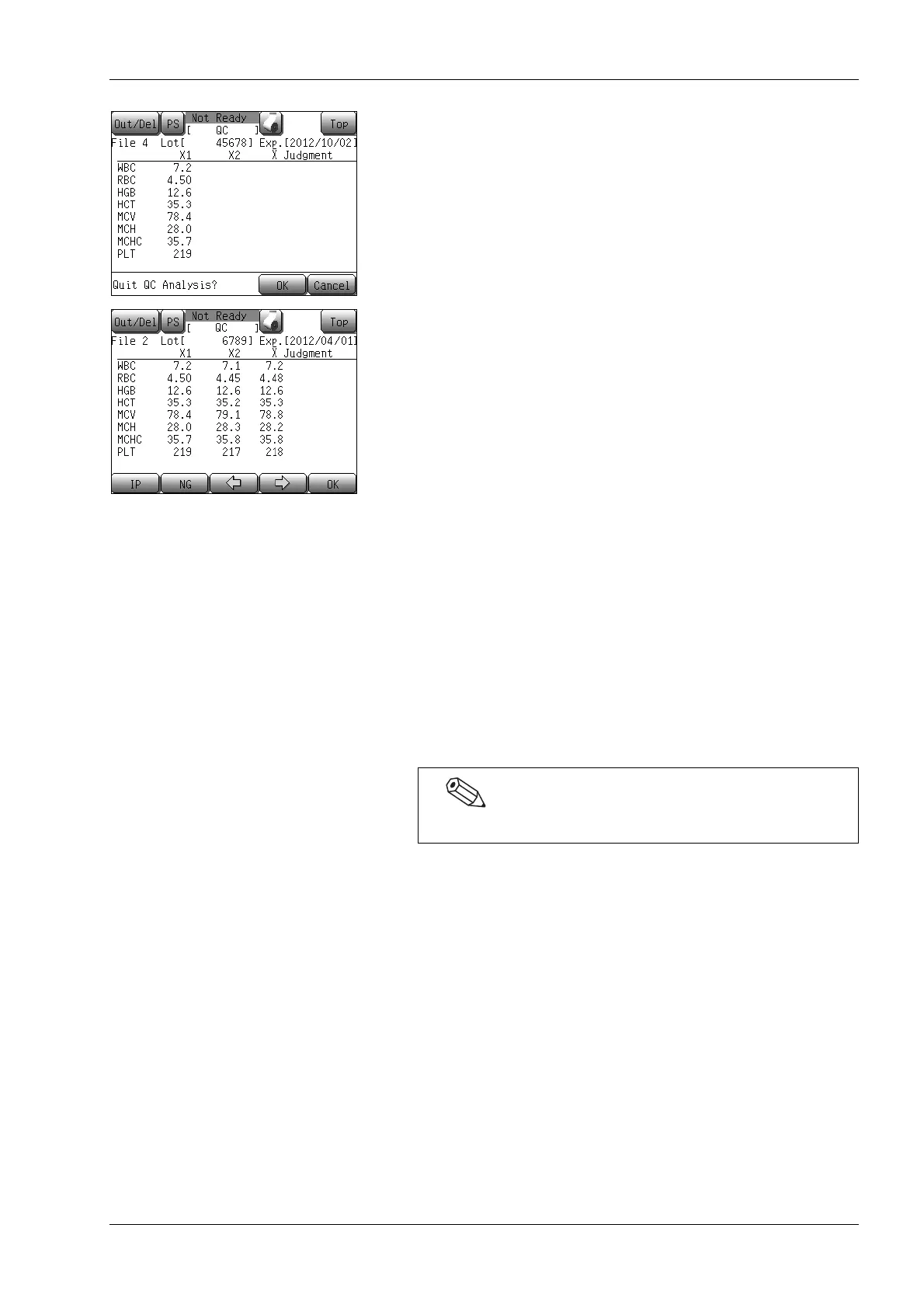
* When the [Top] button is pressed, the quality control analysis
confirmation message “Quit QC Analysis?” will be displayed.
Press the [OK] button to discard the analysis results and return
to the Main screen.
Press the [Cancel] button to return to the previous screen.
When the second analysis is completed, the analysis results from this
analysis will be displayed in the [X2] column on the analysis result
screen. The mean values of the analysis results from the first and the
second analyses will be displayed in the [X] column. Use the [←] or
[→] button to scroll the screen pages.
• Press the [IP] button to print the second analysis results and the
mean of the first and the second analysis results.
* When the [Top] button is pressed, the “Quit QC Analysis?”
message will be displayed.
Press the [OK] button to discard the analysis results and return
to the Main screen.
Press the [Cancel] button to return to the previous screen.
• Press the [OK] button to accept the results of the two analyses,
and output the mean of the two analyses to the internal printer
or host computer, depending on the quality control data output
settings. If the results of the second analysis are not to be
adopted, press the [NG] button to perform a new second
analysis. When performing re-analysis, remove the control
blood, close the cap, and mix well. Then, remove the cap again,
set the control blood to the sample probe, and press the start
switch of the instrument.
Example: Sample IDs when quality control analysis was performed
with file No. 3 will be shown as the following:
X1 analysis results: QC03-1
X2 analysis results: QC03-2
Mean of X1 and X2: QC03 (The mean does not contain
histogram data.)
From the stored data screen for output, the result data can be
printed out or transferred to the host computer.
The analysis results are saved to the stored data.



 To Next Page