7-24 Sysmex XP-300
Sample Analysis
Revised October 2012
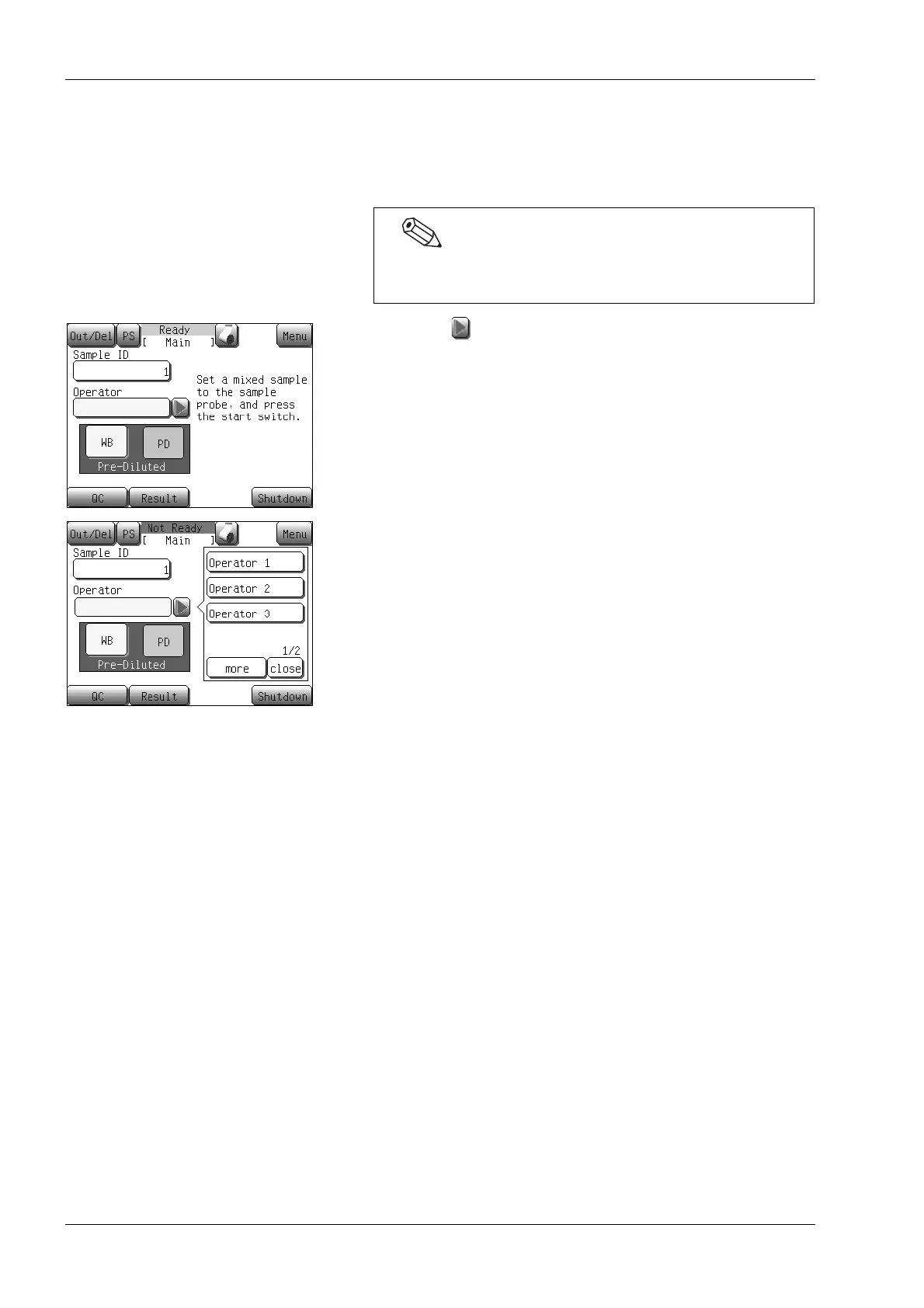
Selecting the operator ID
Before analysis, you can select the desired operator ID of the analysis
from the registered operator IDs.
(1) Press the [] button located on the right of the [Operator]
display column on the Main screen.
The operator ID selection dialog will appear.
(2) Select an operator ID.
The operator ID is defined, and the status changes to [Ready]
for starting analysis.
If the operator ID you want to select is not displayed, press
[more] to display all other operator IDs that are registered.
Analysis can be performed even when the operator ID is not
selected.



 To Next Page