USTER
®
HVI SPECTRUM
Instruction Manual
2.4 Step 4—Identify the Sample
The
HVI
SPECTRUM
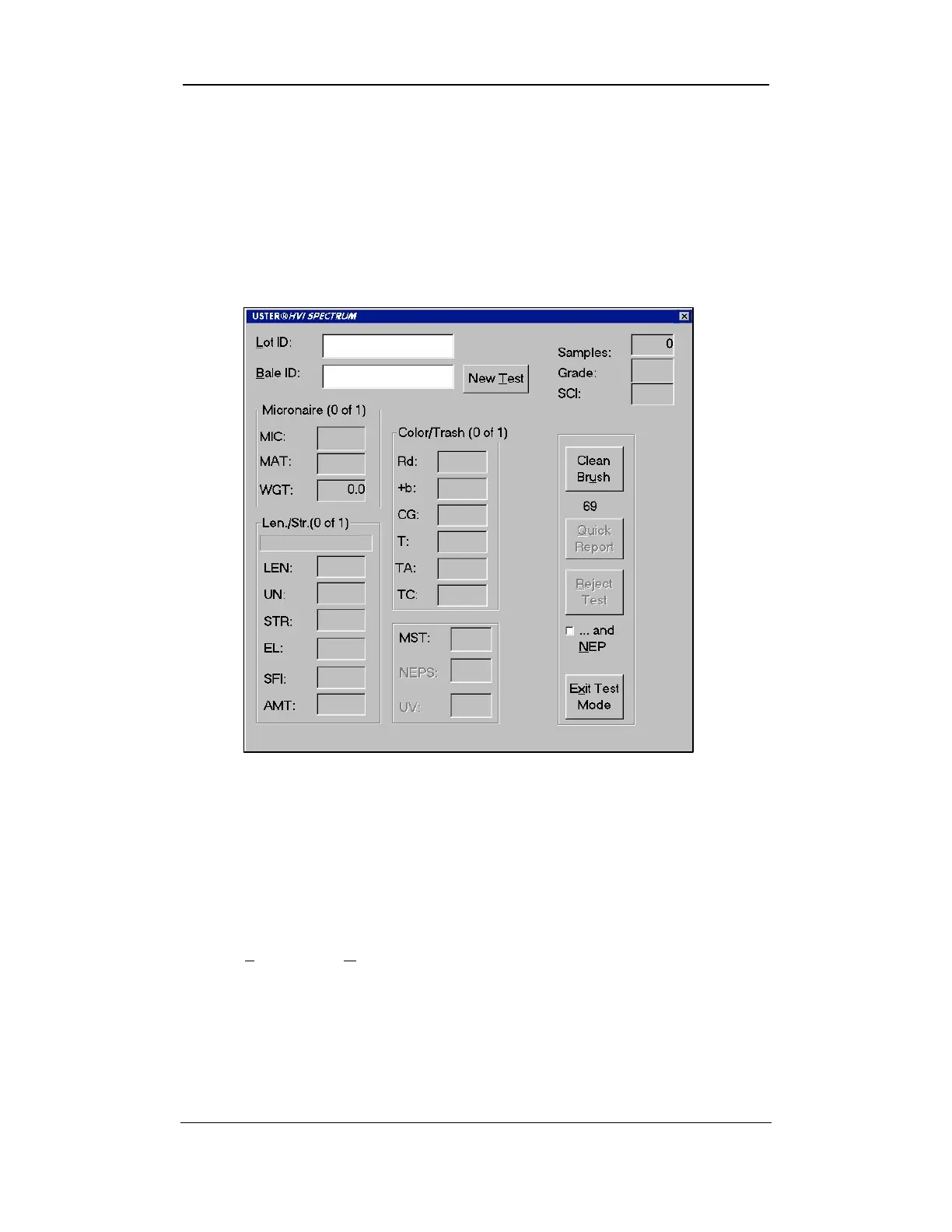
MAIN TESTING screen is the primary screen used
during the fiber testing process. It displays all measurements taken as
they are being conducted.
• The
HVI
SPECTRUM
MAIN TESTING screen will appear:
Figure 7-5: Testing Screen
Note:
Shaded items indicate either optional modules or items that
have been set to the OFF position on the Test Setup screen. This screen
is accessed by first selecting the
SETUP
button on the HVI
SPECTRUM
M
AIN
M
ENU
and then the C
ONFIGURE
button.
• The Lot ID and Bale ID fields must be filled when testing a sample
from a new lot or at the time of initial entry from the
HVI
SPECTRUM
MAIN MENU to the
HVI
SPECTRUM
TESTING screen.
Uster Technologies, Inc. Chapter 7
Testing Procedures • Page 7-6



 To Next Page