USTER
®
HVI SPECTRUM
Instruction Manual
2.1 Selecting a Profile
To select a profile, follow the steps below:
1. First, choose the RUN item under the QUALIPROFILE menu options
on the QUALIPROFILE MAIN MENU.
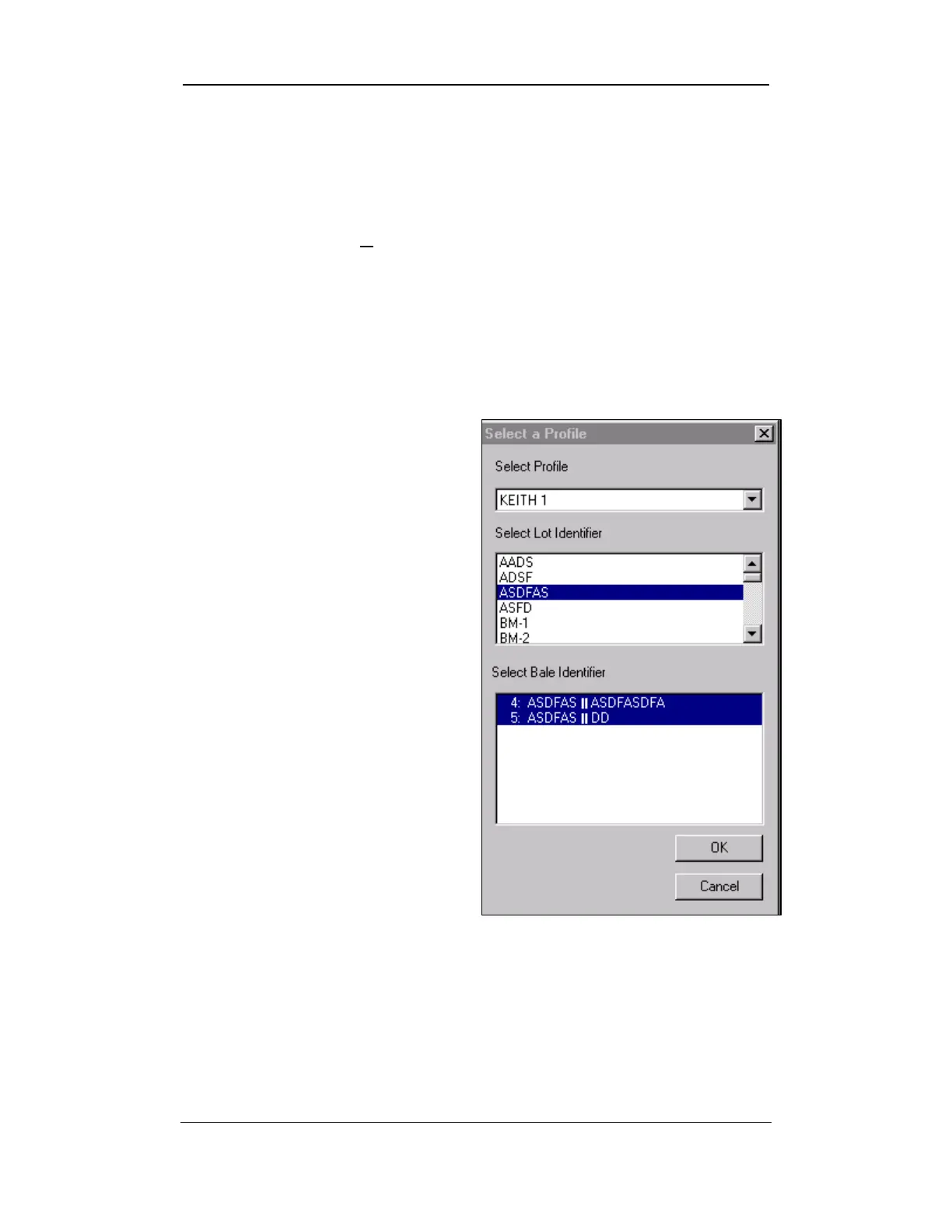
2. The SELECT A PROFILE screen shown on the right is displayed.
3. Choose a profile from the drop-down list located under Select
Profile.
4. A Lot Identifier must be
selected to which the profile
will be applied. Make a
selection from the drop-down
list under Select Lot
Identifier.
5. The QualiProfile can be
applied to all bales within a
lot or to selected bales within
a lot. Specific bales can be
selected under the Select
Bale Identifier drop-down
list. (The Bale Identifier will
automatically appear after
you select the Lot Identifier.)
6. Press the OK button when
you are finished.
Figure 11-5: Select a Profile Screen
Uster Technologies, Inc. Chapter 11
USTER® QualiProfile • Page 11-5



 To Next Page