USTER
®
HVI SPECTRUM
Instruction Manual
Uster Technologies, Inc. Chapter 3
3 Resetting the System
The main purpose of resetting the
HVI SPECTRUM
system is to clear the
software of unnecessary information. Resetting erases old values from
the system's memory buffer. If the system is reset in the middle of a
testing sequence, the result will be a loss of test data.
The system can also be reset if it is not responding to keyboard strokes.
Reset the instrument (reload the program) as follows while in any part of
operation with the exception of the TESTING function.
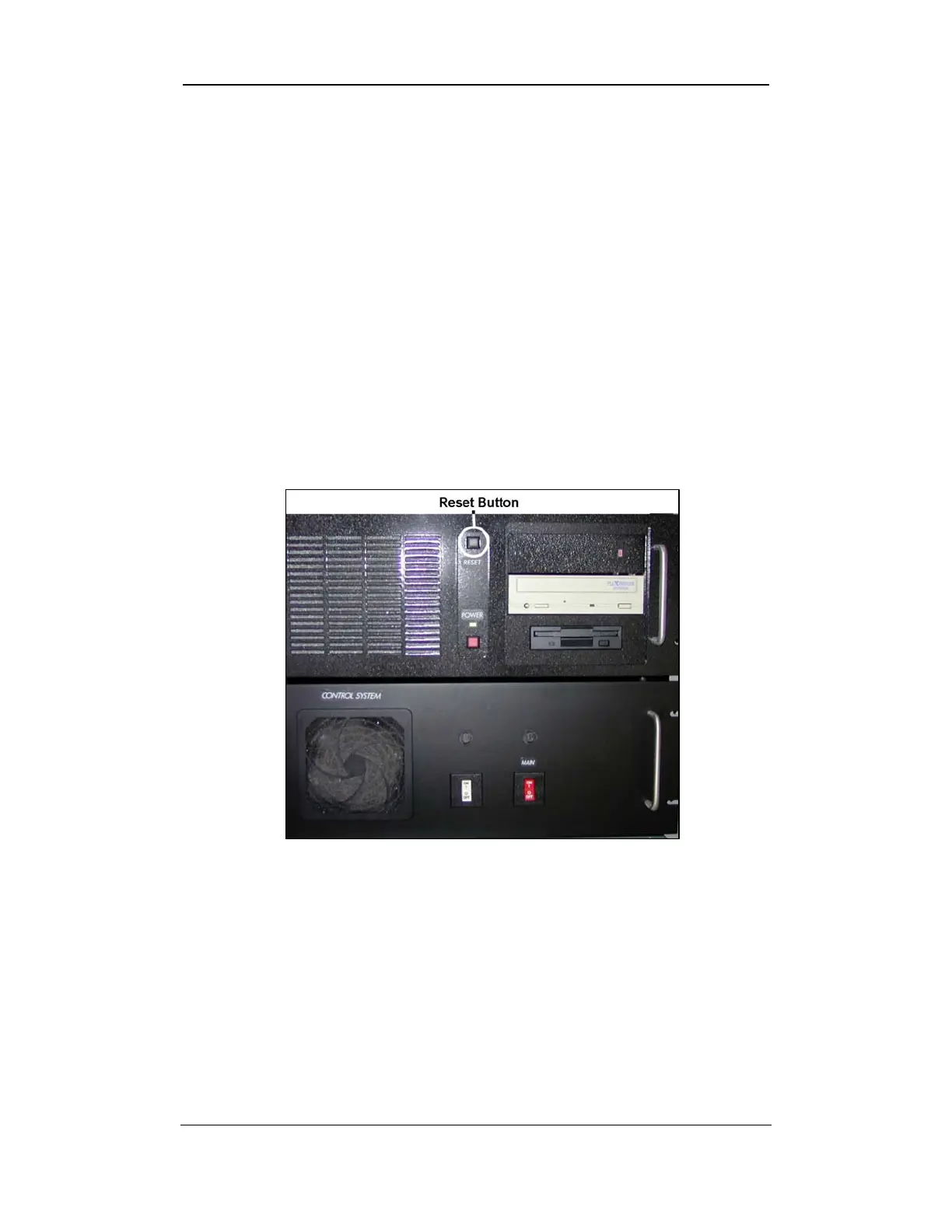
• Open the front doors of the system cabinet and press the button
labeled RESET on the computer system.
Figure 3-12: Computer System RESET Button
The system will reset and delete any measurement values that were
interrupted when the reset procedure was initiated. The system will
automatically reset itself after both start switches on top of the cabinet
are activated simultaneously.
Software Overview • Page 3-7



 To Next Page