USTER
®
HVI SPECTRUM
Instruction Manual
Uster Technologies, Inc. Chapter 10
Bale Manager • Page 10-9
3.2.1 System Status
The S
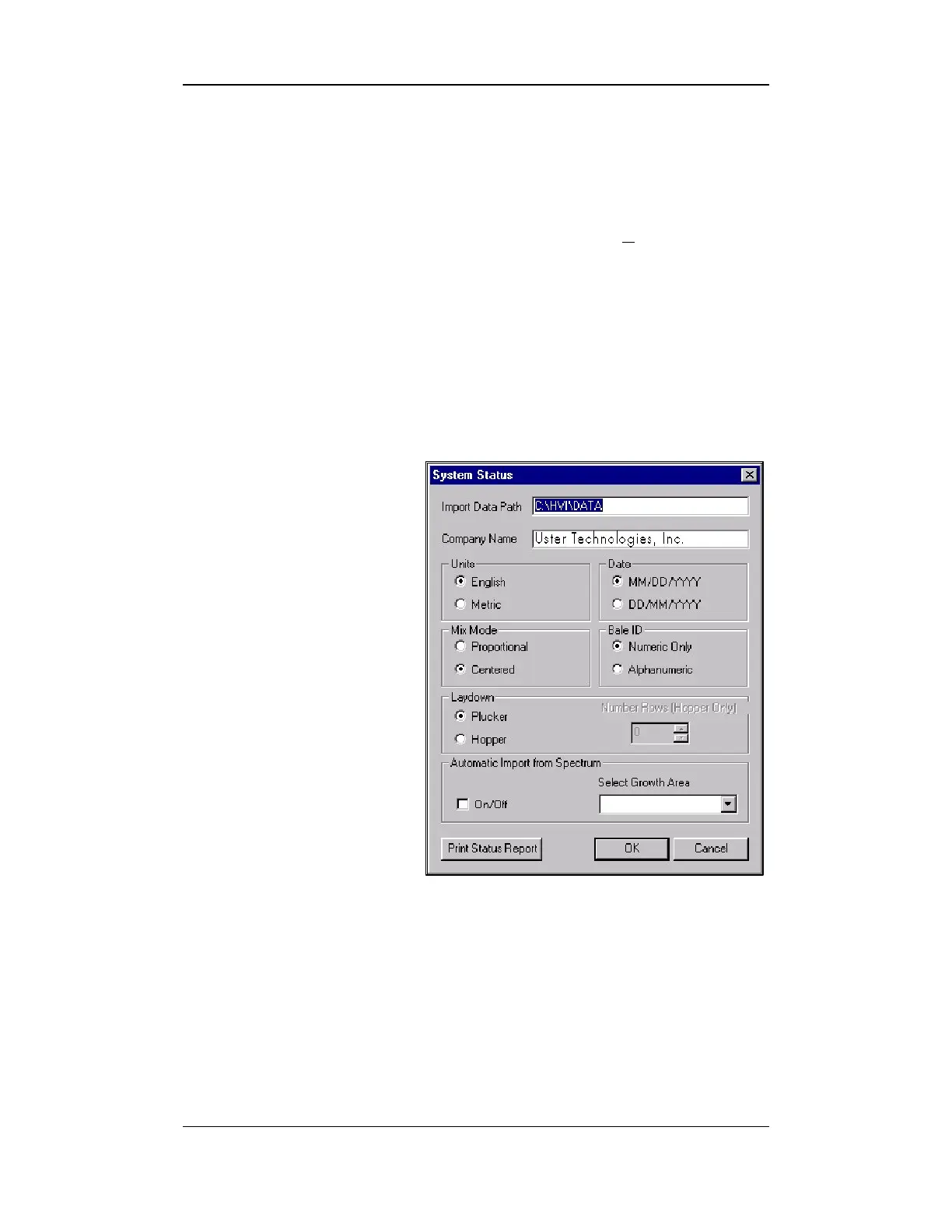
YSTEM STATUS screen is used to configure the system settings.
• Access the S
YSTEM STATUS screen by selecting the CONFIGURE menu
item from the BALE MANAGER MAIN MENU. Select SYSTEM.
• The Database field is used to define the location and name of the
data file used by the Bale Manager.
• For Bale Manager applications installed on an
HVI SPECTRUM
machines, this will be fixed to the data file for the
HVI SPECTRUM
.
On stand-alone installations this can be any path.
• The Import Data
Path field is used to
indicate the path
where test data will be
imported and stored.
Data can be imported
from the default path
set here or it can be
imported from the disk
drive (A:). This
selection is made
using the DATA IMPORT
screen
(discussed in
Section 3.1.1)
.
Figure 10-6: System Status Screen
• The Company Name field is used to indicate the name of the
company that has purchased the
HVI SPECTRUM
.
Note:
This name will appear on various screens and reports
throughout the system.
• Select either English or Metric in the Units field, which is used to
indicate the units of measure.



 To Next Page