USTER
®
HVI SPECTRUM
Instruction Manual
2.1.4 Delete Lot Limits
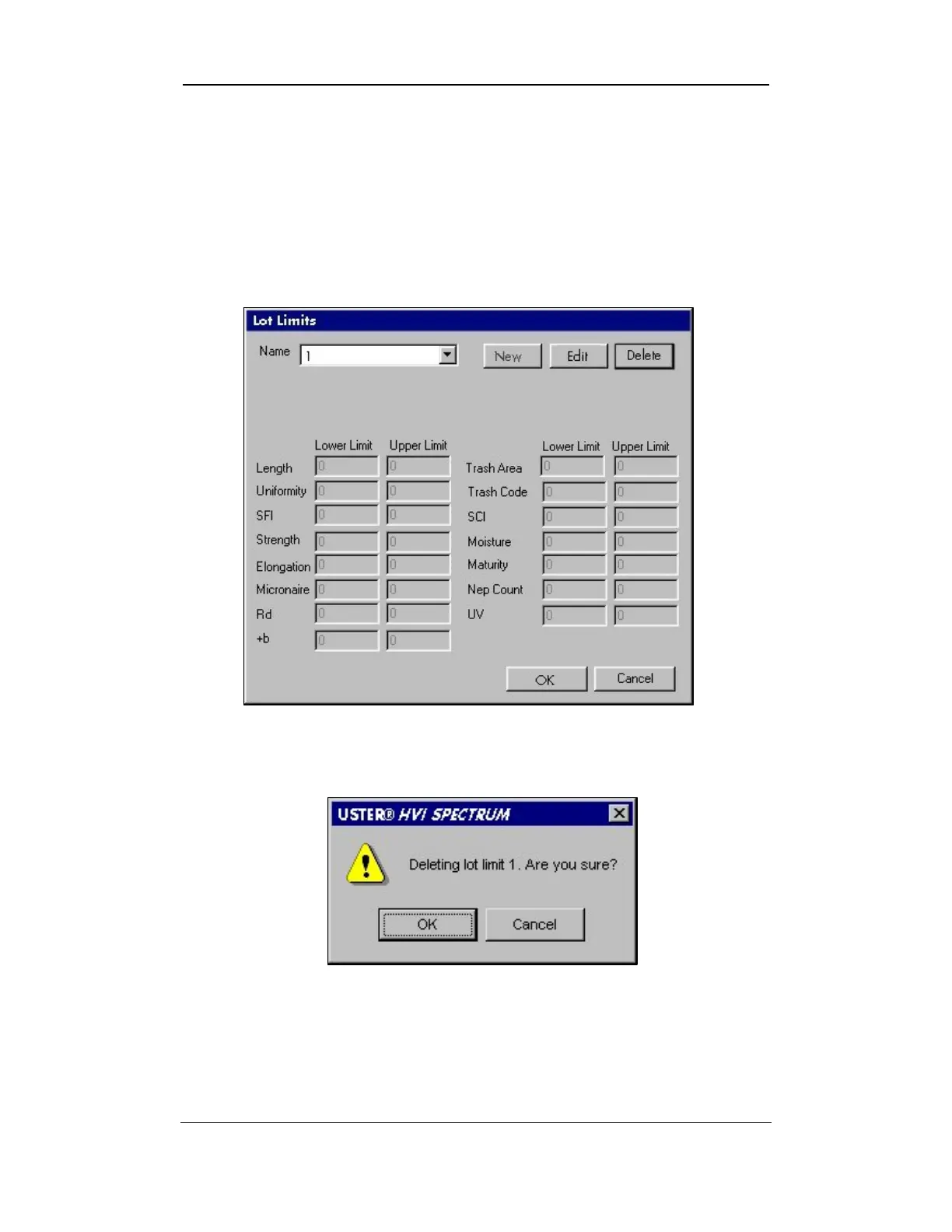
To delete a lot limit:
1. Select the lot limit to be deleted from the Name field drop down
box on the LOT LIMITS screen.
2. Select the DELETE button.
Figure 6-10: Lot Limits Screen - Delete
3. A warning dialog box, “DELETING LOT LIMIT 1. ARE YOU SURE?” is
displayed.
Figure 6-11: “DELETING LOT LIMIT 1. ARE YOU SURE?”
4. Select OK if this is the correct lot limit to be deleted.
5. Select CANCEL if you wish to keep the selected lot limit.
Uster Technologies, Inc. Chapter 6
Configurations • Page 6-11



 To Next Page