USTER
®
HVI SPECTRUM
Instruction Manual
4. Enter the Bale ID or highlight it from the pull down list in the Bale
ID field.
5. Press OK when you are finished.
Note:
When accessed from Micronaire Module Testing, I
NDIVIDUAL
R
EPORT
T
YPE
is automatically selected when the S
ELECT
Q
UICK
R
EPORT
screen is accessed.
The
S
UMMARY
report type is disabled. (Refer to
figure 9-1.) When basic components are used, Summary shows as the
default. (Refer to figure 9-3.)
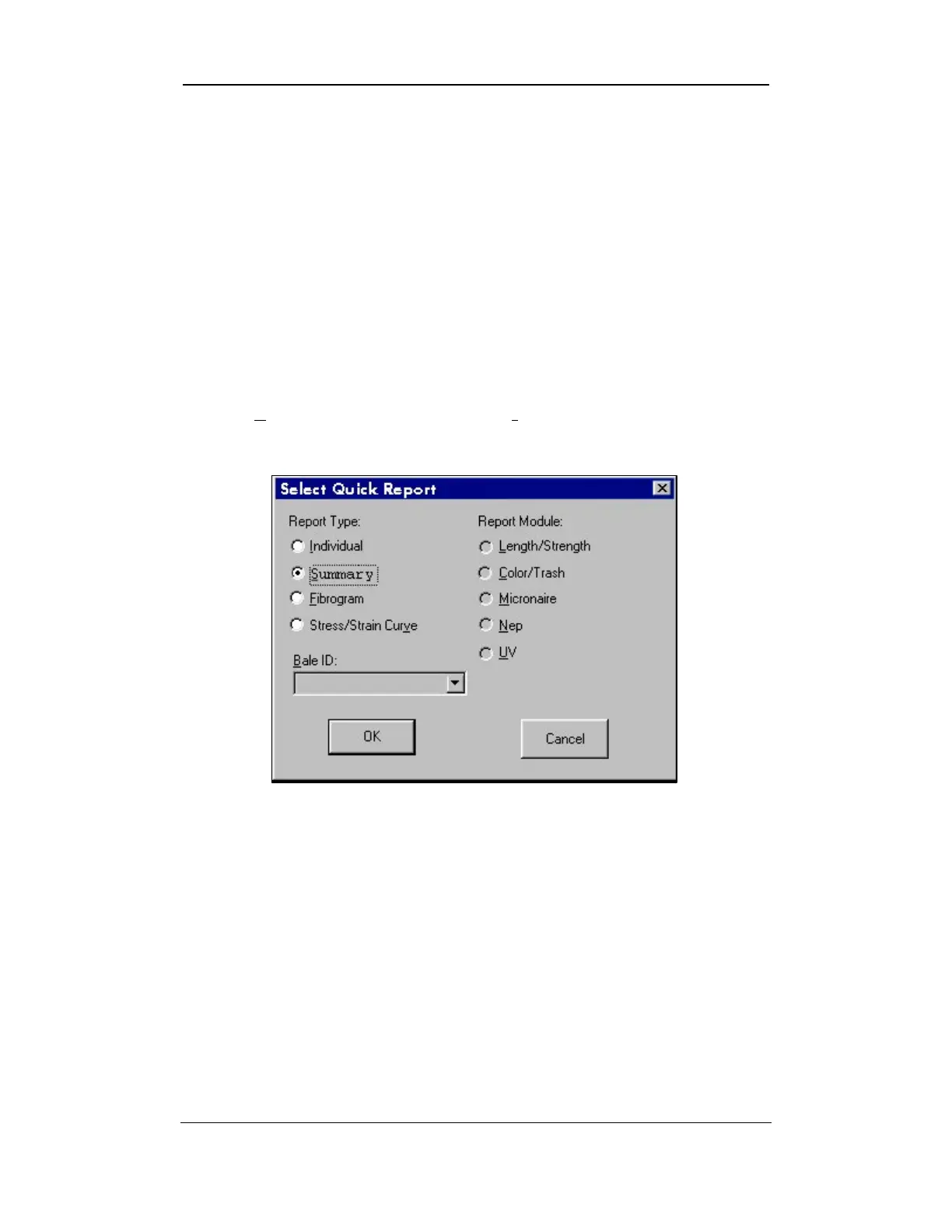
6. The figure below depicts the SELECT QUICK REPORT screen, but shows
the Summary checked instead of Individual
in the “Report
Type” area.
Figure 9-2: Select Quick Report Screen - Summary
7. A report is generated when the OK button is pressed.
Uster Technologies, Inc. Chapter 9
Quick Reports • Page 9-2



 To Next Page